

POP3 vs IMAP: Local Device Storage vs Centralized Cloud Synchronization (2027 Benchmark)
Published by Fred Dawson • Senior Deliverability Systems Architect • 17 min read
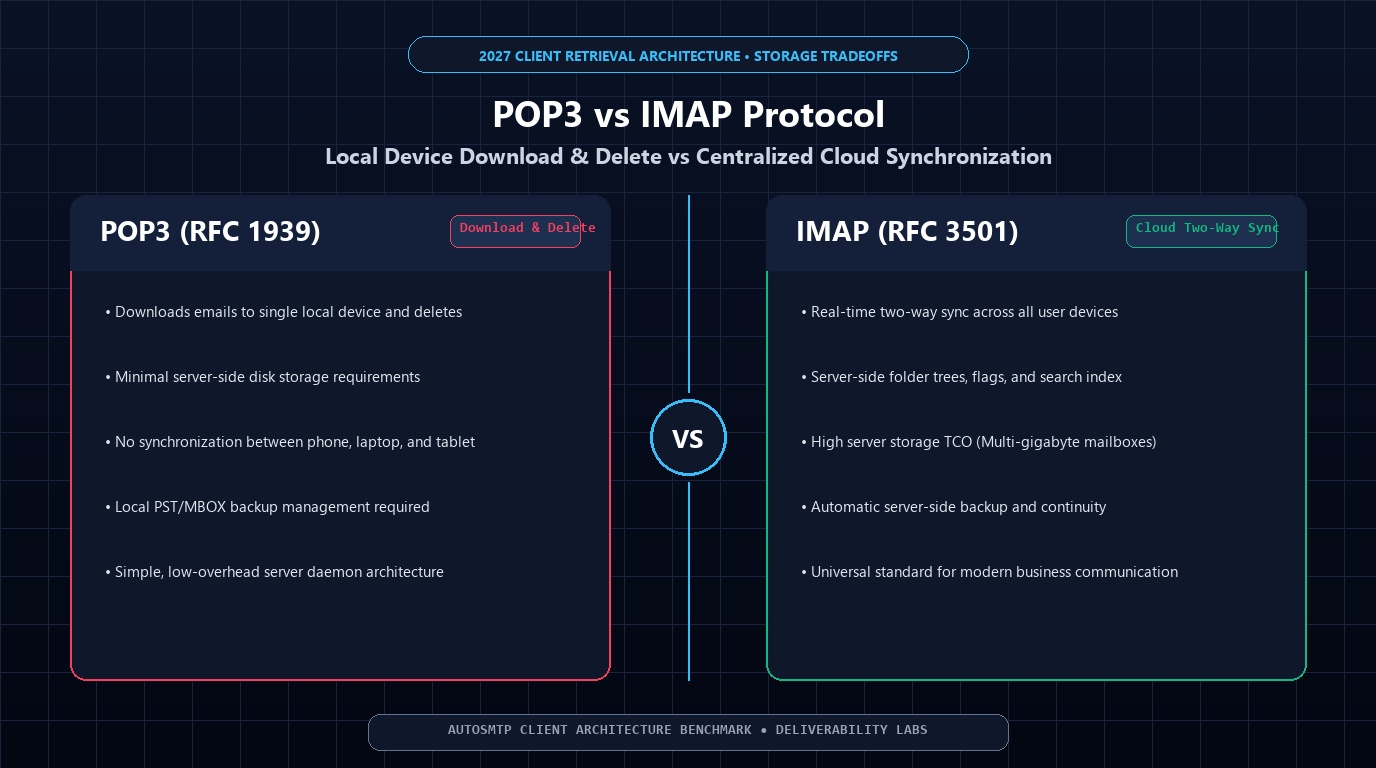
In the earliest days of client-server email, POP3 (Post Office Protocol version 3, RFC 1939) was the undisputed industry standard. Standardized in 1988 for dial-up computing with scarce server disk space, POP3 followed a simple philosophy: connect, download messages to local disk, and delete them from the server. As users transitioned to operating across multiple devices—laptops, smartphones, tablets, and webmail—IMAP (Internet Message Access Protocol, RFC 3501) emerged as the modern gold standard by retaining messages centrally on the server and synchronizing folder hierarchies, read statuses, and sent items across every endpoint. Despite its obsolescence for modern workflows, POP3 is still maintained for specialized archiving, batch ingest, and low-storage compliance environments. This guide compares POP3 and IMAP across multi-device workflows, disk economics, local PST corruption risks, backup integrity, and server scalability.
- 1. Fundamental Architecture: Download-and-Purge vs Bi-Directional Cloud Sync
- 2. The Multi-Device Dilemma: Why POP3 Fails Modern Workflows
- 3. Server NVMe Storage Economics vs Client Corruption Risks
- 4. Bandwidth Efficiency: UIDL Sweeps vs IMAP Partial Header Streaming
- 5. POP3 vs IMAP Technical Matrix
- 6. The AutoSMTP Deliverability Defense Advantage
1. Fundamental Architecture: Download-and-Purge vs Bi-Directional Cloud Sync
The philosophical divide between POP3 and IMAP defines how messages are stored, retrieved, and deleted:
POP3 (RFC 1939): Conceived as a digital “post office box.” An email client connects to TCP port 110 (or port 995 with SSL/TLS), authenticates, issues the STAT command to count messages, downloads each message via RETR, issues DELE to wipe the message from the server, and issues QUIT to close the connection. While modern email clients feature a “Leave a copy of messages on server” toggle, POP3 remains fundamentally a single-folder flat spool protocol with zero awareness of subfolders, sent items, or draft states.
IMAP (RFC 3501): Conceived as a centralized, remote document store. The server maintains the master copy of all mailboxes, folders, and message metadata. When an IMAP client connects to TCP port 143 (or port 993 with SSL/TLS), it synchronizes state bi-directionally. When a user marks an email as read, moves it to a subfolder, flags it for follow-up, or drafts a response, that state is instantly updated on the server and propagated to all other connected clients.
# POP3 Session: All-or-nothing download & deletion (Port 995)
S: +OK POP3 server ready
C: USER alex@company.com
S: +OK
C: PASS secret123
S: +OK Mailbox open, 3 messages
C: STAT
S: +OK 3 154200
C: RETR 1
S: +OK 51400 octets

 [Full message headers and body streamed to local disk]
C: DELE 1
S: +OK Message 1 marked for deletion
C: QUIT
S: +OK POP3 server signing off (messages deleted)

# IMAP Session: Selective header inspection without body download (Port 993)
C: A01 SELECT INBOX
S: * 3 EXISTS

 A01 OK [READ-WRITE] SELECT completed
C: A02 FETCH 1:3 (FLAGS RFC822.SIZE ENVELOPE)
S: * 1 FETCH (FLAGS (\Seen) RFC822.SIZE 51400 ENVELOPE ("Meeting" "Boss" ...))
S: A02 OK FETCH completed (Only metadata downloaded; zero bandwidth wasted on attachments!)
2. The Multi-Device Dilemma: Why POP3 Fails Modern Workflows
In modern enterprise environments where an individual operates a desktop workstation, a laptop, and a smartphone, POP3 introduces severe operational failures:
- The “First Device Wins” Problem: If POP3’s default “delete on retrieval” is active, whichever device checks mail first downloads the messages and deletes them from the server. If the user’s phone checks mail while they are commuting, the emails are stored solely on the phone’s local storage and will never appear on their office desktop.
- Duplicate Messages & Desynchronized Read States: Even when configured to “leave copy on server,” POP3 cannot sync read/unread flags. An email opened and answered on a laptop will still show as unread on the phone.
- Sent Items Isolation: Outbound emails sent via SMTP from a laptop remain trapped in that laptop’s local “Sent” folder. The user cannot reference what they sent when reviewing correspondence on their mobile phone.
3. Server NVMe Storage Economics vs Client Corruption Risks
The historical argument in favor of POP3 was server disk conservation. In 1995, a 10 GB server hard drive cost thousands of dollars; offloading storage to user workstations was an economic necessity.
POP3: The Fragility of Local PST Files
When POP3 offloads mail to local Microsoft Outlook .pst or Thunderbird mbox files, corporate data is exposed to immense risk. Monolithic PST files frequently corrupt once they exceed 20GB-50GB. If a user’s local hard drive fails or their laptop is lost or stolen, years of irreplaceable business correspondence are permanently lost unless costly local backup agents are maintained.
IMAP: Enterprise NVMe & ZFS Resiliency
Modern enterprise NVMe SSD storage costs pennies per gigabyte. By centralizing mailboxes on an IMAP server (running Dovecot with mdbox or Maildir formats), organizations leverage enterprise ZFS mirror arrays, automated point-in-time snapshots, off-site replication, and compliance journaling. If an executive loses their laptop, they simply sign into a replacement machine and their entire mailbox state is restored instantly.
4. Bandwidth Efficiency: UIDL Sweeps vs IMAP Partial Header Streaming
A common misconception is that POP3 is faster or lighter on bandwidth. In practice, modern IMAP is significantly more bandwidth-efficient:
POP3 UIDL Overhead: When POP3 leaves mail on the server, the client must issue a UIDL command on every sync cycle to download the unique ID hash of every message in the mailbox to determine what has already been downloaded. In a mailbox with 50,000 messages, the client downloads megabytes of UIDL hashes every few minutes just to check if one new email arrived.
IMAP Partial Fetching: IMAP allows fine-grained data fetching. A mobile client can fetch only the message headers (From, Subject, Date) and the first 500 characters of the body text (BODY.PEEK[1]<0.500>) for the latest 20 messages. Heavy 25MB PDF attachments remain on the server and are only transferred if the user explicitly taps to download them.
5. POP3 vs IMAP Technical Matrix
| Architectural Pillar | POP3 (RFC 1939) | IMAP (RFC 3501) | Operational Impact |
|---|---|---|---|
| Default Storage Location | Local Client Hard Drive | Centralized Server NVMe Array | IMAP protects corporate mail from local hardware failure |
| Multi-Device Access | Flawed (Deletes mail or desyncs flags) | Flawless (Real-time bi-directional sync) | IMAP is required for modern multi-device workflows |
| Folder Hierarchy Support | None (Single flat Inbox spool only) | Full (Custom subfolders, Sent, Trash, Drafts) | IMAP allows complex organization synced across all devices |
| Read / Flag Synchronization | No (Read state is strictly local) | Yes (\Seen, \Flagged, \Answered synced) | Opening an email marks it read across phone, laptop, and web |
| Attachment Handling | Downloads entire message + attachments | Streams headers; attachments downloaded on-demand | IMAP saves massive bandwidth on mobile cellular plans |
| Push Email Support | No (Polling only; client checks every N min) | Yes (IMAP IDLE push notifications) | IMAP delivers messages to user screens in sub-seconds |
| Disaster Recovery | Dependent on local client computer backups | Centralized server RAID/ZFS snapshots | IMAP centralizes enterprise compliance and backup retention |
The Cost of a Corrupted 48 GB Outlook PST File
A regional accounting firm with 35 partners utilized POP3 to minimize server storage costs, directing all client tax correspondence into local Outlook .pst archives. During tax season, a senior partner’s 48GB PST file suffered catastrophic B-tree header corruption following a sudden laptop battery shutdown. Professional data recovery specialists were only able to retrieve 40% of the emails, resulting in lost client records and audit liabilities. The firm immediately migrated to a dedicated AutoSMTP bare-metal cluster with Dovecot IMAP and daily ZFS cloud replication, completely eliminating local file corruption risks.
The AutoSMTP Deliverability Defense Advantage
Inbound and outbound filtering pipelines require robust underlying transport hardware. AutoSMTP provisions sovereign, dedicated bare-metal MTA infrastructure engineered for high-throughput filtering, synchronous 550 bounce suppression, and permanent reputation control.
Provisions fully licensed PowerMTA and KumoMTA clusters on enterprise bare-metal with dedicated IPv4 subnets and predictable flat pricing.
Monitors Google Postmaster spam ratios (<0.1%) and real-time ISP deferrals with algorithmic volume scaling across your entire IP pool.
RFC 5321 in-band 550 bounce suppression, automated Yahoo/Outlook Complaint Feedback Loops (CFL), and instant bad-IP eviction.
Pre-configured forward and reverse DNS (PTR) per IP, SPF CIDR alignment, 2048-bit DKIM rotation, and strict DMARC enforcement.
Upgrade Your Email Infrastructure with Dedicated Bare Metal
Eliminate filter lag, queue serialization bottlenecks, and noisy neighbor contamination. Deploy a turnkey AutoSMTP cluster today.
Deploy Turnkey MTA Cluster →