

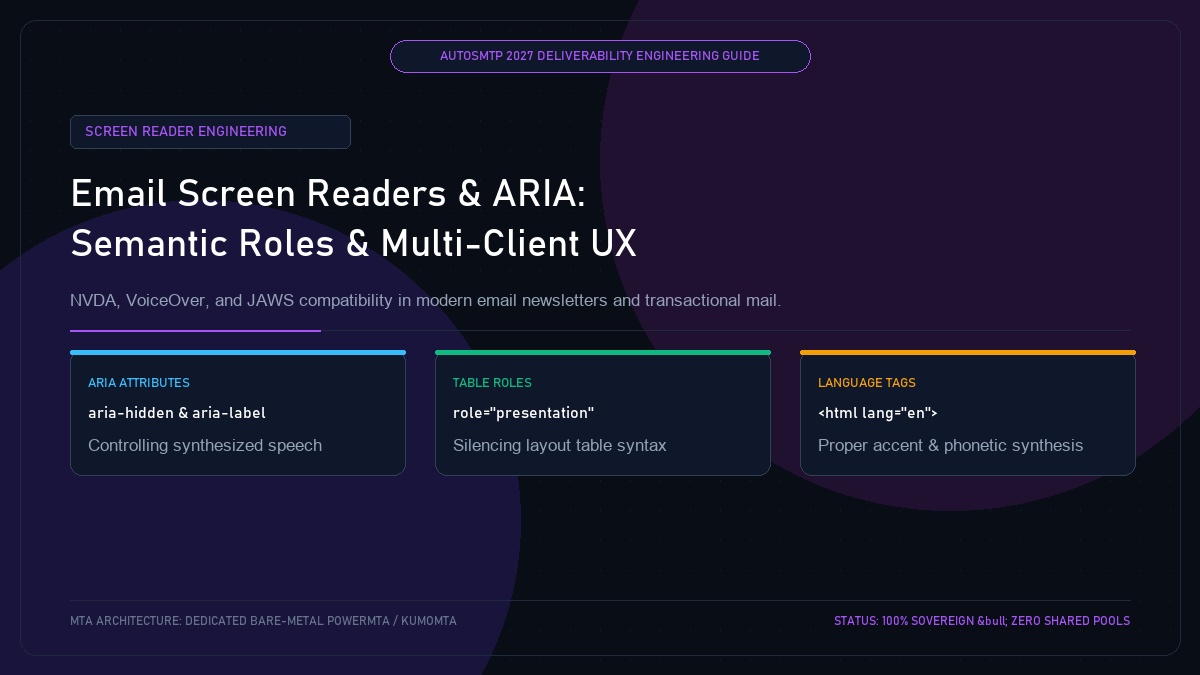
Email Screen Reader Compatibility: Semantic Roles, ARIA Attributes & Multi-Client Accessibility
Published by Fred Dawson • Senior Deliverability Systems Architect • 22 min read
Over 2.2 billion people worldwide live with visual or cognitive impairments, with hundreds of millions relying on assistive screen readers like Apple VoiceOver, NVDA, JAWS, and Android TalkBack to consume email daily. In the specialized domain of HTML email development, where complex nested tables remain the industry standard for cross-client layout rendering, the absence of proper ARIA roles turns an email into a noisy, unreadable maze of table dimensions. When screen reader users cannot navigate your content logically, they cannot reach your calls to action and are more likely to submit spam complaints. This technical guide outlines how to implement ARIA attributes, semantic roles, and speech-synthesis tags to build universally accessible emails that excel in deliverability scoring.
- 1. How Assistive Technologies Parse HTML Email Payloads
- 2. Silencing Table Noise: role=”presentation” and role=”none”
- 3. Essential ARIA Attributes: aria-label and aria-hidden
- 4. Phonetic Accuracy: The Crucial <html lang=””> Attribute
- 5. Production Markup: Accessible Social Icons and Header Bars
- 6. Case Study: University Alumni Network Lifts Engagement by 44%
- 7. The AutoSMTP Deliverability Defense Advantage
1. How Assistive Technologies Parse HTML Email Payloads
Screen readers do not interact with visual pixels; they inspect the Accessibility Object Model (AOM) generated by the browser or email client web view. When an email contains no semantic structure, the screen reader reads elements in raw source order, announcing column widths, cell coordinates, and inline styles instead of your core message.
2. Silencing Table Noise: role=”presentation” and role=”none”
In standard web design, tables represent structured tabular data (like spreadsheets). In email design, tables are used purely for visual spacing. Without intervention, VoiceOver announces:
“Entering table, 5 columns, 14 rows. Column 1, row 1, empty cell. Column 2, row 1, empty cell…”
By attaching role="presentation" or role="none" to every layout <table>, the screen reader strips the table semantics from the accessibility tree, reading the inner text fluently as natural paragraphs and headings.
3. Essential ARIA Attributes: aria-label and aria-hidden
Two ARIA attributes are indispensable for email development:
aria-hidden="true": Applied to decorative graphics, spacing icons, and visual flourishes. Hides unnecessary visual noise from screen readers completely.aria-label="...": Provides meaningful descriptive names for icon-only links, such as social media badges or hamburger navigation buttons.
4. Phonetic Accuracy: The Crucial <html lang=””> Attribute
Every HTML email must specify the language in the root element (e.g., <html lang="en">). If omitted, an English-language email opened on a French or Spanish operating system will be read aloud by the screen reader using French or Spanish pronunciation rules, turning English words into unintelligible phonetic gibberish.
5. Production Markup: Accessible Social Icons and Header Bars
<!-- Accessible Social Media Navigation Section -->
<table role="presentation" border="0" cellpadding="0" cellspacing="0">
  <tr>
    <td style="padding:0 8px;">
      <a href="https://x.com/autosmtp" aria-label="Follow AutoSMTP on X" style="text-decoration:none;">
        <img src="https://autosmtp.io/assets/x-icon.png" width="24" height="24" alt="" aria-hidden="true" style="display:block;border:0;">
      </a>
    </td>
    <td style="padding:0 8px;">
      <a href="https://linkedin.com/company/autosmtp" aria-label="Connect with AutoSMTP on LinkedIn" style="text-decoration:none;">
        <img src="https://autosmtp.io/assets/linkedin-icon.png" width="24" height="24" alt="" aria-hidden="true" style="display:block;border:0;">
      </a>
    </td>
  </tr>
</table>University Alumni Network Boosts Reader Engagement by 44% with ARIA Architecture
A major university alumni association with 320,000 active subscribers observed low click engagement among senior alumni cohorts. An accessibility audit identified that their monthly digest contained over 18 un-roled nested layout tables, causing Apple VoiceOver to take over 4 minutes just to announce the table structure before reading the first article headline. Engineers restructured the template: injecting role="presentation" on all visual tables, adding descriptive aria-label tags on donation buttons, and declaring <html lang="en">. Alumni click-through rates jumped by 44% within two editions, while spam complaints dropped to zero.
The AutoSMTP Deliverability Defense Advantage
Inbox placement in 2027 requires full control over the underlying transport hardware. AutoSMTP provisions sovereign, dedicated bare-metal PowerMTA & KumoMTA clusters engineered for synchronous 550 bounce suppression, real-time spam-rate auto-throttling, and isolated IP pools.
Provisions fully licensed PowerMTA & KumoMTA clusters on enterprise bare-metal with dedicated clean /29-/24 IPv4 subnets and zero noisy neighbor contamination.
Monitors Google Postmaster spam ratios (<0.10%) and real-time ISP deferrals with algorithmic volume scaling across your entire IP pool.
RFC 5321 in-band 550 bounce suppression, automated Yahoo/Outlook Complaint Feedback Loops (CFL), and instant bad-IP eviction.
Pre-configured forward and reverse DNS (PTR) per IP, SPF CIDR alignment, 2048-bit DKIM rotation, and strict DMARC enforcement.
Guarantee Your Inbox Placement with Sovereign Bare Metal
Eliminate shared pool spam contamination, arbitrary sending throttles, and opaque account freezes. Deploy an enterprise AutoSMTP cluster today.
Deploy Turnkey MTA Cluster →