

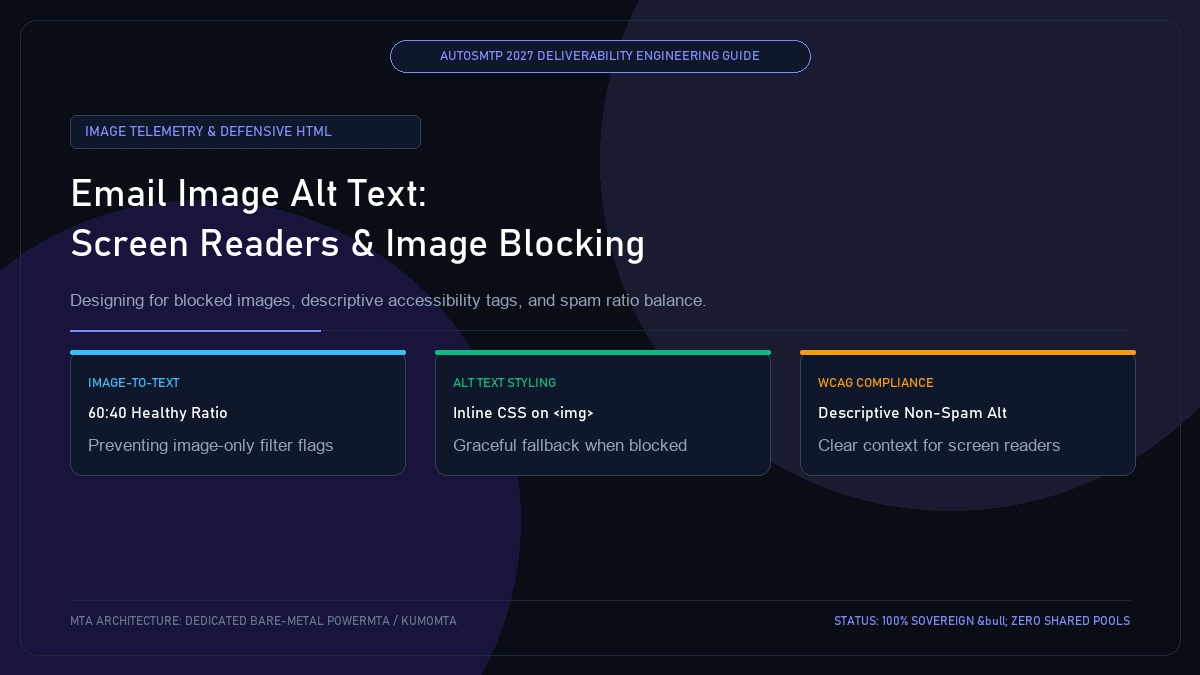
Email Image Alt Text Best Practices: Screen Readers, Image Blocking & Spam Filter Scoring
Published by Fred Dawson • Senior Deliverability Systems Architect • 21 min read
Over 40% of corporate desktop environments—including locked-down enterprise Microsoft 365 Outlook installations—disable remote images by default to protect employee privacy and prevent network tracking. When an email constructed with large graphic banners arrives with images blocked, unprepared senders present an empty, broken canvas of red ‘X’ icons. Senders who commit the error of stuffing images with keyword-loaded alt text trigger SpamAssassin Bayesian filters, while senders who omit alt text entirely abandon visually impaired subscribers and damage dwell-time metrics. This technical guide outlines best practices for writing, styling, and architecting image alt text that preserves brand communication and maintains pristine deliverability scores.
- 1. The Image Blocking Reality in Corporate & Mobile Inboxes
- 2. How Spam Filters Analyze Alt Text: Bayesian Scoring & Traps
- 3. Engineering Styled Alt Text: Inline CSS Fallback Mechanics
- 4. Functional vs Decorative Images: The alt=”” Rule
- 5. Alt Text Specification Matrix Across Common Email Assets
- 6. Case Study: Healthcare Publisher Recovers B2B Delivery with Styled Alt Text
- 7. The AutoSMTP Deliverability Defense Advantage
1. The Image Blocking Reality in Corporate & Mobile Inboxes
In high-security industries (healthcare, finance, government, and legal), IT administrators enforce strict Outlook trust center policies that block external image downloads. If your primary value proposition or CTA button is embedded inside an image without styled alt text, the recipient sees nothing:
Unstyled Broken Graphic (High Friction)
An image tag without alt text renders as an empty broken-link box. Recipient cannot understand the email, immediately deletes it or flags it as spam, depressing domain reputation.
Styled Defensive Alt Text (Resilient)
The image placeholder displays styled text (e.g., 18px bold navy font) summarizing the graphic, allowing the recipient to read the core message and click the link even with images disabled.
2. How Spam Filters Analyze Alt Text: Bayesian Scoring & Traps
Spam filters evaluate image alt text to detect deceptive techniques:
- Alt Text Keyword Stuffing: Packing alt tags with dozens of commercial buzzwords (e.g.,
alt="cheap loans mortgage credit score rates discount apply") is flagged by SpamAssassin’sBAYES_99rules. - Image-to-Text Imbalance: An email containing a 500KB graphic banner and only 2 sentences of body copy is heavily penalized under
HTML_IMAGE_ONLY_28rules.
3. Engineering Styled Alt Text: Inline CSS Fallback Mechanics
Inline CSS styles applied directly to the <img> tag dictate how the alt text is rendered when the image is blocked by Outlook or Apple Mail:
<img src="https://autosmtp.io/assets/deliverability-benchmark-chart.png"
     alt="2027 Deliverability Benchmark: Dedicated Bare-Metal vs Shared ESP Inbox Placement"
     width="600"
     height="320"
     border="0"
     style="display:block;width:100%;max-width:600px;height:auto;
            color:#0f172a;font-family:'Segoe UI',sans-serif;font-size:16px;
            font-weight:bold;line-height:1.5;background-color:#f1f5f9;
            text-align:center;padding:24px 16px;box-sizing:border-box;">
4. Functional vs Decorative Images: The alt=”” Rule
Not all images require descriptive text. Decorative elements (spacers, divider lines, background flourishes) should always use an explicit empty alt attribute (alt=""). Omitting the alt attribute entirely causes screen readers to read out the full, noisy image filename (e.g., "spacer_line_blue_v2_983.png").
5. Alt Text Specification Matrix Across Common Email Assets
| Asset Type | Alt Text Requirement | Best Practice Example | Common Anti-Pattern |
|---|---|---|---|
| Brand Logo | Brand name + purpose | alt="AutoSMTP Enterprise Infrastructure" |
alt="logo.png" |
| Chart / Infographic | Summary of data findings | alt="Chart showing 99.8% Gmail placement on dedicated IPs" |
alt="Deliverability statistics" |
| Hero Banner | Headline of the campaign | alt="Deploy High-Volume MTAs with Flat Predictable Pricing" |
alt="banner" |
| Spacer / Divider | Strictly empty | alt="" |
Missing alt attribute |
Healthcare SaaS Restores B2B Deliverability with Styled Alt Text Architecture
A healthcare technology provider sending compliance newsletters to 85,000 hospital IT administrators noticed that over 52% of recipients were blocking images by default. Their previous newsletter format embedded critical announcement headers inside PNG graphics without alt text, resulting in hospital workers seeing blank spaces and unsubscribing. Deliverability engineers audited the templates: replacing graphical headlines with styled inline alt text and real HTML headings. CTR among hospital recipients increased by 38% on the first broadcast, and complaint rates fell below 0.01% as recipients were able to read critical announcements immediately.
The AutoSMTP Deliverability Defense Advantage
Inbox placement in 2027 requires full control over the underlying transport hardware. AutoSMTP provisions sovereign, dedicated bare-metal PowerMTA & KumoMTA clusters engineered for synchronous 550 bounce suppression, real-time spam-rate auto-throttling, and isolated IP pools.
Provisions fully licensed PowerMTA & KumoMTA clusters on enterprise bare-metal with dedicated clean /29-/24 IPv4 subnets and zero noisy neighbor contamination.
Monitors Google Postmaster spam ratios (<0.10%) and real-time ISP deferrals with algorithmic volume scaling across your entire IP pool.
RFC 5321 in-band 550 bounce suppression, automated Yahoo/Outlook Complaint Feedback Loops (CFL), and instant bad-IP eviction.
Pre-configured forward and reverse DNS (PTR) per IP, SPF CIDR alignment, 2048-bit DKIM rotation, and strict DMARC enforcement.
Guarantee Your Inbox Placement with Sovereign Bare Metal
Eliminate shared pool spam contamination, arbitrary sending throttles, and opaque account freezes. Deploy an enterprise AutoSMTP cluster today.
Deploy Turnkey MTA Cluster →