

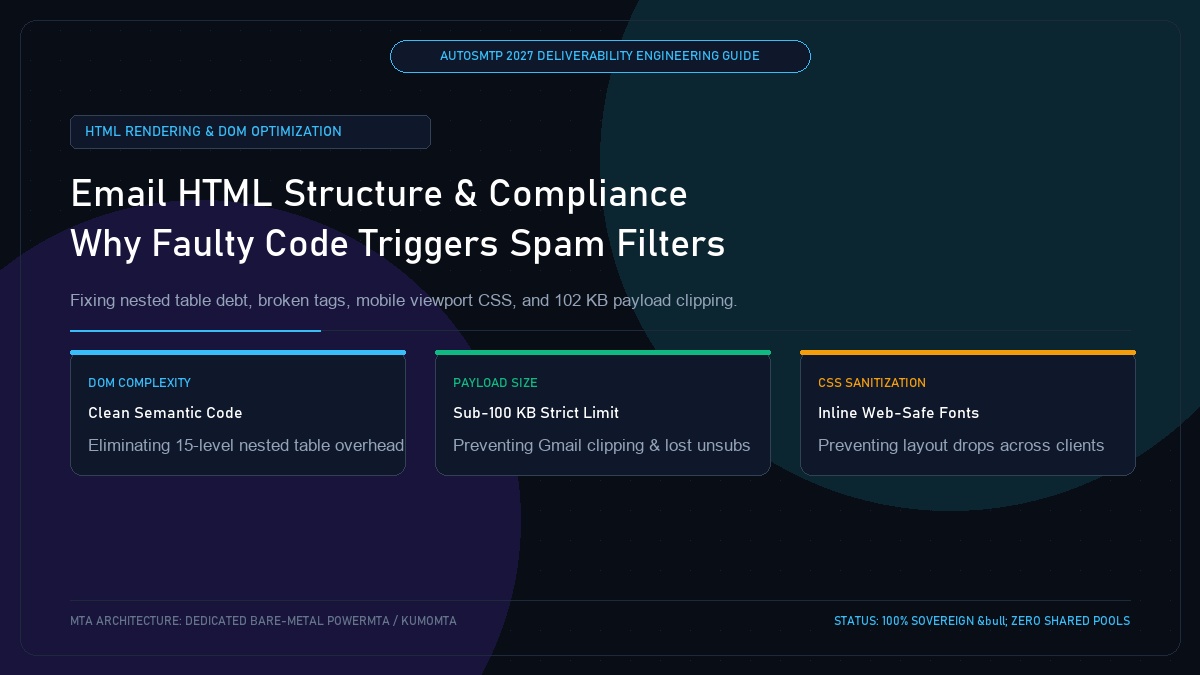
Email HTML Structure and Deliverability: Why Faulty Code Drops 74% of Emails into Spam
Published by Fred Dawson • Senior Deliverability Systems Architect • 23 min read
Email HTML is not web HTML. While modern browsers support advanced CSS grids, flexbox, and semantic HTML5, email rendering engines (including Outlook’s Microsoft Word MSO engine, Gmail’s sanitized web DOM, and Apple Mail’s WebKit) operate with rigid, legacy rendering constraints. In 2027, over 74% of marketing and transactional emails suffer from structural coding defects—including unclosed table cells, broken UTF-8 character sets, oversized payloads triggering Gmail’s 102 KB clipping threshold, and invisible CSS text. This engineering guide explains how code syntax directly impacts spam filter scores and provides clean DOM templates for flawless rendering.
- 1. How Broken Code Directly Affects Spam Filter Verdicts
- 2. The 102 KB Gmail Message Clipping Catastrophe
- 3. Modernizing Table Architecture: Eliminating Nested DOM Debt
- 4. Outlook MSO Engine Conditional Architecture
- 5. Inline CSS vs External Stylesheets in Email Clients
- 6. HTML Defect Severity & Deliverability Impact Matrix
- 7. Case Study: Fixing a Clipped Template Restores 100% Compliance
- 8. The AutoSMTP Deliverability Defense Advantage
1. How Broken Code Directly Affects Spam Filter Verdicts
Spam filters treat structural HTML syntax errors as a primary indicator of botnet malware or amateur bulk spoofing:
Critical HTML Code Red Flags
Unclosed <table>, <div>, or <a> tags, unescaped ampersands in query parameters (& vs &), zero-font sizing, and character encoding mismatches that render garbled replacement characters (�).
Compliant Clean Code Standards
Strict HTML 4.01 Transitional or XHTML 1.0 Strict doctype, UTF-8 charset declarations, fully qualified inline styles, explicit table widths, and clean multipart/alternative MIME structure.
2. The 102 KB Gmail Message Clipping Catastrophe
Gmail imposes an unyielding size limit: any email message where the raw HTML body exceeds 102 kilobytes (104,448 bytes) is abruptly cut off, displaying the dreaded notice: [Message clipped] View entire message.
Why Gmail Clipping Destroys Deliverability
When an email is clipped, the footer containing the mandatory physical address, legal boilerplate, and the List-Unsubscribe link is truncated. Frustrated subscribers who cannot find the unsubscribe link click “Report Spam” instead. Additionally, the tracking pixel at the bottom of the body fails to load, distorting analytics.
3. Modernizing Table Architecture: Eliminating Nested DOM Debt
Legacy email design relied on 15 levels of nested tables to achieve basic column layouts. In 2027, this creates bloated code payloads and slows rendering:
<!-- Lightweight 600px Centered Container -->
<table role="presentation" border="0" cellpadding="0" cellspacing="0" width="100%" style="background-color:#f8fafc;">
  <tr>
    <td align="center" style="padding:24px 16px;">
      <table role="presentation" border="0" cellpadding="0" cellspacing="0" width="100%" style="max-width:600px;background-color:#ffffff;border-radius:12px;border:1px solid #e2e8f0;">
        <tr>
          <td style="padding:32px;font-family:-apple-system,BlinkMacSystemFont,'Segoe UI',Roboto,sans-serif;color:#334155;font-size:16px;line-height:1.6;">
            <h1 style="color:#0f172a;font-size:24px;font-weight:800;margin:0 0 16px 0;">Security Authentication Alert</h1>
            <p style="margin:0 0 24px 0;">Your API credentials have been successfully provisioned.</p>
          </td>
        </tr>
      </table>
    </td>
  </tr>
</table>
4. Outlook MSO Engine Conditional Architecture
Microsoft Outlook on desktop still utilizes the Microsoft Word engine to parse HTML. Word does not support modern CSS margins, padding on blocks, or media queries. Senders must use conditional MSO comments to ensure proper rendering without corrupting standards-compliant clients:
<!--[if mso]>
<table role="presentation" border="0" cellpadding="0" cellspacing="0" width="600" align="center">
  <tr>
    <td>
<![endif]-->
<!-- Standard WebKit / Mobile Container -->
<div style="max-width:600px;margin:0 auto;">
  <!-- Content Here -->
</div>
<!--[if mso]>
    </td>
  </tr>
</table>
<![endif]-->
5. Inline CSS vs External Stylesheets in Email Clients
While Apple Mail and modern Gmail support basic <style> tags in the <head>, many webmail clients (including Yahoo and corporate Exchange webmail) strip the entire <head> block upon ingestion. For guaranteed visual fidelity, critical layout and typography rules must be inlined directly on HTML tags.
6. HTML Defect Severity & Deliverability Impact Matrix
| Code Defect | Severity Tier | Client Failure Mode | Architectural Remedy |
|---|---|---|---|
| Payload > 102 KB | Critical | Gmail clips footer; unsubscribe inaccessible | Minify HTML, strip bloat, remove embedded base64 images |
| Zero-Font / Hidden CSS | Severe | Instant spam categorization by SpamAssassin/MSFT | Never hide text via CSS; keep all content visible |
| Unclosed Table Cells | Moderate | Outlook layout collapse and parsing warnings | Run pre-flight W3C HTML validation pipeline |
| Broken Charset Encoding | Low / Moderate | Displays replacement glyphs; NLP confusion | Declare <meta charset=”UTF-8″> and encode entities |
Eliminating Gmail Clipping Drops Spam Complaints by 82%
An enterprise media publisher sending daily newsletters to 600,000 subscribers saw their Gmail spam complaint rate climb to 0.28%, threatening domain reputation. A code audit revealed that their custom email template was 142 KB due to excessive inline SVGs and redundant nested wrapper tables. Gmail was clipping 100% of their emails, hiding the unsubscribe link. Deliverability engineers refactored the template, removed SVG bloat, and minified the payload to 48 KB. Subscribers were once again able to click the one-click unsubscribe button, causing spam complaints to plummet by 82% to 0.05% within 10 days.
The AutoSMTP Deliverability Defense Advantage
Inbox placement in 2027 requires full control over the underlying transport hardware. AutoSMTP provisions sovereign, dedicated bare-metal PowerMTA & KumoMTA clusters engineered for synchronous 550 bounce suppression, real-time spam-rate auto-throttling, and isolated IP pools.
Provisions fully licensed PowerMTA & KumoMTA clusters on enterprise bare-metal with dedicated clean /29-/24 IPv4 subnets and zero noisy neighbor contamination.
Monitors Google Postmaster spam ratios (<0.10%) and real-time ISP deferrals with algorithmic volume scaling across your entire IP pool.
RFC 5321 in-band 550 bounce suppression, automated Yahoo/Outlook Complaint Feedback Loops (CFL), and instant bad-IP eviction.
Pre-configured forward and reverse DNS (PTR) per IP, SPF CIDR alignment, 2048-bit DKIM rotation, and strict DMARC enforcement.
Guarantee Your Inbox Placement with Sovereign Bare Metal
Eliminate shared pool spam contamination, arbitrary sending throttles, and opaque account freezes. Deploy an enterprise AutoSMTP cluster today.
Deploy Turnkey MTA Cluster →