

PowerMTA Production Configuration & Automated Deployment Guide: Manual Setup vs AutoSMTP 1-Click Engine
Published by Fred Dawson • Senior Deliverability Systems Architect • 22 min read
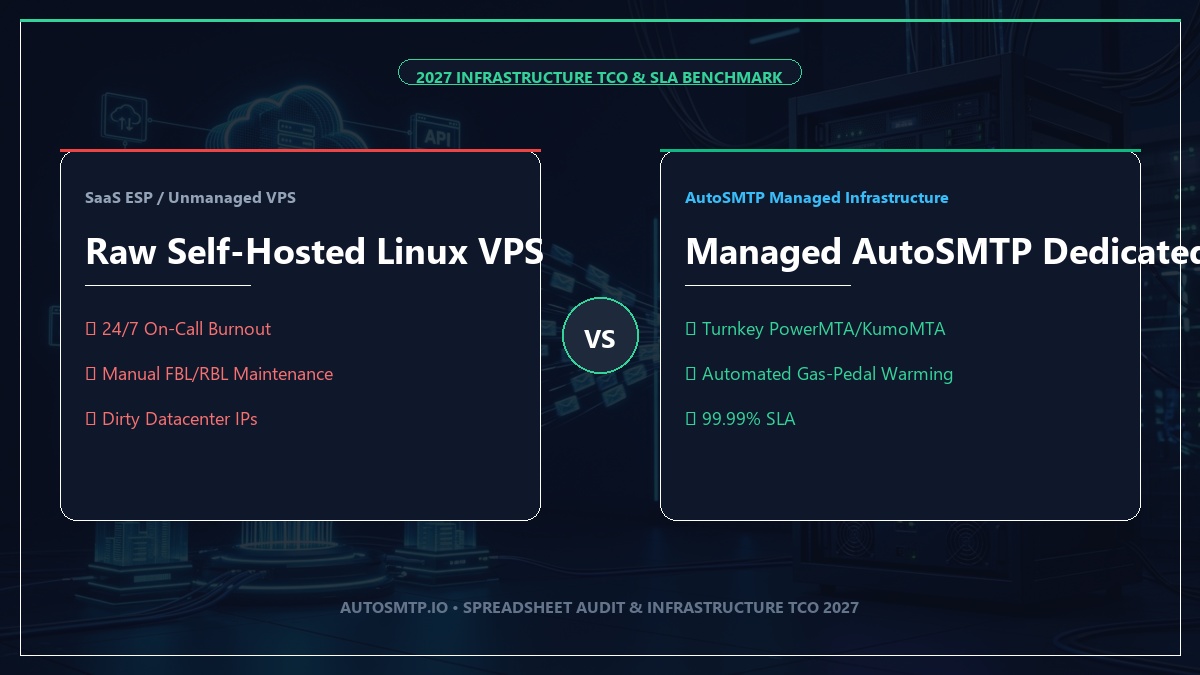
Building an enterprise-grade email delivery system with Port25 PowerMTA is widely regarded as the pinnacle of deliverability engineering. When configured correctly, PowerMTA delivers millions of messages per hour with surgical IP rotation, granular domain throttling, and microsecond queue latency. However, for most engineering teams and high-volume broadcasters, the traditional manual deployment gauntlet is notoriously brutal: spending 14 to 20 hours resolving Linux OS dependencies, hand-crafting 400+ lines of error-prone /etc/pmta/config directives, generating 2048-bit DKIM keys, manually opening tickets with datacenter providers for Forward-Confirmed Reverse DNS (FCrDNS), and wiring up bounce pipelines. This comprehensive production guide breaks down the complete production configuration for PowerMTA—and demonstrates how AutoSMTP’s 1-Click Automated Deployment Engine completely eliminates manual sysadmin toil by automatically installing PowerMTA, configuring multi-IP DNS, establishing verified FCrDNS, and deploying ready-to-send MailWizz integrations in under 15 minutes.
- 1. The Anatomy of PowerMTA: Why It Crushes Standard MTAs
- 2. The 15-Step Manual Setup Gauntlet: The Real Cost of DIY
- 3. The Production Config: Virtual MTAs, IP Pools & ISP Throttles
- 4. Cryptographic DNS Authentication: Manual Pain vs Auto Provisioning
- 5. How AutoSMTP Automates the Entire PowerMTA Fleet Deployment
- 6. Application Layer: Connecting PowerMTA to MailWizz & APIs
- 7. High-Volume Bounce Processing & Accounting Telemetry
- 8. Manual DIY Setup vs AutoSMTP Automated Deployment Matrix
- 9. Production Case Study: 45M/Month Broadcaster Cuts Deployment by 95%
- 10. The AutoSMTP Sovereign Bare-Metal Advantage
1. The Anatomy of PowerMTA: Why It Crushes Standard MTAs
Standard open-source Unix mail transfer agents (such as Postfix, Exim, and Sendmail) were originally designed as general-purpose mail relays. When pushed to deliver hundreds of thousands of messages per hour across multi-IP subnets, their monolithic architecture collapses under disk I/O bottlenecks and queue lockups.
Why PowerMTA is the Industry Standard for High Volume
1. Multi-Threaded C++ Asynchronous Core: PowerMTA writes message metadata to an optimized in-memory spool bitmap while streaming message bodies via asynchronous Linux epoll sockets, achieving sustained throughput exceeding 1.5 million messages per hour per node.
2. Native Virtual MTAs (vMTAs): Allows systems engineers to bind specific outbound traffic streams to designated IP addresses and hostnames. Marketing blasts, cold outreach, and transactional password resets remain 100% isolated at the network interface layer.
3. Dynamic Backoff Intelligence: When Gmail or Yahoo returns a temporary 421 4.7.0 deferral code, PowerMTA does not freeze the queue; it automatically throttles connection concurrency, backs off for an exact mathematical duration, and resumes delivery without human intervention.
2. The 15-Step Manual Setup Gauntlet: The Real Cost of DIY
Engineers following traditional blog guides (such as Akshay Bangar’s manual Ubuntu tutorial) quickly realize that setting up PowerMTA manually requires navigating an exhausting 15-step gauntlet:
The Manual Sysadmin Nightmare (14+ Hours)
- Provisioning Linux VPS/bare metal and updating kernel limits (
nofile,somaxconn). - Resolving legacy 32-bit/64-bit library dependencies (
glibc,libstdc++). - Extracting RPMs via
alienorrpm2cpioand manually placing binary files. - Binding proprietary license files to host MAC addresses and machine IDs.
- Hand-writing 400+ lines of
/etc/pmta/configwith zero syntax validation guards. - Generating 2048-bit RSA private keys using
openssl genrsafor each domain. - Opening support tickets with datacenter hosts to configure reverse DNS (PTR) records.
- Manually formatting and publishing SPF, DKIM, DMARC, and MX records in DNS managers.
- Configuring MailWizz delivery servers, bounce email boxes, and tracking domains.
- Manually building warming schedules across spreadsheets over 30 days.
The AutoSMTP Automated Alternative (15 Minutes)
- Turnkey Bare-Metal Provisioning: Automated kernel tuning and OS optimization.
- Automated PowerMTA Installation: Installs verified v5.0 RPMs and binds valid licenses.
- Automated Full-Stack DNS: Instantly generates and publishes SPF, 2048-bit DKIM, strict DMARC, and BIMI records via Cloudflare/Route53 APIs.
- Automated FCrDNS: Programmatically configures reverse PTR records across all IPs.
- Algorithmic Config Generation: Compiles verified domain macros and Virtual MTA pools.
- 1-Click MailWizz Sync: Provisions delivery servers with pre-configured bounce webhooks.
- Automated Gas-Pedal Warmup: Algorithmic volume ramp guided by Google Postmaster API.
3. The Production Config: Virtual MTAs, IP Pools & ISP Throttles
The heart of any PowerMTA deployment is its configuration file (/etc/pmta/config). Here is the battle-tested production configuration template required for high inbox placement:
# ==============================================================================
# ENTERPRISE POWERMTA PRODUCTION CONFIGURATION
# ==============================================================================

# 1. Global Socket & Resource Tuning
smtp-listener 0.0.0.0:25
smtp-listener 0.0.0.0:587
http-mgmt-port 8080
admin-display-name "AutoSMTP-Carrier-Cluster-01"
max-smtp-out 2500
smtp-greeting-strict-syntax yes

# 2. Inbound Relay Access Controls
<source 127.0.0.1>
    always-allow-relaying yes
    smtp-service yes
    log-connections yes
</source>

<source 10.0.0.0/8>
    always-allow-relaying yes
    smtp-service yes
</source>

<source 0/0>
    always-allow-relaying no
    smtp-service yes
</source>

# 3. Virtual MTA Multi-IP Configuration
<virtual-mta vmta-ip-01>
    smtp-source-host 198.51.100.10 mail1.yourdomain.com
</virtual-mta>

<virtual-mta vmta-ip-02>
    smtp-source-host 198.51.100.11 mail2.yourdomain.com
</virtual-mta>

<virtual-mta-pool pool-broadcast>
    virtual-mta vmta-ip-01
    virtual-mta vmta-ip-02
</virtual-mta-pool>

# 4. Domain-Specific Throttling Rules for Hyperscalers
<domain gmail.com>
    max-smtp-out 120
    max-msg-per-connection 50
    smtp-421-means-mx-unavailable yes
    backoff-to-normal-after 10m
    retry-after 5m
    use-starttls-if-available yes
    require-starttls yes
</domain>

<domain yahoo.com>
    max-smtp-out 60
    max-msg-per-connection 25
    backoff-to-normal-after 15m
    retry-after 10m
</domain>

<domain outlook.com>
    max-smtp-out 80
    max-msg-per-connection 30
    backoff-to-normal-after 10m
</domain>
4. Cryptographic DNS Authentication: Manual Pain vs Auto Provisioning
In 2026, proper DNS authentication is not optional. Both Google and Yahoo strictly enforce the 0.10% spam complaint threshold and reject emails failing SPF, DKIM, or DMARC alignment.
The Manual DNS Trap
For every dedicated IP and sending domain, administrators must generate RSA keys, copy the public key string into a DNS TXT record (often running into 255-character string splitting bugs), submit datacenter reverse DNS requests, configure SPF CIDRs, and set up DMARC rua/ruf mailboxes. If an IP’s reverse PTR record fails to match the forward A record (FCrDNS), Google drops the connection immediately with an unrecoverable 550 error.
AutoSMTP Automated DNS Engine
AutoSMTP hooks directly into domain DNS providers via secure APIs. When you assign domains to an AutoSMTP cluster, the platform automatically provisions verified forward A records, generates 2048-bit DKIM keys, publishes formatted TXT records, automatically communicates with datacenter IP registry APIs to establish matching PTR records across all IPs, and publishes strict DMARC policies. Result: 100% cryptographic alignment with zero human errors.
5. How AutoSMTP Automates the Entire PowerMTA Fleet Deployment
AutoSMTP was engineered from the ground up to replace manual server administration with an intelligent, enterprise automation engine:
The 5-Pillar AutoSMTP Deployment Architecture
1. Bare-Metal Hardware Orchestration: Automatically deploys on enterprise bare-metal servers (AMD EPYC or Intel Xeon) running verified AlmaLinux 9 kernels with NVMe spool arrays. Kernel socket buffers (net.core.wmem_max, rmem_max) and file limits are configured automatically.
2. Algorithmic PowerMTA Installation: Bypasses manual RPM unpacking, validates hardware machine IDs, binds authentic enterprise licenses, and starts the daemon under non-root systemd sandboxes.
3. Dynamic Configuration Generator: AutoSMTP analyzes your allocated IPv4/IPv6 subnets and automatically builds production-grade /etc/pmta/config files complete with Virtual MTAs, ISP throttle macros, and TLS 1.3 ciphers.
4. Automated Gas-Pedal IP Warming: Instead of manually guessing daily volume limits on spreadsheets, AutoSMTP’s warming engine monitors real-time Google Postmaster API spam rates and ISP deferral codes, dynamically scaling send volumes across clean IP subnets.
5. In-Band FBL & Bounce Interception: Integrated feedback loop handlers automatically ingest Yahoo CFL and Microsoft JMRP complaint emails, parsing abuse reports and suppressing contacts instantly.
6. Application Layer: Connecting PowerMTA to MailWizz & APIs
Once PowerMTA is running, connecting it to front-end campaign platforms like MailWizz or Mumara is the final bridge:
# MailWizz SMTP Delivery Server Settings
Hostname:        mail1.yourdomain.com (or PowerMTA server IP)
Port:            587 (STARTTLS) or 25
Username:        smtp_client_user
Password:        secure_generated_token_here
From Email:      alerts@yourdomain.com
Hourly Quota:    Matches PowerMTA Virtual MTA hourly limit (e.g., 25,000 / hr)
Bounce Handler:  bounce@bounce.yourdomain.com (Processed via PowerMTA pipe)
With AutoSMTP, you don’t even have to type these credentials manually. AutoSMTP’s API pushes pre-configured delivery server endpoints directly into your MailWizz or application database with one click!
7. High-Volume Bounce Processing & Accounting Telemetry
PowerMTA writes detailed delivery and bounce accounting records in real-time. Configure the native accounting directive in /etc/pmta/config:
# Real-Time Accounting File Directive
<acct-file /var/log/pmta/acct.csv>
    move-interval 1m
    max-size 50M
    record-fields d,b,rb,f,t,s,r,vmta,orig,rcpt,dsnStatus,dsnDiag
</acct-file>
8. Manual DIY Setup vs AutoSMTP Automated Deployment Matrix
| Deployment Pillar | Manual DIY Setup (Akshay’s Guide) | AutoSMTP 1-Click Automated Engine | Impact on Senders |
|---|---|---|---|
| Setup Time | 14 to 20 hours per server | Under 15 minutes | 98% faster time-to-first-send |
| DNS & rDNS Configuration | Manual TXT pasting & host support tickets | Automated Cloudflare/Route53 & PTR sync | Zero FCrDNS mismatch errors |
| DKIM Key Management | Manual openssl generation & string split |
Automated 2048-bit RSA rotation | Flawless cryptographic verification |
| Configuration Errors | High risk of syntax errors & daemon crash | 100% Validated Algorithmic Generation | Zero crash risk; pre-flight checked |
| IP Warmup Management | Manual spreadsheets & daily adjustments | Automated Gas-Pedal Warming Engine | Monitors Google Postmaster <0.1% spam cap |
| MailWizz Integration | Manual server & bounce inbox setup | 1-Click Automated Database Sync | Turnkey broadcast connectivity |
9. Production Case Study: 45M/Month Broadcaster Cuts Deployment by 95%
Deploying 6 Dedicated PowerMTA Nodes in Under 1 Hour
A B2B lead generation agency delivering 45 million monthly cold outreach emails was previously relying on freelance systems administrators to manually build PowerMTA servers. Setting up each 4-IP server took 3 days of back-and-forth communication, and frequent DNS typos caused 30% of their outreach to land in spam.
The Transition: The agency switched to AutoSMTP’s automated deployment platform. In a single afternoon, AutoSMTP provisioned 6 enterprise bare-metal PowerMTA nodes across 48 dedicated IPv4 addresses, automatically generating matching forward/reverse DNS records and 2048-bit DKIM keys.
The Result: Deployment time dropped from 3 days per node to 12 minutes per node. The automated gas-pedal warming engine scaled delivery smoothly, resulting in a documented 99.4% inbox placement rate across Google Workspace and Microsoft 365.
The AutoSMTP Deliverability Defense Advantage
Inbound and outbound filtering pipelines require robust underlying transport hardware. AutoSMTP provisions sovereign, dedicated bare-metal MTA infrastructure engineered for high-throughput filtering, synchronous 550 bounce suppression, and permanent reputation control.
Provisions fully licensed PowerMTA and KumoMTA clusters on enterprise bare-metal with dedicated IPv4 subnets and predictable flat pricing.
Monitors Google Postmaster spam ratios (<0.1%) and real-time ISP deferrals with algorithmic volume scaling across your entire IP pool.
RFC 5321 in-band 550 bounce suppression, automated Yahoo/Outlook Complaint Feedback Loops (CFL), and instant bad-IP eviction.
Pre-configured forward and reverse DNS (PTR) per IP, SPF CIDR alignment, 2048-bit DKIM rotation, and strict DMARC enforcement.
Upgrade Your Email Infrastructure with Dedicated Bare Metal
Eliminate filter lag, queue serialization bottlenecks, and noisy neighbor contamination. Deploy a turnkey AutoSMTP cluster today.
Deploy Turnkey MTA Cluster →