

Migrating from PowerMTA 4.5 to 5.0: Deprecations, TLS 1.3 Ciphers, HTTP API & Upgrade Checklist
Published by Fred Dawson • Senior Deliverability Systems Architect • 19 min read
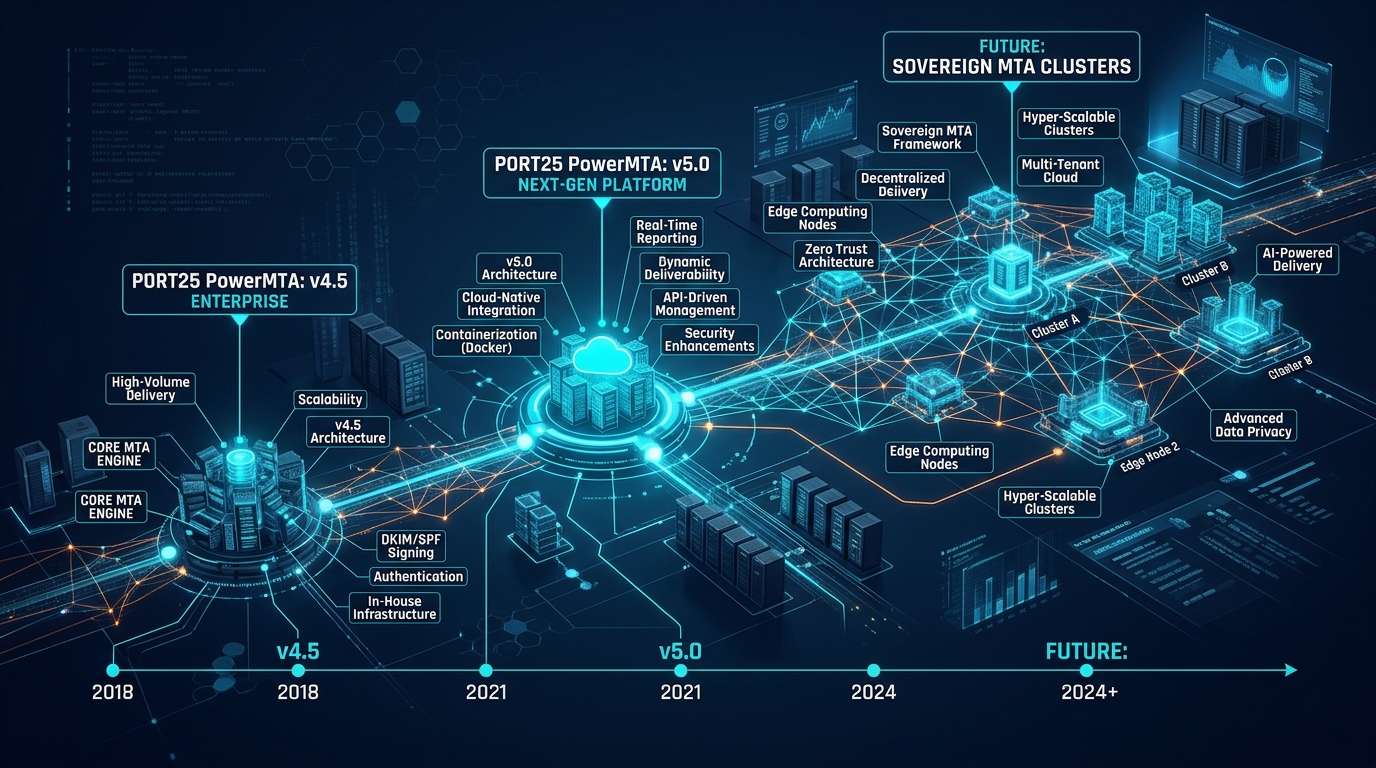
For thousands of high-volume senders, PowerMTA 4.5 has functioned as the workhorse of email transport for years. However, with the end-of-life of legacy Linux distributions (CentOS 7) and the enforcement of mandatory modern encryption standards by Gmail and Yahoo (TLS 1.3, strict cipher suites, FCrDNS), upgrading to PowerMTA 5.0 is no longer optional. Upgrading a carrier MTA in production carries significant operational stakes: configuration syntax deprecations, SSL directive replacements, RPM binary migrations, and spool format transitions can trigger unexpected delivery stalls if executed improperly. This technical migration guide details the architectural enhancements in PowerMTA 5.0, provides a verified syntax translation table for deprecated directives, and delivers a battle-tested zero-downtime blue-green upgrade playbook.
- 1. Core Drivers: Why Upgrading from 4.5 to 5.0 is Mandatory
- 2. Configuration Syntax Deprecations & Directive Translations
- 3. Modern TLS 1.3 Cipher Suites & DANE Security Configuration
- 4. Enabling the PowerMTA 5.0 Native HTTP Submission API
- 5. Pre-Flight Migration Checklist & Spool Backup
- 6. The 6-Step Zero-Downtime Blue-Green Upgrade Protocol
- 7. PowerMTA 4.5 vs 5.0 Architectural Feature Matrix
- 8. The AutoSMTP Turnkey Upgrade Advantage
1. Core Drivers: Why Upgrading from 4.5 to 5.0 is Mandatory
PowerMTA 4.5 was engineered for an earlier era of the internet. Running 4.5 in modern cloud and bare-metal environments introduces critical compliance and operational bottlenecks:
Key Drivers for the Version 5.0 Architecture
1. Modern Linux Kernel & OpenSSL 3.x Compatibility: PowerMTA 4.5 was compiled against older OpenSSL 1.0.x/1.1.x libraries, making it incompatible with modern enterprise distributions like AlmaLinux 9, Rocky Linux 9, and Debian 12 without complex legacy compatibility packages.
2. Mandatory TLS 1.3 Wire Encryption: Modern receiving inboxes (Google Workspace, Microsoft 365, Yahoo) prioritize senders negotiating TLS 1.3. PowerMTA 5.0 supports modern elliptic-curve cryptography and 0-RTT session resumption, slashing handshake latency.
3. RESTful HTTP Submission: Eliminates the need for local Postfix null-clients or loopback SMTP connections by allowing containerized web applications to POST email payloads directly into PowerMTA via JSON.
2. Configuration Syntax Deprecations & Directive Translations
Before installing the PowerMTA 5.0 RPM, you must audit your /etc/pmta/config file to replace deprecated directives. Attempting to start PowerMTA 5.0 with legacy 4.5 directives will cause the daemon to fail during startup:
| Legacy Directive (PowerMTA 4.5) | Updated Directive (PowerMTA 5.0) | Architectural Rationale |
|---|---|---|
ssl-cipher-list |
tls-cipher-server-list / tls-cipher-client-list |
Separates inbound listener ciphers from outbound delivery ciphers |
use-starttls yes |
use-starttls-if-available yes |
Provides granular opportunistic vs mandatory TLS negotiation |
ssl-permit-insecure-ciphers yes |
Removed entirely | Enforces zero-trust cryptographic security (SSLv3/TLS 1.0 banned) |
http-mgmt-port 8080 |
http-mgmt-port 8080 Ellipsis (Block syntax) |
Supports modular TLS certificate bindings and source ACLs |
3. Modern TLS 1.3 Cipher Suites & DANE Security Configuration
Update your global and domain configuration in /etc/pmta/config to mandate modern TLS 1.3 ciphers while maintaining backward compatibility with older destination mailboxes:
# ==============================================================================
# POWERMTA 5.0 MODERN CRYPTOGRAPHIC CIPHER SUITES
# ==============================================================================
# Inbound Listener TLS Configuration
tls-certificate /etc/pmta/certs/mail.yourdomain.com.pem
tls-cipher-server-list ECDHE-ECDSA-AES128-GCM-SHA256:ECDHE-RSA-AES128-GCM-SHA256:ECDHE-ECDSA-AES256-GCM-SHA384:ECDHE-RSA-AES256-GCM-SHA384:DHE-RSA-AES128-GCM-SHA256:DHE-RSA-AES256-GCM-SHA384

# Outbound Delivery TLS Configuration (Supports TLS 1.3 & TLS 1.2)
tls-cipher-client-list ECDHE-ECDSA-AES128-GCM-SHA256:ECDHE-RSA-AES128-GCM-SHA256:ECDHE-ECDSA-AES256-GCM-SHA384:ECDHE-RSA-AES256-GCM-SHA384:DHE-RSA-AES128-GCM-SHA256:DHE-RSA-AES256-GCM-SHA384

# Require TLS for Major Hyperscalers
<domain gmail.com>
    require-starttls yes
    tls-common-name-mode check-mx
</domain>
4. Enabling the PowerMTA 5.0 Native HTTP Submission API
PowerMTA 5.0 allows applications to inject emails via RESTful JSON requests over HTTP. Configure the submission listener:
# ==============================================================================
# HTTP SUBMISSION API LISTENER (PORT 8080)
# ==============================================================================
http-submission-port 8080
<http-submission-source 10.0.0.0/8>
    always-allow-relaying yes
    auth-required yes
    auth-username api_user
    auth-password secret_api_token_here
</http-submission-source>
5. Pre-Flight Migration Checklist & Spool Backup
Before upgrading binaries on a live server, execute these precautionary steps:
1. Spool Backup & Verification
Backup your existing license key, configuration directory, and accounting logs: tar -czvf /root/pmta-4.5-backup.tar.gz /etc/pmta /var/spool/pmta/license. PowerMTA 5.0 is backward-compatible with the 4.5 on-disk spool format, but a snapshot prevents data loss.
2. Pre-Upgrade Syntax Audit
Validate your existing configuration file using the 5.0 syntax checker before restarting: pmta check config --config=/etc/pmta/config.v5.
6. The 6-Step Zero-Downtime Blue-Green Upgrade Protocol
Production Blue-Green Upgrade Sequence
Step 1: Pause Inbound Submissions: Shift traffic to a secondary cluster node via DNS round-robin or load-balancer weight adjustment.
Step 2: Drain Outbound Queues: Execute pmta flush to allow existing queued messages to clear destination sockets.
Step 3: Backup License & Config: Archive /etc/pmta/ and record current hardware host ID.
Step 4: Upgrade RPM Binary: Execute rpm -Uvh PowerMTA-5.0r1.x86_64.rpm.
Step 5: Apply Translated v5 Configuration: Replace legacy ciphers with verified TLS 1.3 directives and execute pmta check config.
Step 6: Start Daemon & Verify Telemetry: Run systemctl restart pmta && pmta show status. Restore inbound load-balancer traffic.
7. PowerMTA 4.5 vs 5.0 Architectural Feature Matrix
| Architectural Pillar | PowerMTA 4.5 | PowerMTA 5.0 | Business & Security Impact |
|---|---|---|---|
| Host OS Compatibility | CentOS 6/7, Debian 8/9 | AlmaLinux 8/9, Rocky Linux 9, Debian 11/12 | Runs on modern LTS Linux with long-term kernel security |
| Transport Security | TLS 1.2 maximum; legacy OpenSSL | Native TLS 1.3, DANE verification, OpenSSL 3.x | Satisfies 2026 Gmail/Yahoo encryption mandates |
| Application Injection | SMTP port 25/587 only | SMTP + RESTful JSON HTTP Submission API | Direct integration for modern microservice stacks |
| Web Monitor Console | Legacy HTML tables | Modern responsive HTML5 UI with SVG graphs | Real-time operational visibility across mobile/desktop |
| Socket Engine | Multi-threaded C++ (older epoll) | Optimized 64-bit multi-core concurrency | 15% to 25% lower CPU utilization at peak send rates |
The AutoSMTP Deliverability Defense Advantage
Inbound and outbound filtering pipelines require robust underlying transport hardware. AutoSMTP provisions sovereign, dedicated bare-metal MTA infrastructure engineered for high-throughput filtering, synchronous 550 bounce suppression, and permanent reputation control.
Provisions fully licensed PowerMTA and KumoMTA clusters on enterprise bare-metal with dedicated IPv4 subnets and predictable flat pricing.
Monitors Google Postmaster spam ratios (<0.1%) and real-time ISP deferrals with algorithmic volume scaling across your entire IP pool.
RFC 5321 in-band 550 bounce suppression, automated Yahoo/Outlook Complaint Feedback Loops (CFL), and instant bad-IP eviction.
Pre-configured forward and reverse DNS (PTR) per IP, SPF CIDR alignment, 2048-bit DKIM rotation, and strict DMARC enforcement.
Upgrade Your Email Infrastructure with Dedicated Bare Metal
Eliminate filter lag, queue serialization bottlenecks, and noisy neighbor contamination. Deploy a turnkey AutoSMTP cluster today.
Deploy Turnkey MTA Cluster →