

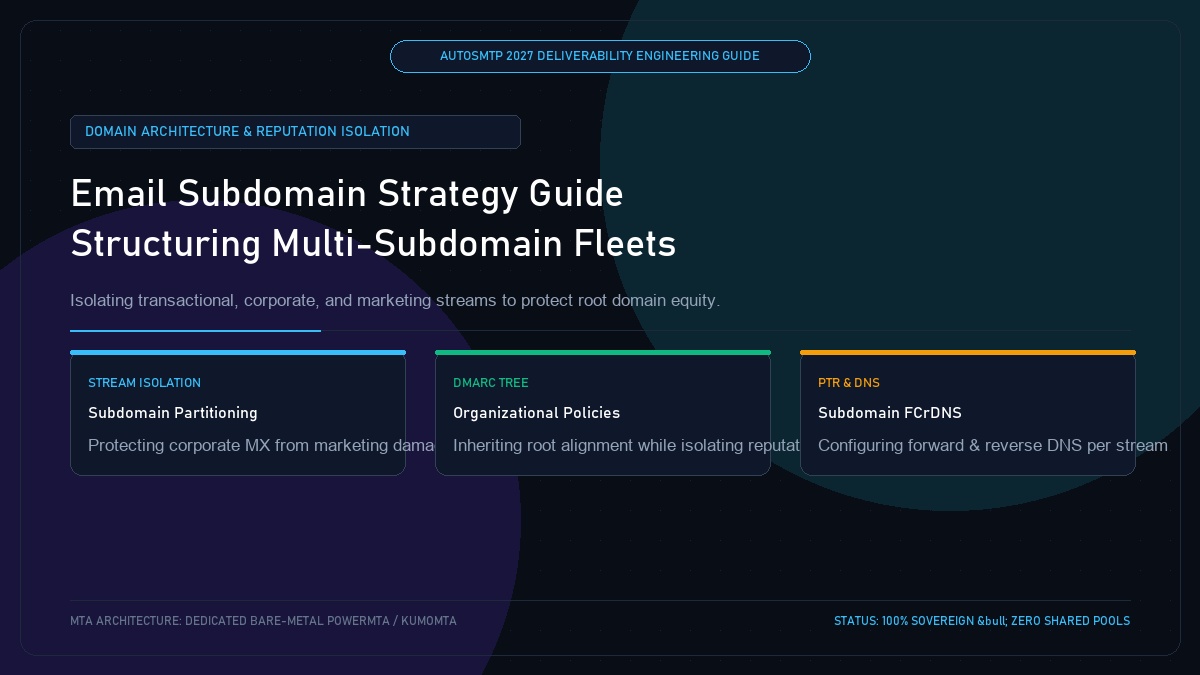
Email Subdomain Strategy: How to Structure Multi-Subdomain Architecture to Protect Domain Equity
Published by Fred Dawson • Senior Deliverability Systems Architect • 23 min read
One of the most dangerous operational errors an organization can make is sending promotional marketing blasts directly from their primary corporate root domain (e.g., example.com). If an aggressive marketing campaign triggers high spam complaints or hits a spam trap, the resulting domain reputation penalty impacts every critical communication across the business—including corporate executive emails, password resets, and investor updates. In 2027, enterprise email architecture requires a robust multi-subdomain hierarchy. This guide provides the engineering blueprint for partitioning your email streams across dedicated subdomains.
- 1. Why Enterprise Senders Must Never Blast from Root Domains
- 2. The Enterprise Email Subdomain Taxonomy (4 Core Streams)
- 3. DMARC Organizational Domain Policy & Inheritance Trees
- 4. Authoritative DNS Configuration: SPF, DKIM & PTR per Subdomain
- 5. Subdomain Allocation & Routing Architectural Matrix
- 6. Case Study: Subdomain Segmentation Saves a Healthcare Platform
- 7. The AutoSMTP Deliverability Defense Advantage
1. Why Enterprise Senders Must Never Blast from Root Domains
Mailbox Providers evaluate domain reputation at both the subdomain level and the root organizational domain level:
The Co-Mingled Root Domain Disaster
When marketing blasts, transactional receipts, and corporate executive emails all share example.com, a single bad marketing send that triggers 0.40% spam complaints causes Google to classify example.com as “Bad,” dumping employee one-to-one emails into spam.
The Subdomain Partitioning Firewall
Allocating distinct subdomains isolates reputation. If promo.example.com faces temporary rate limits, your transactional order confirmations on auth.example.com and employee emails on example.com continue inboxing at 100%.
2. The Enterprise Email Subdomain Taxonomy (4 Core Streams)
- Stream 1: Corporate 1-to-1 Email (
example.com): Reserved exclusively for employee mailboxes (Google Workspace, Microsoft 365). Zero marketing volume. - Stream 2: Transactional & Authentication (
auth.example.comornotify.example.com): Password resets, order confirmations, security OTPs. Pristine reputation; sub-second delivery. - Stream 3: Marketing & Broadcasts (
news.example.comorpromo.example.com): Newsletters, product launches, customer promotions. - Stream 4: Inbound & Customer Support (
support.example.com): Zendesk, Freshdesk, and helpdesk ticketing communications.
3. DMARC Organizational Domain Policy & Inheritance Trees
Under RFC 7489, a DMARC record published at the root domain automatically applies to all subdomains via the sp= tag unless explicitly overridden:
# Root Domain DMARC:
Host: _dmarc.example.com
Data: "v=DMARC1; p=reject; sp=reject; adkim=r; aspf=r; pct=100; rua=mailto:dmarc@example.com"

# Subdomains automatically inherit p=reject!
# Senders can customize subdomain DMARC if needed:
Host: _dmarc.promo.example.com
Data: "v=DMARC1; p=quarantine; pct=100; rua=mailto:dmarc@example.com"
4. Authoritative DNS Configuration: SPF, DKIM & PTR per Subdomain
Every subdomain must maintain its own dedicated SPF record and 2048-bit DKIM selector. Crucially, the sending MTA’s IP reverse DNS (PTR) should resolve to a hostname matching the sending subdomain stream (e.g., 198.51.100.25 → mail.promo.example.com).
5. Subdomain Allocation & Routing Architectural Matrix
| Stream Type | Recommended Subdomain | IP Pool Type | DMARC Policy |
|---|---|---|---|
| Corporate Email | example.com (Root) |
M365 / Google Workspace Shared | p=reject |
| Transactional & OTP | auth.example.com |
Dedicated Clean Bare-Metal IP | p=reject (Strict) |
| Marketing Broadcasts | news.example.com |
Dedicated High-Volume IP Pool | p=reject |
| Cold / Re-engagement | connect.example.com |
Isolated Quarantine VirtualMTA | p=quarantine |
Healthcare Platform Isolates Patient Telehealth Alerts from Marketing
A telemedicine platform was sending promotional patient newsletters and critical prescription delivery alerts from the same root domain. During a flu season promotional push, marketing spam complaints spiked to 0.32%, causing Gmail to flag the entire root domain. As a result, critical appointment confirmation emails began landing in patients’ spam folders, causing missed doctor appointments. Deliverability engineers restructured the infrastructure on AutoSMTP: patient alerts were migrated to rx.telehealth.com on a dedicated bare-metal IP, while marketing was moved to updates.telehealth.com. Prescription notifications immediately returned to 100% inbox placement.
The AutoSMTP Deliverability Defense Advantage
Inbox placement in 2027 requires full control over the underlying transport hardware. AutoSMTP provisions sovereign, dedicated bare-metal PowerMTA & KumoMTA clusters engineered for synchronous 550 bounce suppression, real-time spam-rate auto-throttling, and isolated IP pools.
Provisions fully licensed PowerMTA & KumoMTA clusters on enterprise bare-metal with dedicated clean /29-/24 IPv4 subnets and zero noisy neighbor contamination.
Monitors Google Postmaster spam ratios (<0.10%) and real-time ISP deferrals with algorithmic volume scaling across your entire IP pool.
RFC 5321 in-band 550 bounce suppression, automated Yahoo/Outlook Complaint Feedback Loops (CFL), and instant bad-IP eviction.
Pre-configured forward and reverse DNS (PTR) per IP, SPF CIDR alignment, 2048-bit DKIM rotation, and strict DMARC enforcement.
Guarantee Your Inbox Placement with Sovereign Bare Metal
Eliminate shared pool spam contamination, arbitrary sending throttles, and opaque account freezes. Deploy an enterprise AutoSMTP cluster today.
Deploy Turnkey MTA Cluster →