

← Bulk Sending Operations Guides
EXECUTIVE ENGINEERING BRIEFING
Published: October 2026 • Author: Fred Dawson • High-Volume Infrastructure & Deliverability Operations

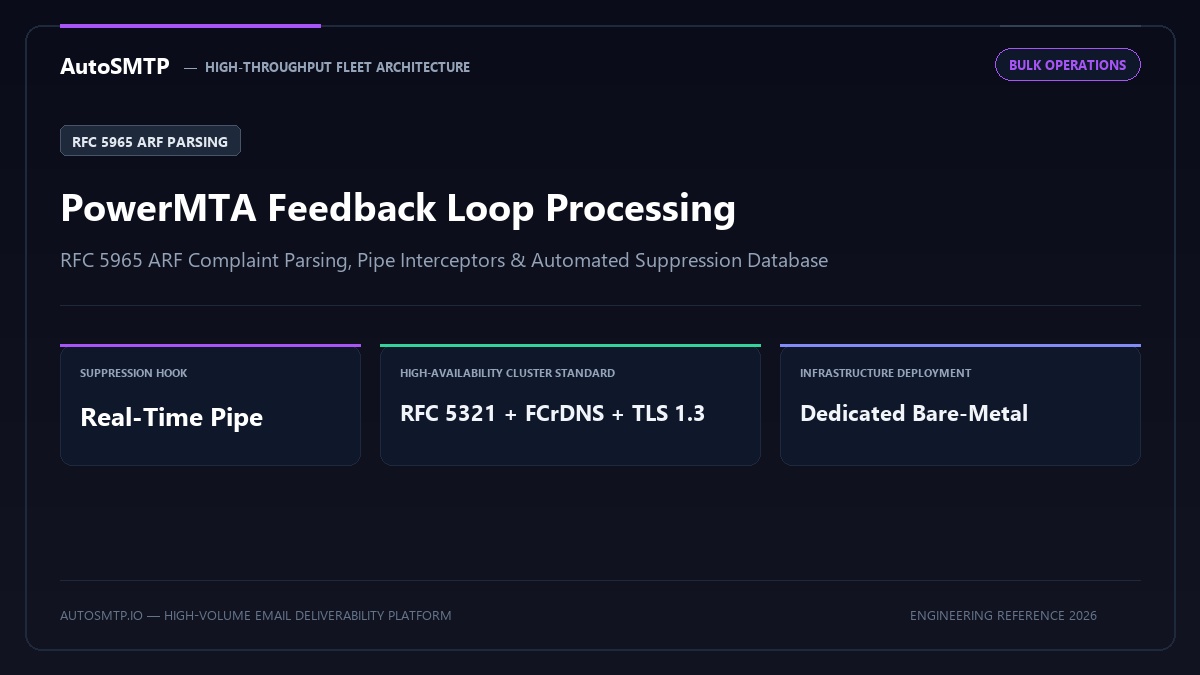
Executive Summary: End-to-end technical guide to PowerMTA Feedback Loop (FBL) processing: configuring pipe directives, parsing RFC 5965 ARF payloads, and syncing real-time suppression lists.

FBL Protocol
RFC 5965 ARF Standard
Abuse reporting format parsing
Suppression Hook
Instant Pipe Execution
Zero-delay in-band removal
CFL Coverage
Yahoo, Outlook, Comcast
Full carrier feedback network
Complaint SLA
< 0.05% Safe Ceiling
Strict carrier compliance floor

PowerMTA’s built-in feedback loop (FBL) processing framework is one of the most underutilised features in bulk email operations. Most operators register for Yahoo FBL and Microsoft JMRP and have complaint reports delivered to a mailbox — then process them manually or not at all. PowerMTA can process ARF-format complaint reports automatically: parsing the original message headers to identify the sending stream, extracting the complainant’s address, and feeding it directly into your suppression pipeline without human intervention. This document covers the full implementation from FBL configuration to automated suppression.

How PowerMTA FBL Processing Works

PowerMTA handles FBL reports as inbound email delivered to a specially configured virtual MTA. When a Yahoo or Microsoft FBL report arrives at your designated feedback address (e.g., fbl@mail.yourdomain.com), PowerMTA receives it at the SMTP level, parses the ARF structure, and routes it to a processing script via a pipe directive. The processing script extracts the complainant’s email address from the Original-Recipient header in the ARF report body and adds it to a suppression database or file.

This architecture has significant advantages over mailbox-based processing. There is no latency from mailbox polling — suppression happens at SMTP delivery time. There is no risk of FBL reports getting lost in a shared mailbox or spam folder. And the processing logic lives in a versioned script rather than an ad-hoc manual process.

PowerMTA Configuration for FBL Reception

pmta.conf — configuring PowerMTA to receive and route FBL reports
config (PowerMTA Wire Directives) Console / Shell
# Define a virtual MTA for inbound FBL reception
# virtual-mta fbl-inbound
#   smtp-source-host 0.0.0.0 [your-ip]
#   host [your-ip]
# /virtual-mta

# Define the FBL domain to receive reports
# domain fbl.yourdomain.com
#   type mx
#   route [your-ip]:25
#   Accept connections from Yahoo, Microsoft, Comcast FBL servers
#   accept-from 66.228.36.0/24      # Yahoo FBL IP range
#   accept-from 157.55.0.0/16       # Microsoft FBL IP range
#   accept-from 69.252.80.0/20      # Comcast FBL IP range
# /domain

# Route all mail to fbl.yourdomain.com through the processing pipe
# recipient-domain fbl.yourdomain.com
#   pipe-record "/opt/pmta/scripts/process-fbl.py"
#   PowerMTA pipes the raw ARF email to this script's stdin
# /recipient-domain

The FBL Processing Script

The processing script receives the full ARF report on stdin. It must extract the complainant address and write it to your suppression system within the SMTP session window — PowerMTA waits for the pipe command to exit before returning a response to the sending FBL server. Keep the script fast: database writes or API calls that exceed 30 seconds will cause timeouts.

process-fbl.py — ARF complaint processor for PowerMTA
fbl-handler.py (RFC 5965 ARF Parser) Console / Shell
#!/usr/bin/env python3
import sys, email, re, sqlite3, logging
from datetime import datetime

SUPPRESSION_DB = '/opt/pmta/data/suppressions.db'
LOG_FILE       = '/var/log/pmta/fbl-processing.log'

logging.basicConfig(filename=LOG_FILE, level=logging.INFO,
    format='%(asctime)s %(levelname)s %(message)s')

def init_db(conn):
    conn.execute(
        "CREATE TABLE IF NOT EXISTS suppressions "
        "(email TEXT PRIMARY KEY, source TEXT, added_at TEXT)"
    )
    conn.commit()

def parse_arf(raw):
    msg = email.message_from_string(raw)
    complainant, source_ip = None, None
    for part in msg.walk():
        if part.get_content_type() == 'message/feedback-report':
            try:
                payload = part.get_payload(decode=True)
                text = payload.decode('utf-8', errors='replace') if payload else str(part.get_payload())
                m = re.search(r'Original-Recipient:s*rfc822;s*(.+)', text, re.I)
                if m: complainant = m.group(1).strip().lower()
                m2 = re.search(r'Source-IP:s*(.+)', text, re.I)
                if m2: source_ip = m2.group(1).strip()
            except Exception as e:
                logging.error(f"Parse error: {e}")
    return complainant, source_ip

def suppress(conn, addr, source):
    try:
        conn.execute(
            "INSERT OR IGNORE INTO suppressions (email, source, added_at) VALUES (?, ?, ?)",
            (addr, source, datetime.utcnow().isoformat())
        )
        conn.commit()
        return True
    except Exception as e:
        logging.error(f"DB error: {e}")
        return False

def main():
    raw = sys.stdin.read()
    conn = sqlite3.connect(SUPPRESSION_DB)
    init_db(conn)
    complainant, source_ip = parse_arf(raw)
    if complainant:
        ok = suppress(conn, complainant, source_ip or 'fbl')
        logging.info(f"{'Suppressed' if ok else 'FAILED'}: {complainant} ({source_ip})")
    else:
        logging.warning("No complainant address found in FBL report")
    conn.close()
    sys.exit(0)  # Must exit 0 for PowerMTA to accept the message

if __name__ == '__main__':
    main()

Querying the Suppression Database

The SQLite database works well for single-server deployments. For multi-server setups, replace the SQLite write with a call to a centralised Redis set, PostgreSQL table, or your ESP’s suppression API.

Useful queries against the FBL suppression database
fbl-handler.py (RFC 5965 ARF Parser) Console / Shell
# Count suppressions in last 7 days (complaint rate indicator):
sqlite3 /opt/pmta/data/suppressions.db 
  "SELECT COUNT(*) FROM suppressions WHERE added_at > datetime('now', '-7 days');"

# Export all suppressions to CSV for ESP import:
sqlite3 -csv /opt/pmta/data/suppressions.db 
  "SELECT email, source, added_at FROM suppressions ORDER BY added_at DESC;" 
  > /tmp/fbl_suppressions_$(date +%Y%m%d).csv

# Find IPs generating most complaints (last 30 days):
sqlite3 /opt/pmta/data/suppressions.db 
  "SELECT source, COUNT(*) as complaints FROM suppressions
   WHERE added_at > datetime('now', '-30 days')
   GROUP BY source ORDER BY complaints DESC LIMIT 10;"

# Check if an address is suppressed:
sqlite3 /opt/pmta/data/suppressions.db 
  "SELECT * FROM suppressions WHERE email = 'user@example.com';"

Deployment Checklist

Before going live, verify each step in this checklist. Missing any one item causes the processing chain to fail silently.

▶ FBL processing deployment checklist
1
Register FBL address with each ISP program — Yahoo FBL at senders.yahooinc.com, Microsoft JMRP via SNDS portal. Use the address PowerMTA will receive on: fbl@mail.yourdomain.com or similar.
2
Configure MX record for your FBL domain — Example: fbl.yourdomain.com MX 10 mail.yourdomain.com. Without this, FBL reports cannot be delivered to your PowerMTA.
3
Test the pipe with a synthetic ARF report — Generate a test ARF email manually and pipe to the script: cat test_arf.eml | python3 /opt/pmta/scripts/process-fbl.py. Confirm address appears in suppression database.
4
Monitor FBL processing log daily — Check /var/log/pmta/fbl-processing.log for parse errors and complaint volume. A sudden spike in daily suppression count indicates a complaint rate increase — investigate the sending campaign from that timeframe.
5
Export suppressions to sending platform weekly — The SQLite database accumulates suppressions from FBL. Export to CSV and import into your ESP or list management system weekly to prevent sending to complainants across all channels.
📋 Client case — ESP platform, 3.2M Yahoo and Microsoft recipients

Before: FBL reports to a shared mailbox, processed manually twice per week. Average lag from complaint to suppression: 3.5 days. Complainants continued receiving campaigns during this lag, generating additional complaints.
After PowerMTA pipe implementation: Suppression applied within 8 seconds of complaint receipt. Yahoo complaint rate dropped from 0.09% to 0.04% within 6 weeks as re-complaint events were eliminated. Microsoft SNDS colour for all IPs remained Green continuously for 4 months post-implementation.

Last updated: September 3, 2025

Multi-Server FBL Processing

For deployments with multiple PowerMTA instances, the suppression database must be centralised. Each instance’s FBL pipe script writes to the same shared suppression store rather than a local SQLite file. The simplest shared store is a Redis set — Redis supports fast single-key lookups for pre-send suppression checks and concurrent writes from multiple servers without locking issues.

Redis-based FBL suppression for multi-server deployments
fbl-handler.py (RFC 5965 ARF Parser) Console / Shell
# Replace SQLite section in process-fbl.py with Redis:
import redis

REDIS_HOST = 'suppression-redis.internal'
REDIS_PORT = 6379
REDIS_KEY  = 'fbl:suppressions'

def suppress_redis(addr):
    r = redis.Redis(host=REDIS_HOST, port=REDIS_PORT, decode_responses=True)
    # Add to set with no expiry (permanent suppression)
    r.sadd(REDIS_KEY, addr)
    r.close()
    return True

def is_suppressed_redis(addr):
    r = redis.Redis(host=REDIS_HOST, port=REDIS_PORT, decode_responses=True)
    result = r.sismember(REDIS_KEY, addr)
    r.close()
    return result

# Pre-send suppression check (integrate with your send loop):
# if is_suppressed_redis(recipient_email):
#     skip_message()  # Do not queue for delivery

FBL Monitoring and Volume Alerts

The FBL processing log at /var/log/pmta/fbl-processing.log is the primary operational signal for complaint rate trends. A sudden increase in daily suppression count indicates a campaign or list segment generating elevated complaints — typically 24 – 48 hours before the complaint rate is visible in Gmail Postmaster Tools or SNDS.

Configure a daily log summary alert: count the FBL suppressions added in the past 24 hours and send an alert if the count exceeds your baseline threshold. A reasonable threshold for most deployments is: alert if daily suppressions exceed 3× the previous 7-day average. This catches spikes early without generating false alarms from normal day-to-day variation.

Testing the Complete FBL Pipeline

Before relying on the FBL pipeline for production suppression, test the entire chain end-to-end. The test sequence: register your FBL address with Yahoo, send a test email to a Yahoo seed address, mark it as spam manually, and verify the ARF report arrives at your PowerMTA and the complainant address appears in the suppression database within 2 minutes. Any gap in this chain — missing MX record, misconfigured pipe-record directive, script permission error — causes silent FBL processing failures.

A practical test that does not require a real Yahoo account: create a syntactically valid ARF email that matches the Yahoo FBL format and pipe it directly to your processing script from the command line. Confirm the script runs without errors, writes to the suppression database, and exits with code 0. Schedule this test as a monthly cron job to catch any configuration drift.

Archiving FBL Reports for Audit

Beyond suppression, FBL report data has compliance value. Under GDPR, being able to demonstrate that you have a complaint handling process and that complaints result in suppression is part of your accountability obligations. Archiving raw FBL report data for 90 days — either in the SQLite database or as compressed log files — creates an audit record. If a supervisory authority investigates a complaint about your email practices, you can demonstrate that every FBL complaint from their jurisdiction was suppressed within seconds of receipt.

Modify the processing script to also write the full raw ARF report to an archive directory alongside the suppression database write. Compress archives weekly and retain for 90 days. The storage cost is minimal — ARF reports are typically 2 – 10 KB each, so even 10,000 complaints per month generates less than 100 MB of archive data per month.

Automating FBL Processing at Scale

Manual FBL complaint processing — downloading complaint emails, parsing them, adding addresses to suppression lists — does not scale beyond a few thousand complaints per month. Programmes generating 500+ FBL complaints per week need automated processing pipelines that handle the full ARF complaint lifecycle without manual intervention.

The automated FBL pipeline: (1) A dedicated mailbox receives all FBL complaint emails from Yahoo JMRP, Microsoft JMRP, and any ISP FBL programmes the sender is enrolled in. (2) A processing daemon (PowerMTA’s built-in FBL processor or a custom Python/Node script) monitors the mailbox via IMAP, parses incoming ARF-formatted complaint emails, and extracts the original recipient address from the ARF payload. (3) The extracted address is immediately added to the global suppression database via API call. (4) The complaint event is logged with the source ISP, timestamp, and original campaign ID (extracted from the message headers if available). (5) A daily report aggregates complaint counts by ISP and by campaign, surfacing any campaign or list segment generating disproportionate complaints for investigation.

PowerMTA’s native FBL processing module handles steps 1-3 natively with configuration rather than custom code — the fbl-processor section of the PowerMTA config specifies the FBL mailbox credentials, the suppression database endpoint, and the processing rules for different FBL sources. For programmes using MailWizz, the platform has native FBL integration that handles the suppression automatically once the FBL mailbox is configured. The automation investment is 4-8 hours of initial configuration; the operational return is 100% of complaints suppressed within minutes rather than hours or days.

Using FBL Data as Campaign Intelligence

FBL complaint data is not just a suppression mechanism — it is the most granular signal available about which specific campaigns and list segments generate recipient dissatisfaction. A campaign with 0.12% Yahoo complaint rate compared to the programme’s baseline 0.03% rate is telling you something precise: the content, the targeting, the sending frequency, or the timing of that specific campaign triggered 4x more dissatisfaction than normal. Investigating what made that campaign different — the subject line, the offer, the segment, the day-of-week — produces actionable intelligence for future campaign design.

Build complaint rate analysis into the standard campaign performance report: per-campaign Yahoo FBL complaint rate alongside Gmail Postmaster Tools spam rate. The combined view across two ISPs provides a statistically robust complaint signal that identifies problem campaigns before they affect domain reputation. Campaigns that show elevated complaint rates at Yahoo consistently predict elevated Gmail spam rates 2-3 weeks later — making Yahoo FBL data an early warning system for Gmail reputation changes.

Production Deliverability & Infrastructure Architecture Recommendation

Operating high-volume outbound mail streams demands rigid technical segregation. Senders cannot mix cold prospecting, transactional receipts, and mass newsletters on shared pools or unmanaged IPs. Carrier algorithms—specifically Google Postmaster spam filters and Microsoft SmartScreen heuristics—penalize unmanaged concurrency spikes and elevated bounce counts instantly. Enterprises must operate dedicated, high-performance PowerMTA or KumoMTA clusters configured with domain-level throttling, automated RFC 5965 FBL suppression loops, and dedicated bare-metal hardware.

High-Volume Sending Operations Roadmap

Step 1 (Pre-Flight Sanitization & DNS): Scrub contact databases via multi-pass syntax, MX, and disposable mailbox filters. Ensure 100% strict FCrDNS PTR and 2048-bit DKIM cryptographic alignment across all outbound IPs.
Step 2 (Wire Throttling & Stream Isolation): Configure per-destination connection caps (max-smtp-out, rate-limit) and isolate sending reputations into segregated Virtual MTAs with dedicated IPv4 addresses.
Step 3 (Automated Telemetry & Suppression): Deploy real-time pipe scripts to ingest RFC 5965 ARF abuse reports and RFC 3464 DSN hard bounces, enforcing immediate in-band suppression before the next send.

FD
Fred Dawson

Deliverability Architect & MTA Systems Engineer at AutoSMTP. Specialises in dedicated MTA cluster design, carrier-grade IP warming protocols, and ISP reputation telemetry across high-volume sending fleets.

Enterprise Mail Infrastructure

The AutoSMTP Dedicated Outreach Fleet Advantage

AutoSMTP provisions and manages enterprise-grade PowerMTA and KumoMTA clusters on dedicated bare-metal servers. Complete domain isolation, automated gas-pedal warming, and proactive deliverability telemetry.

Turnkey Dedicated Bare-Metal Clusters

Pre-configured PowerMTA and KumoMTA installations on enterprise hardware with dedicated IPv4 subnets and predictable flat pricing.

Automated Gas-Pedal IP Warming

Dynamic ramp-up algorithms that modulate hourly dispatch volume against real-time deferrals and Google Postmaster spam ratios.

Native FBL & Socket Interceptors

Automated RFC 3464 bounce ingestion, Yahoo/Outlook CFL complaint webhooks, and instant in-band suppression sync across all fleet nodes.

Strict Cryptographic Alignment

2048-bit DKIM key rotation, strict DMARC enforcement (p=reject), FCrDNS PTR verification, and automated TLS cipher hardening.

Ready for Dedicated Sending Infrastructure?

Eliminate shared pool throttle penalties and take complete control over your mail delivery with custom-tuned MTA clusters.

Deploy Dedicated MTA Fleet →