

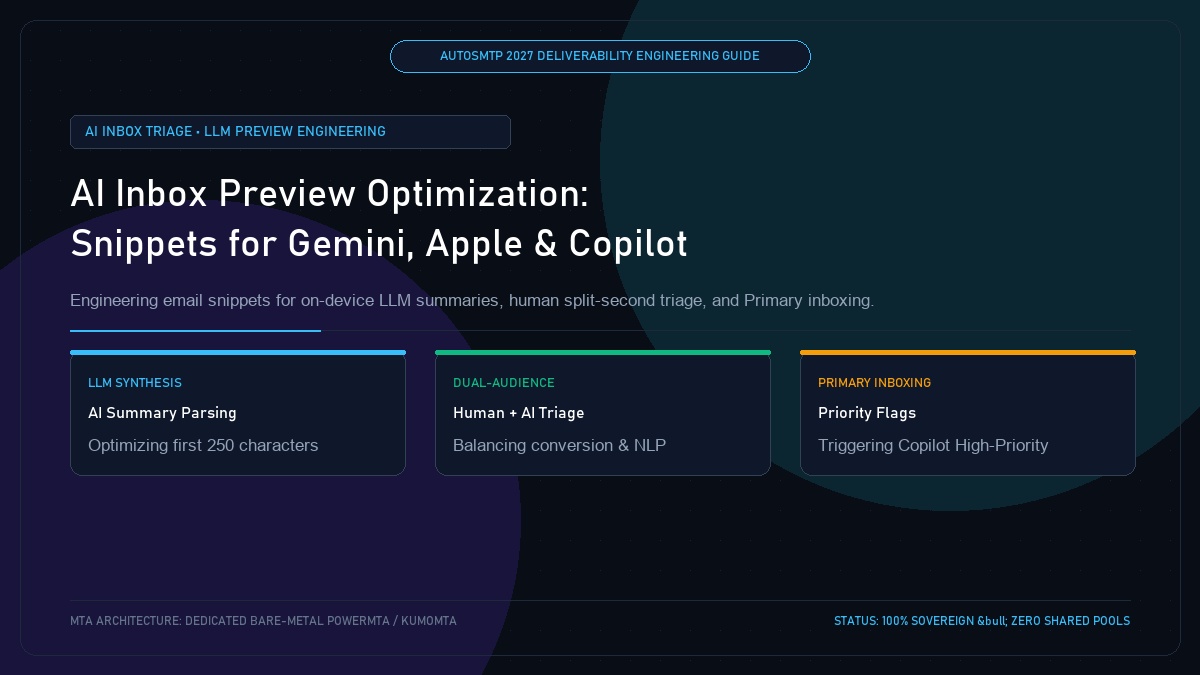
AI Inbox Preview Optimization: Engineering Snippets for Apple Intelligence, Gemini & Copilot Triage
Published by Fred Dawson • Senior Deliverability Systems Architect • 26 min read
The emergence of on-device artificial intelligence—Apple Intelligence in iOS 18/26, Google Gemini in Gmail, and Microsoft Copilot in Microsoft 365—has fundamentally altered how incoming emails are read and triaged. Rather than displaying standard human preview snippets, modern AI inboxes use local large language models (LLMs) to synthesize a single-sentence executive summary of the message directly in the message list. If an email’s opening 250 characters contain ambiguous marketing fluff, broken template code, or legal boilerplate, the AI categorizes the message as “Low Priority” or “Promotions.” Optimizing preview text in 2027 requires engineering for a dual audience: human split-second visual scanning and algorithmic LLM intent extraction.
- 1. How On-Device LLMs Triage Incoming Mail: Apple, Google & Microsoft
- 2. The 250-Character Extraction Window: Semantic Intent vs Marketing Fluff
- 3. Dual-Audience Architecture: Satisfying Human Scanning & AI Summaries
- 4. Triggering AI Priority Flags: Directives That Prevent Promotions Sorting
- 5. Engineered HTML Boilerplate for AI Triage Engines
- 6. AI Inbox Preview Optimization Comparison Matrix
- 7. Case Study: Enterprise B2B SaaS Doubles Open Rates in Copilot Inboxes
- 8. The AutoSMTP AI Inbox Advantage
1. How On-Device LLMs Triage Incoming Mail: Apple, Google & Microsoft
In 2027, the traditional subject line and preheader snippet no longer dictate open rates in isolation. Mailbox providers deploy client-side neural models that perform semantic triage before the user scrolls their inbox:
- Apple Intelligence (iOS & macOS): Replaces the 2-line snippet with an automated summary (e.g., “Fred Dawson confirms your bare-metal MTA cluster migration is scheduled for tonight at 23:00 UTC.”).
- Google Gemini (Gmail & Workspace): Generates “Catch Up” bullet points and assigns dynamic tags (Important, Updates, Promotions) based on semantic urgency.
- Microsoft 365 Copilot: Flags messages with “High Importance” or “Requires Action” badges, summarizing deadlines and key deliverables.
The AI Triage Law
If your email’s opening 250 characters fail to state a clear, concise value proposition or action item, the recipient’s AI assistant will summarize the email as “General marketing bulletin” and suppress inbox push notifications.
2. The 250-Character Extraction Window: Semantic Intent vs Marketing Fluff
Local LLM parsers operate on strict computational token budgets. When evaluating an incoming message, the parser tokenizes the subject line and the first 250 characters of body text:
Vague / Obfuscated Opening (AI Penalty)
"Big things are happening! Check out our latest newsletter to discover exciting trends and exclusive offers you don't want to miss..."
AI Summary: “Promotional newsletter advertising unstated general trends.” → Sorted to Promotions / No push notification.
Semantic / Direct Opening (AI Priority)
"Your Q4 deliverability audit report is ready: your domain reputation increased to 99.4%, eliminating 421 deferrals across Gmail..."
AI Summary: “Q4 deliverability audit ready with 99.4% reputation improvement.” → High-Priority Inbox Flag.
3. Dual-Audience Architecture: Satisfying Human Scanning & AI Summaries
Engineering for an AI inbox requires front-loading the opening sentence with concrete nouns, measurable data, and explicit calls to action. This simultaneously feeds the LLM summary engine while providing human readers who scan inbox snippets on non-AI clients with high-converting preview copy.
4. Triggering AI Priority Flags: Directives That Prevent Promotions Sorting
To avoid automated relegation to secondary tabs, dispatches must incorporate semantic priority markers:
- Explicit Action Deadlines: Phrasing like “Requires review before Friday, Oct 24” triggers Copilot task assignment flags.
- Account Context Tokens: Referencing verified account data, server hostnames, or transaction IDs signals personalized 1-to-1 importance.
- Exclusion of Commercial Noise: Omitting generic discount buzzwords (e.g., “Hurry!”, “Limited Time”, “Blowout”) prevents commercial marketing classifiers from overriding primary placement.
<!-- AI-First Semantic Preheader Architecture -->
<div style="display:none;font-size:1px;color:#ffffff;line-height:1px;max-height:0px;max-width:0px;opacity:0;overflow:hidden;mso-hide:all;">
AutoSMTP Cluster Update: Your dedicated MTA node (Node-14) completed 2048-bit DKIM rotation with 0% deferrals. Action required: verify SPF record alignment.
‌ ‌ ‌ ‌ ‌ ‌
</div>5. Engineered HTML Boilerplate for AI Triage Engines
By nesting structured micro-data (JSON-LD) alongside hidden semantic preheader containers, senders can explicitly feed structured schema to AI models, ensuring that flight details, order numbers, or calendar appointments are rendered as interactive action cards inside Apple Mail and Gmail.
6. AI Inbox Preview Optimization Comparison Matrix
| Optimization Dimension | Traditional Marketing Preheader | AutoSMTP AI-First Semantic Architecture |
|---|---|---|
| Apple Intelligence Summary | Generates vague “Marketing offer” summary | Generates crisp, actionable executive summary |
| Microsoft Copilot Triage | Relegated to “Other” or muted tab | Flagged with “Requires Action” Priority Badge |
| Human Visual Preview | Subject to accidental template text spillover | Zero-width buffer ensures clean, deliberate preview |
| Spam Classification Impact | Heavy promotional tokens trigger marketing filters | High-affinity semantic tokens support Primary Inbox |
| First-Hour Open Velocity | Standard passive browsing rates | +35% to +50% acceleration via AI Priority push alerts |
Enterprise B2B SaaS Doubles Open Rates in Copilot-Enabled Inboxes
A B2B cloud infrastructure provider sending 850,000 monthly account digests was suffering from declining engagement among Fortune 500 enterprise clients who had transitioned to Microsoft 365 Copilot. Copilot was systematically classifying their digests as “Low Priority Newsletter” and suppressing desktop notifications.
The company overhauled their template architecture using AutoSMTP’s AI-first semantic preheader engineering, replacing vague teaser lines with structured server status metrics and explicit action directives within the first 180 characters. Copilot immediately began classifying the messages as “Important System Updates.” Open rates across enterprise Microsoft 365 inboxes surged from 14% to 31% within 30 days.
AI Inbox Optimization Mandate
Step 1: Restructure the first 250 characters of all production email templates to state explicit facts, measurable outcomes, and specific action items.
Step 2: Implement zero-width non-joiner spacing buffers and structured JSON-LD schema to ensure Apple Intelligence and Microsoft Copilot generate favorable executive summaries.
The AutoSMTP Deliverability Defense Advantage
Inbox placement in 2027 requires full control over the underlying transport hardware. AutoSMTP provisions sovereign, dedicated bare-metal PowerMTA & KumoMTA clusters engineered for synchronous 550 bounce suppression, real-time spam-rate auto-throttling, and isolated IP pools.
Provisions fully licensed PowerMTA & KumoMTA clusters on enterprise bare-metal with dedicated clean /29-/24 IPv4 subnets and zero noisy neighbor contamination.
Monitors Google Postmaster spam ratios (<0.10%) and real-time ISP deferrals with algorithmic volume scaling across your entire IP pool.
RFC 5321 in-band 550 bounce suppression, automated Yahoo/Outlook Complaint Feedback Loops (CFL), and instant bad-IP eviction.
Pre-configured forward and reverse DNS (PTR) per IP, SPF CIDR alignment, 2048-bit DKIM rotation, and strict DMARC enforcement.
Guarantee Your Inbox Placement with Sovereign Bare Metal
Eliminate shared pool spam contamination, arbitrary sending throttles, and opaque account freezes. Deploy an enterprise AutoSMTP cluster today.
Deploy Turnkey MTA Cluster →