

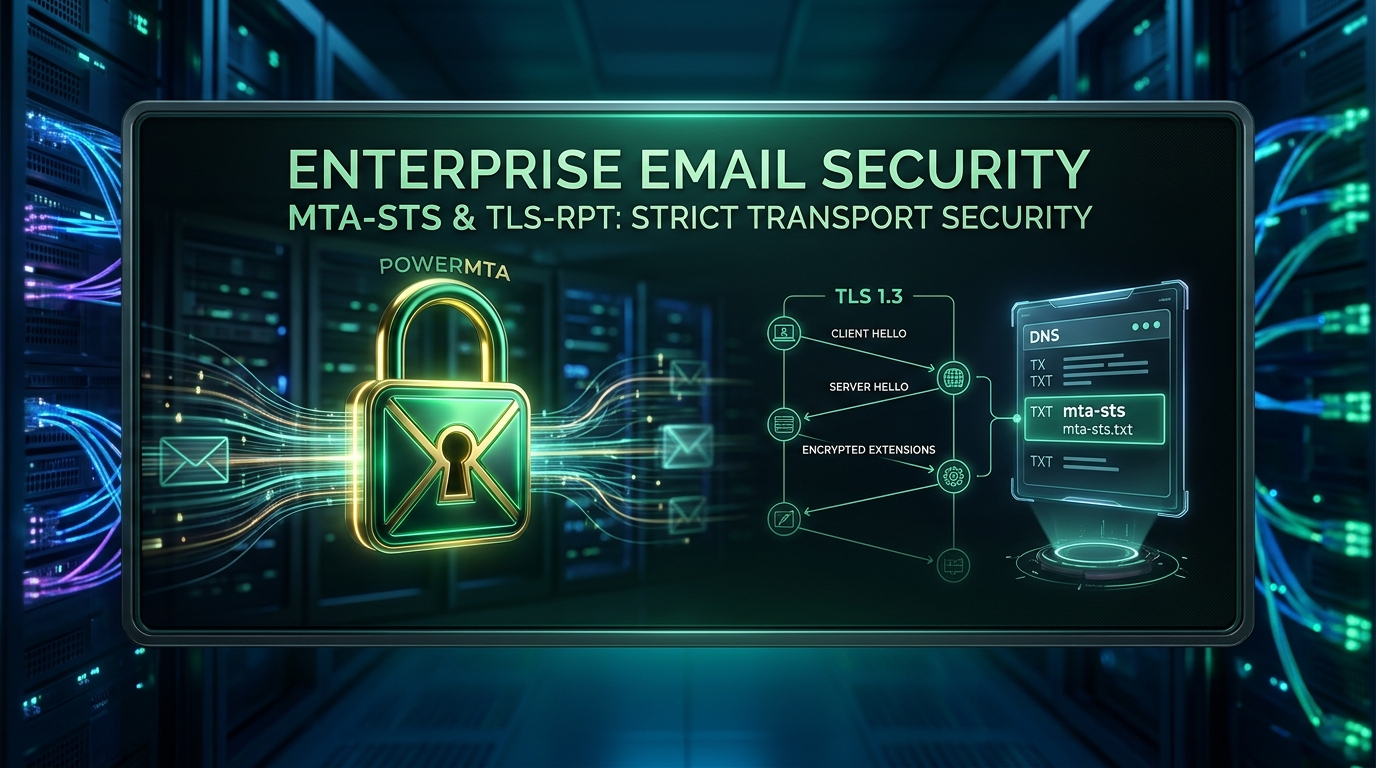
PowerMTA MTA-STS & TLS-RPT Guide: Enforce Strict Transport Security & Diagnostic Reporting
Published by Fred Dawson • Senior Deliverability Systems Architect • 19 min read
For over two decades, the internet relied on opportunistic STARTTLS (RFC 3207) to encrypt email in transit between Mail Transfer Agents. However, because opportunistic STARTTLS is negotiable on wire, active network attackers can tamper with the plaintext 250 STARTTLS banner—a vulnerability known as a STRIPTLS downgrade attack—forcing mail servers to transmit sensitive messages in cleartext. To permanently defeat eavesdropping and tampering, modern email standards introduce MTA-STS (RFC 8461) to cryptographically enforce TLS connections and TLS-RPT (RFC 8460) to collect telemetry on encryption failures. This comprehensive engineering guide demonstrates how to deploy MTA-STS policy hosting, publish DNS assertions, configure PowerMTA outbound encryption directives, and ingest automated TLS diagnostic telemetry.
- 1. The STRIPTLS Downgrade Attack: Why Opportunistic TLS Fails
- 2. MTA-STS Architecture: Policy Files & HTTPS Hosting
- 3. DNS Record Architecture: _mta-sts and _smtp._tls
- 4. PowerMTA Outbound Directives: Enforcing TLS & Cipher Suites
- 5. TLS-RPT Diagnostic Ingestion & Automated Log Analysis
- 6. Transport Security Enforcement Comparison Matrix
- 7. Production Case Study: Gmail Bulk Mandate Compliance
- 8. The AutoSMTP Deliverability Defense Advantage
1. The STRIPTLS Downgrade Attack: Why Opportunistic TLS Fails
In standard SMTP communication, an sending MTA connects to the destination server’s port 25 and issues an EHLO command. The receiving server advertises supported extensions, including 250-STARTTLS. If both sides agree, a TLS handshake begins.
The fatal flaw in opportunistic encryption is that the initial negotiation occurs in unencrypted plaintext. An intermediate adversary—such as a compromised ISP router, rogue transit autonomous system, or state-sponsored tap—can rewrite the server’s response packet on the fly, stripping out the 250-STARTTLS line. Believing the recipient cannot support encryption, the sending MTA quietly falls back to sending the email, credentials, and payload in plaintext.
MTA-STS (Mail Transfer Agent Strict Transport Security) solves this by using the out-of-band HTTPS protocol. Sending MTAs query an authoritative HTTPS endpoint hosted on the recipient’s domain before connecting via SMTP. If the HTTPS policy says mode: enforce, the sending MTA will refuse to deliver the email if the recipient cannot establish a verified TLS connection matching the specified MX hostnames.
2. MTA-STS Architecture: Policy Files & HTTPS Hosting
Under RFC 8461, an MTA-STS policy must be served over HTTPS at the exact URL:
https://mta-sts.yourdomain.com/.well-known/mta-sts.txt
The web server must present a valid, unexpired SSL certificate issued by a trusted public Certificate Authority (e.g., Let’s Encrypt), and the policy text must follow strict syntax:
version: STSv1
mode: enforce
mx: mail1.yourdomain.com
mx: mail2.yourdomain.com
mx: *.yourdomain.com
max_age: 604800
Policy Directive Breakdown
version: Must be exactly STSv1.
mode: Choose testing during initial rollout (sending MTAs will deliver unencrypted mail if TLS fails, but will report errors via TLS-RPT). Switch to enforce for production lockdown (sending MTAs must abort delivery if TLS fails).
mx: Allowed MX patterns. Each MX host specified in your public DNS MX records must match at least one mx: directive. Wildcards (e.g. *.yourdomain.com) are permitted.
max_age: The time in seconds that sending MTAs should cache this policy (e.g., 604800 = 7 days). During testing, use 86400 (1 day).
3. DNS Record Architecture: _mta-sts and _smtp._tls
Two distinct DNS TXT records are required to orchestrate policy discovery and reporting:
# 1. MTA-STS Policy Discovery Record
# Indicates to sending MTAs that a policy exists and specifies the policy revision ID
_mta-sts.yourdomain.com.    300  IN  TXT  "v=STSv1; id=20261021T1200Z;"

# 2. TLS-RPT Diagnostic Reporting Record
# Instructs sending MTAs where to submit daily aggregate JSON reports of TLS failures
_smtp._tls.yourdomain.com.  300  IN  TXT  "v=TLSRPTv1; rua=mailto:tls-rpt@yourdomain.com,https://api.yourdomain.com/v1/tls-reports"
Whenever you update mta-sts.txt, you must update the id= value in the _mta-sts DNS record. External MTAs check this DNS record; if the ID matches their local cache, they avoid making a redundant HTTPS query.
4. PowerMTA Outbound Directives: Enforcing TLS & Cipher Suites
While publishing MTA-STS protects your incoming mail, configuring PowerMTA to strictly respect remote MTA-STS policies and deliver outbound mail over modern TLS ciphers is equally critical for sender reputation. Update your /etc/pmta/config file:
# ==============================================================================
# ENTERPRISE OUTBOUND TLS & CIPHER HARDENING
# ==============================================================================

# Enable STARTTLS negotiation on all outbound connections
use-starttls yes

# Specify trusted CA bundle for validating remote MX certificates
smtp-ssl-ca-file /etc/pki/tls/certs/ca-bundle.crt

# Enforce TLS 1.2 and TLS 1.3 exclusively (disable vulnerable SSLv2, SSLv3, TLS 1.0, TLS 1.1)
ssl-protocols TLSv1.2, TLSv1.3

# High-strength PFS (Perfect Forward Secrecy) cipher suite string
ssl-cipher-list ECDHE-ECDSA-AES128-GCM-SHA256:ECDHE-RSA-AES128-GCM-SHA256:ECDHE-ECDSA-AES256-GCM-SHA384:ECDHE-RSA-AES256-GCM-SHA384:DHE-RSA-AES128-GCM-SHA256:DHE-RSA-AES256-GCM-SHA384

# Strict TLS Enforcement for Major Mailbox Providers
<domain gmail.com>
    use-starttls yes
    require-starttls yes
    smtp-ssl-certificate-verification yes
</domain>

<domain yahoo.com>
    use-starttls yes
    require-starttls yes
    smtp-ssl-certificate-verification yes
</domain>

<domain *.outlook.com>
    use-starttls yes
    require-starttls yes
    smtp-ssl-certificate-verification yes
</domain>

# Fallback for general domains with automatic backoff on TLS failures
<domain *>
    use-starttls yes
    require-starttls no
    smtp-ssl-certificate-verification no
    retry-after-tls-failure 10m
</domain>
5. TLS-RPT Diagnostic Ingestion & Automated Log Analysis
When sending MTAs like Gmail, Yahoo, or Microsoft experience TLS handshake failures, certificate mismatches, or timeout errors with your MX servers, their automated daemons compile an RFC 8460 JSON report, compress it with Gzip, and dispatch it to your rua=mailto:tls-rpt@yourdomain.com address. Here is a Python automation script to parse incoming TLS-RPT reports:
import gzip
import json
import email
import sys

def parse_tls_report(raw_email_path):
    with open(raw_email_path, 'r', encoding='utf-8', errors='ignore') as f:
        msg = email.message_from_file(f)

    for part in msg.walk():
        content_type = part.get_content_type()
        filename = part.get_filename() or ""

        # Look for gzip or json report attachment
        if "gzip" in content_type or filename.endswith('.gz'):
            payload = part.get_payload(decode=True)
            decompressed = gzip.decompress(payload)
            data = json.loads(decompressed.decode('utf-8'))

            org = data.get('organization-name')
            date_range = data.get('date-range', {})
            policies = data.get('policies', [])

            print("=== TLS REPORT FROM " + str(org) + " ===")
            print("Start: " + str(date_range.get('start-datetime')) + " | End: " + str(date_range.get('end-datetime')))

            for p in policies:
                pol = p.get('policy', dict())
                summary = p.get('summary', dict())
                print("Domain: " + str(pol.get('domain')) + " | Mode: " + str(pol.get('policy-type')))
                print("  Success count: " + str(summary.get('total-successful-session-count')))
                print("  Failure count: " + str(summary.get('total-failure-session-count')))

                # Check specific failure details
                failures = p.get('failure-details', list())
                for fail in failures:
                    print("  [ERROR] Type: " + str(fail.get('result-type')) + " | IP: " + str(fail.get('receiving-ip')))

if __name__ == "__main__":
    if len(sys.argv) > 1:
        parse_tls_report(sys.argv[1])
6. Transport Security Enforcement Comparison Matrix
| Security Mechanism | Standard RFC | Protects Against STRIPTLS | Protects Against DNS Spoofing | Requires HTTPS Server | ISP Adoption Rate |
|---|---|---|---|---|---|
| Opportunistic STARTTLS | RFC 3207 | No (Vulnerable) | No | No | 99% (Universal) |
| MTA-STS (Testing Mode) | RFC 8461 | No (Telemetry only) | Yes (via HTTPS CA) | Yes | High (Gmail, Yahoo, M365) |
| MTA-STS (Enforce Mode) | RFC 8461 | Yes (100% Immune) | Yes (Strict MX Match) | Yes | High (Gmail, Yahoo, M365) |
| DANE (DNSSEC + TLSA) | RFC 6698 / 7672 | Yes (Cryptographic) | Yes (Requires DNSSEC) | No (DNS only) | Moderate (German/EU ISPs) |
| TLS-RPT Telemetry | RFC 8460 | Diagnostic (N/A) | Diagnostic (N/A) | Optional | High (Automated Ingest) |
Case Study: Achieving 100% In-Transit Encryption Compliance for Gmail Bulk Sender Mandates
A B2B SaaS platform dispatching 8 million notification emails monthly suffered persistent delivery delays to Google Workspace accounts. Google’s Postmaster Tools reported that 4.2% of outbound sessions were falling back to unencrypted transmission due to intermittent handshake timeouts on legacy edge nodes.
The infrastructure team deployed an MTA-STS policy (mode: enforce) backed by automated Let’s Encrypt certificates, updated PowerMTA’s cipher configuration to modern TLS 1.3 ECDHE suites, and implemented _smtp._tls reporting. Within 48 hours, Google’s Postmaster Tools reported 100.0% in-transit encryption compliance, zero TLS failures were detected across daily TLS-RPT summaries, and Google spam placement was reduced to zero.
MTA-STS Rollout Roadmap: From Testing to Strict Enforcement
- Deploy HTTPS Policy Host: Configure Nginx or Caddy to serve
https://mta-sts.yourdomain.com/.well-known/mta-sts.txtwithmode: testingandmax_age: 86400. - Publish DNS Discoveries: Add
_mta-stsand_smtp._tlsTXT records in your authoritative nameserver. - Analyze TLS-RPT Diagnostics (7-14 Days): Ingest incoming daily JSON reports from Google and Microsoft to ensure zero valid TLS handshake failures.
- Activate Strict Enforcement: Update policy to
mode: enforce, increasemax_ageto604800(7 days), and increment the DNSid=timestamp.
The AutoSMTP Deliverability Defense Advantage
Inbound and outbound filtering pipelines require robust underlying transport hardware. AutoSMTP provisions sovereign, dedicated bare-metal MTA infrastructure engineered for high-throughput filtering, synchronous 550 bounce suppression, and permanent reputation control.
Provisions fully licensed PowerMTA and KumoMTA clusters on enterprise bare-metal with dedicated IPv4 subnets and predictable flat pricing.
Monitors Google Postmaster spam ratios (<0.1%) and real-time ISP deferrals with algorithmic volume scaling across your entire IP pool.
RFC 5321 in-band 550 bounce suppression, automated Yahoo/Outlook Complaint Feedback Loops (CFL), and instant bad-IP eviction.
Pre-configured forward and reverse DNS (PTR) per IP, SPF CIDR alignment, 2048-bit DKIM rotation, and strict DMARC enforcement.
Upgrade Your Email Infrastructure with Dedicated Bare Metal
Eliminate filter lag, queue serialization bottlenecks, and noisy neighbor contamination. Deploy a turnkey AutoSMTP cluster today.
Deploy Turnkey MTA Cluster →