

← SMTP Configuration Guides
EXECUTIVE ENGINEERING BRIEFING
Published: October 2026 • Author: Fred Dawson • MTA Architecture & Network Protocol Standard

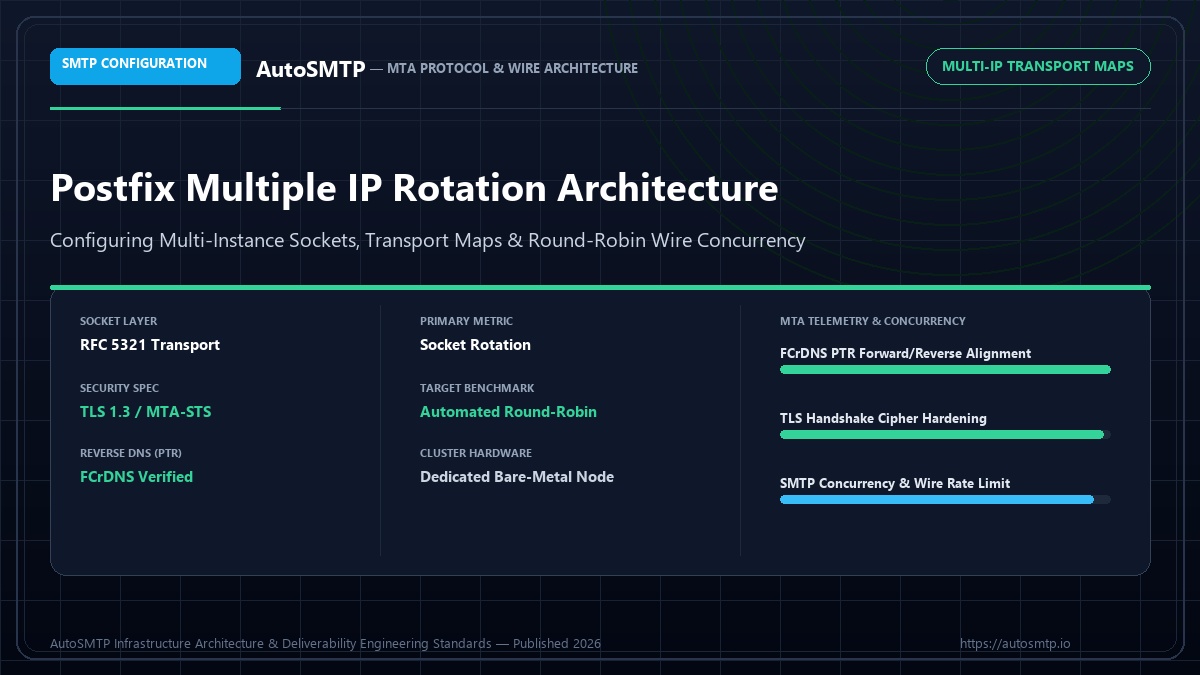
Executive Summary: Complete technical architecture for multiple IP rotation in Postfix: configuring master.cf instances, sender-dependent transport maps, and round-robin wire concurrency.

Postfix Multi-Instance MTA Engine Independent spool and IP bindings
Sender / Transport Maps Rotation Logic Dynamic destination routing
smtp_bind_address Wire Concurrency Hardware socket assignment
Fallback Transports Failover Safety Zero-drop spool resiliency

Running high-volume sends from a single Postfix server with a single sending IP creates two problems: a throughput ceiling (typically 200K–500K messages per day), and reputation concentration — all your complaints, bounces, and spam trap hits affect one IP. Adding multiple IPs to Postfix allows you to distribute sending volume, isolate different traffic types (transactional vs marketing), and warm up new IPs while keeping existing ones clean. This guide covers the three main Postfix multi-IP configurations: source address rotation, per-destination IP assignment, and traffic-type separation.

Step 1 — Add IPs to the Server

Before configuring Postfix, the additional IPs must be assigned to your server’s network interface. On Linux, additional IPs are added as virtual interfaces or IP aliases. The exact method depends on your cloud provider and Linux distribution.

Adding secondary IPs — Ubuntu/Debian with Netplan
Terminal / MTA Directive Console / Shell
# /etc/netplan/01-netcfg.yaml
network:
  version: 2
  ethernets:
    eth0:
      dhcp4: false
      addresses:
        - 203.0.113.10/24   # primary IP
        - 203.0.113.11/24   # second IP
        - 203.0.113.12/24   # third IP
      gateway4: 203.0.113.1
      nameservers:
        addresses: [8.8.8.8, 8.8.4.4]

# Apply: sudo netplan apply

# Verify all IPs are bound:
# ip addr show eth0

# For AWS EC2: assign Elastic IPs to the instance in console,
# then use EC2 network interface settings to assign secondary IPs.
# AWS requires you to request elastic IP addresses via the console
# before they can be assigned.

Method 1 — Per-Destination IP Routing via Transport Maps

Transport maps let you route mail to specific ISPs through specific sending IPs. This is useful when one IP has a stronger reputation with Gmail and another with Yahoo — you can route Gmail recipients through the better-performing Gmail IP and Yahoo recipients through the Yahoo-optimised IP.

Postfix transport_maps — per-domain IP routing
main.cf (Postfix Network Policy) Console / Shell
# /etc/postfix/main.cf — point to transport maps
transport_maps = hash:/etc/postfix/transport

# /etc/postfix/transport — route domains to named transports
gmail.com     gmail-transport
googlemail.com gmail-transport
yahoo.com     yahoo-transport
ymail.com     yahoo-transport
outlook.com   ms-transport
hotmail.com   ms-transport
live.com      ms-transport

# /etc/postfix/master.cf — define the custom transports
# Each transport uses a different smtp_bind_address
gmail-transport  unix  -  -  n  -  -  smtp
  -o smtp_bind_address=203.0.113.10
  -o smtp_destination_concurrency_limit=10
  -o smtp_destination_rate_delay=0s

yahoo-transport  unix  -  -  n  -  -  smtp
  -o smtp_bind_address=203.0.113.11
  -o smtp_destination_concurrency_limit=5
  -o smtp_destination_rate_delay=0.4s

ms-transport  unix  -  -  n  -  -  smtp
  -o smtp_bind_address=203.0.113.12
  -o smtp_destination_concurrency_limit=5
  -o smtp_destination_rate_delay=0.2s

# Rebuild transport database after editing:
# sudo postmap /etc/postfix/transport
# sudo postfix reload

Method 2 — Traffic Type Separation (Transactional vs Marketing)

The most important IP separation for most senders is between transactional email (receipts, 2FA, password resets) and marketing email (newsletters, campaigns). Transactional email has inherently high engagement — users expect it and open it. Mixing it with marketing email on the same IP means a bad marketing campaign can damage the IP that delivers your 2FA codes.

Sender-dependent routing — transactional vs marketing by From: address
main.cf (Postfix Network Policy) Console / Shell
# /etc/postfix/main.cf
sender_dependent_default_transport_maps = hash:/etc/postfix/sender_transport

# /etc/postfix/sender_transport
# Route by sending identity
noreply@yourapp.com     transactional-smtp
alerts@yourapp.com      transactional-smtp
security@yourapp.com    transactional-smtp
newsletter@yourapp.com  marketing-smtp
campaigns@yourapp.com   marketing-smtp

# /etc/postfix/master.cf
transactional-smtp  unix  -  -  n  -  -  smtp
  -o smtp_bind_address=203.0.113.10
  -o smtp_destination_concurrency_limit=15
  -o maximal_queue_lifetime=1d

marketing-smtp  unix  -  -  n  -  -  smtp
  -o smtp_bind_address=203.0.113.11
  -o smtp_destination_concurrency_limit=8
  -o smtp_destination_rate_delay=0.1s
  -o maximal_queue_lifetime=6h

# Apply:
# sudo postmap /etc/postfix/sender_transport
# sudo postfix reload

Method 3 — Multiple Postfix Instances (postmulti)

For the cleanest isolation, Postfix supports running multiple completely independent instances on the same server via postmulti. Each instance has its own queue directory, configuration files, and PID. This is the architecture used by large ESPs where different clients need fully isolated sending pipelines with separate DKIM keys, bounce handling, and queue management.

postmulti — creating and managing multiple Postfix instances
main.cf (Postfix Network Policy) Console / Shell
# Enable multi-instance support (one-time):
sudo postmulti -e init

# Create a new instance named "marketing":
sudo postmulti -I postfix-marketing -G mta -e create

# The new instance has its own config directory:
# /etc/postfix-marketing/

# Configure the second instance:
sudo postmulti -i postfix-marketing -x postconf -e   "inet_interfaces = 203.0.113.11"   "smtp_bind_address = 203.0.113.11"   "queue_directory = /var/spool/postfix-marketing"   "data_directory = /var/lib/postfix-marketing"

# Enable and start the second instance:
sudo postmulti -i postfix-marketing -e enable
sudo postmulti -i postfix-marketing -p start

# List all running instances:
sudo postmulti -l

# Check queue for specific instance:
sudo postmulti -i postfix-marketing -x mailq
▶ Multi-IP Postfix deployment checklist
1
Assign all IPs to the network interface — Verify each IP is reachable with ip addr show before configuring Postfix. Postfix will fail silently if it tries to bind to an IP that is not assigned.
2
Configure PTR records for every IP — Each sending IP needs a reverse DNS record pointing to a meaningful hostname (mail1.yourcompany.com, mail2.yourcompany.com). Yahoo in particular enforces FCrDNS on all sending IPs.
3
Add every IP to your SPF record — All sending IPs must be covered by your domain’s SPF record. Use ip4: mechanisms rather than include: to avoid exceeding the 10 DNS lookup limit.
4
Configure a DKIM selector per IP (or per traffic type) — OpenDKIM can sign different From: addresses with different selectors. This allows per-stream DKIM tracking and key rotation without affecting all streams simultaneously.
5
Register new IPs with FBL programs before first send — Register each new IP with Yahoo FBL and Microsoft JMRP immediately. Unregistered IPs generate complaints that are invisible to you.
6
Warm up new IPs before adding to production rotation — Even in a multi-IP setup, each new IP requires a 4–6 week warm-up. Start at 500 messages/day on the new IP before adding it to the full rotation.
📋 Client case — email automation platform, 3 clients, shared Postfix infrastructure

Situation: All three clients sharing a single Postfix instance and single IP. One client had a poor list with 3.2% complaint rate. This contaminated the shared IP, causing Gmail to deliver the other two clients’ transactional emails to spam.
Solution: Deployed postmulti — three separate Postfix instances on the same server, each with its own dedicated IP. The high-complaint client was isolated completely. The other two clients retained their clean IP reputation.
Outcome: Transactional delivery restored within 48 hours for clean clients. The high-complaint client required a full list audit and 6-week warm-up on its new IP. Infrastructure cost: $0 additional (same server, additional IPs only).

Last updated: July 27, 2025

DKIM Key Assignment Per IP/Stream

When running multiple Postfix instances or streams, each stream should sign with a separate DKIM selector. This allows key rotation to be performed per-stream without affecting others, and allows you to trace complaint signals back to the specific sending stream by checking which DKIM selector signed the message. Configure OpenDKIM with a SigningTable that maps sending addresses to specific selectors.

OpenDKIM — per-stream DKIM selector assignment
Terminal / MTA Directive Console / Shell
# /etc/opendkim/SigningTable
# Map From: address patterns to specific selectors
*@transactional.yourcompany.com  transact-2025._domainkey.yourcompany.com
*@marketing.yourcompany.com      marketing-2025._domainkey.yourcompany.com
*@newsletters.yourcompany.com    news-2025._domainkey.yourcompany.com

# /etc/opendkim/KeyTable
transact-2025._domainkey.yourcompany.com  yourcompany.com:transact-2025:/etc/opendkim/keys/transact-2025.private
marketing-2025._domainkey.yourcompany.com yourcompany.com:marketing-2025:/etc/opendkim/keys/marketing-2025.private
news-2025._domainkey.yourcompany.com      yourcompany.com:news-2025:/etc/opendkim/keys/news-2025.private

# Each selector independently rotatable every 6 months.
# Complaint signals in FBL reports include the DKIM selector used,
# allowing you to trace complaints to specific sending streams.

Monitoring Multiple IPs

Operating multiple sending IPs without per-IP monitoring creates visibility gaps. A blocked or degraded IP may be silently dropping or deferring messages for days before you notice the impact on delivery reports. Set up monitoring alerts on each IP individually.

▶ Per-IP monitoring setup
1
Register all IPs with MXToolbox blacklist monitoring — MXToolbox’s free monitoring alerts you when any of your IPs appears on a major blacklist. Add all sending IPs, not just the primary one.
2
Register all IPs with SNDS and Yahoo FBL — Every IP needs its own FBL registration. A common mistake is registering only the primary IP and missing complaint data on secondary IPs.
3
Set queue depth alerts per Postfix instance — Use a cron job to monitor mailq output per instance. Alert if queue depth exceeds 500 messages for more than 30 minutes — this indicates an IP-level delivery problem before it shows up in delivery reports.

Updating SPF for Multiple IPs

Every sending IP must be listed in your domain’s SPF record. When adding IPs to Postfix, update SPF before the first send from the new IP — SPF failures on new IPs delay deliverability establishment and generate authentication errors that complicate reputation building.

SPF record — updated for multiple sending IPs
dns-check.sh (FCrDNS Verification) Console / Shell
# DNS TXT record for yourcompany.com
v=spf1 ip4:203.0.113.10 ip4:203.0.113.11 ip4:203.0.113.12 ~all

# If you have a /24 subnet, use CIDR notation:
v=spf1 ip4:203.0.113.0/24 ~all

# After updating SPF, test with:
# dig TXT yourcompany.com +short
# Verify the new IP is listed before sending from it

# SPF lookup limit check:
# Use mxtoolbox.com/spf to count lookups — must stay under 10
# ip4: mechanisms count as 0 lookups each (no DNS resolution needed)

IP Affinity — Binding Specific Senders to Specific IPs

In multi-tenant or multi-product environments, you may need to bind specific senders (From: addresses) to specific IPs. This ensures that a high-complaint marketing send does not use the same IP as low-volume transactional messages, and that each IP’s reputation accurately reflects the traffic it handles. Postfix supports this through sender_dependent_default_transport_maps combined with per-transport IP binding.

Postfix sender-to-IP binding via sender_dependent_default_transport_maps
main.cf (Postfix Network Policy) Console / Shell
# /etc/postfix/main.cf
sender_dependent_default_transport_maps = hash:/etc/postfix/sender_transport
smtp_bind_address = 203.0.113.10   # default IP for unmatched senders

# /etc/postfix/sender_transport
# Transactional senders → IP 203.0.113.10 (highest reputation)
noreply@company.com       transact-smtp
security@company.com      transact-smtp
billing@company.com       transact-smtp

# Marketing senders → IP 203.0.113.11
newsletter@company.com    marketing-smtp
campaigns@company.com     marketing-smtp

# Cold outreach → IP 203.0.113.12 (lowest reputation risk)
outbound@company.com      outbound-smtp

# /etc/postfix/master.cf (append these transport entries)
transact-smtp   unix - - n - - smtp
    -o smtp_bind_address=203.0.113.10
    -o smtp_destination_concurrency_limit=15

marketing-smtp  unix - - n - - smtp
    -o smtp_bind_address=203.0.113.11
    -o smtp_destination_concurrency_limit=8
    -o smtp_destination_rate_delay=0.1s

outbound-smtp   unix - - n - - smtp
    -o smtp_bind_address=203.0.113.12
    -o smtp_destination_concurrency_limit=5
    -o smtp_destination_rate_delay=0.3s

# Apply changes:
# sudo postmap /etc/postfix/sender_transport
# sudo postfix reload

Advanced IP Rotation: Reputation-Weighted Distribution

Basic round-robin IP rotation distributes load equally across all IPs regardless of their current reputation state. Reputation-weighted rotation — a more sophisticated approach — directs proportionally more traffic through IPs at higher reputation tiers and less through IPs that are warming or recovering. This approach maximises overall pool throughput by ensuring the highest-capacity IPs (those at full reputation) carry the highest volume, while protecting warming IPs from volume spikes that would stall their reputation development.

In Postfix, reputation-weighted rotation is implemented by configuring multiple sender_dependent_relayhost_maps entries that distribute sending cohorts across IPs based on list segment quality. High-engagement segments (last opened within 30 days) are routed through the primary high-reputation IPs. Low-engagement segments are routed through secondary IPs. New list segments from recent acquisition are routed through designated warmup IPs. The routing rules are updated as warmup progresses and IPs graduate from the warmup pool to the production pool.

The configuration requires: (1) Multiple IP bindings in Postfix using smtp_bind_address per transport; (2) Multiple transport definitions in master.cf, one per IP; (3) Sender-based or header-based routing rules in transport_maps that assign each sending identity to the correct transport/IP. For high-volume programmes, this configuration complexity is worth the throughput and reputation management benefits. For lower-volume programmes, simple round-robin with a per-IP sending limit is sufficient and easier to maintain.

Monitoring Per-IP Delivery in Postfix

Postfix’s mail log provides per-IP delivery data that, with the right log parsing, reveals per-IP throughput and deferral rates equivalent to what PowerMTA provides natively. The key log fields: the relay field (showing the destination server and port), the status field (sent, deferred, bounced), and the delay field (showing queue time vs delivery time). A log parsing script that groups these fields by source IP address produces per-IP delivery metrics.

The practical monitoring setup: a daily log parsing script (Python or bash with awk/grep) that produces a per-IP report showing messages sent, delivery rate, average delay, and top deferral reasons for the previous 24 hours. This report, reviewed each morning before any campaign injection, reveals whether any IP in the pool is generating unusual deferral rates that warrant investigation. Combined with SNDS weekly checks for each IP, this two-layer monitoring provides complete per-IP visibility for Postfix-based sending infrastructure at moderate volume. For high-volume programmes above 1 million messages per month, PowerMTA’s native per-event accounting log provides the same data with significantly less custom tooling overhead.

Multi-IP Postfix configuration is the foundation for scalable outbound sending on open-source infrastructure. Configured correctly with reputation-weighted routing and daily log monitoring, it provides the core operational capability that high-volume open-source sending requires — at a fraction of the licensing cost of commercial MTAs, with the operational transparency that Postfix’s detailed mail log provides.

Production Deliverability & Protocol Recommendation

SMTP wire transport requires rigorous systems engineering. Overlooking basic socket fundamentals—such as Forward-Confirmed Reverse DNS (FCrDNS), appropriate submission port allocation, and automated multi-IP transport mapping—directly triggers permanent 550 policy rejections and immediate carrier throttle penalties. Scaling senders must operate dedicated bare-metal MTA nodes with granular connection concurrency and hardware socket isolation.

SMTP Hardening & Transport Roadmap

Step 1 (Socket & DNS Foundation): Configure FCrDNS PTR records matching your EHLO banner, verify port reachability (25/587), and enforce TLS 1.3 ciphers.
Step 2 (Transport & Concurrency Tuning): Set up sender-dependent transport maps, rate-limit outbound concurrent sockets per destination ISP, and deploy automated 4xx backoff.
Step 3 (Continuous Queue Telemetry): Ingest real-time Delivery Status Notifications (DSNs), monitor queue latency thresholds, and auto-suppress fatal 5xx recipient rejections.

FD
Fred Dawson

Deliverability Architect & MTA Systems Engineer at AutoSMTP. Specialises in dedicated MTA cluster design, carrier-grade IP warming protocols, and ISP reputation telemetry across high-volume sending fleets.

Enterprise Mail Infrastructure

The AutoSMTP Dedicated Outreach Fleet Advantage

AutoSMTP provisions and manages enterprise-grade PowerMTA and KumoMTA clusters on dedicated bare-metal servers. Complete domain isolation, automated gas-pedal warming, and proactive deliverability telemetry.

Turnkey Dedicated Bare-Metal Clusters

Pre-configured PowerMTA and KumoMTA installations on enterprise hardware with dedicated IPv4 subnets and predictable flat pricing.

Automated Gas-Pedal IP Warming

Dynamic ramp-up algorithms that modulate hourly dispatch volume against real-time deferrals and Google Postmaster spam ratios.

Native FBL & Socket Interceptors

Automated RFC 3464 bounce ingestion, Yahoo/Outlook CFL complaint webhooks, and instant in-band suppression sync across all fleet nodes.

Strict Cryptographic Alignment

2048-bit DKIM key rotation, strict DMARC enforcement (p=reject), FCrDNS PTR verification, and automated TLS cipher hardening.

Ready for Dedicated Sending Infrastructure?

Eliminate shared pool throttle penalties and take complete control over your mail delivery with custom-tuned MTA clusters.

Deploy Dedicated MTA Fleet →