

← Email Security Guides
EXECUTIVE ENGINEERING BRIEFING
Published: October 2026 • Author: Fred Dawson • Advanced Protocol Security & Cryptographic Transport

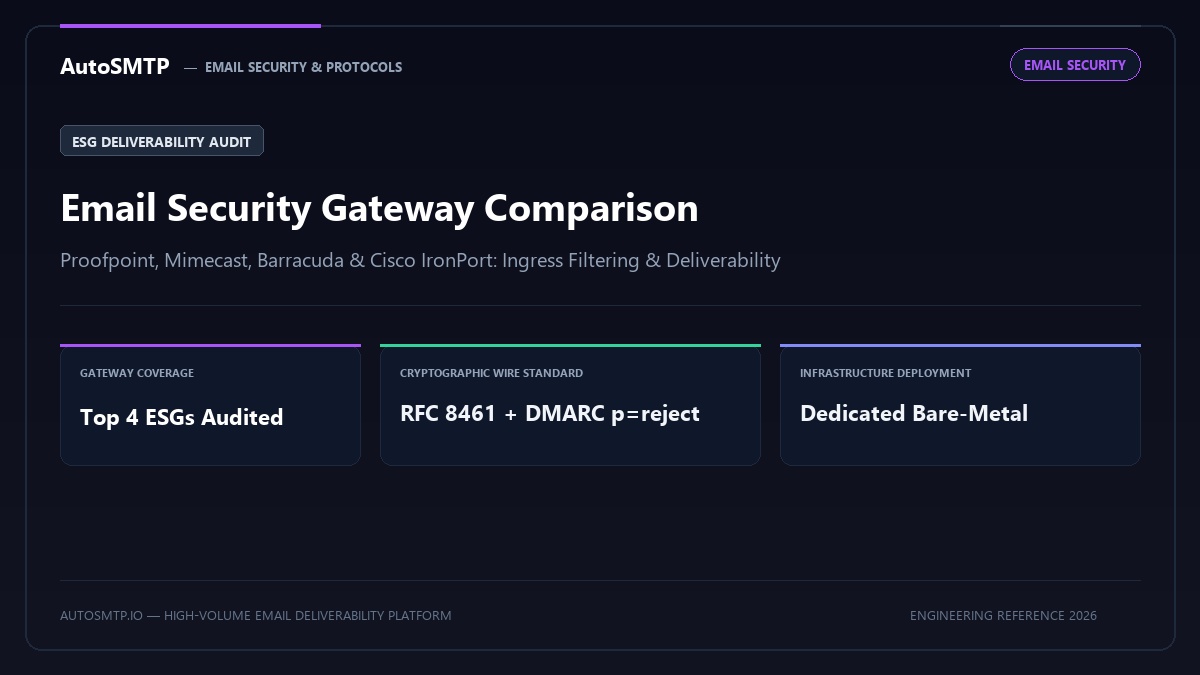
Executive Summary: Engineering comparison of enterprise Email Security Gateways (ESGs): Proofpoint, Mimecast, Barracuda, and Cisco IronPort deliverability impact, graymail filters, and reputation scoring.

ESG Coverage
Top 4 Gateways Audited
Proofpoint, Mimecast, Barracuda, Cisco
Filter Heuristics
Dynamic Graymail Scoring
Content, IP, and domain evaluation
Ingress Protocol
Strict FCrDNS Alignment
Mandatory reverse pointer validation
Throttle Trigger
Burst Connection Limits
ESG rate limit compliance

Email security gateways sit between the internet and your organisation’s mail server, filtering inbound threats and enforcing outbound policy. For organisations operating dedicated email infrastructure, the gateway choice has direct implications for deliverability: gateways that rewrite messages, modify headers, or strip DKIM signatures introduce authentication failures that damage sender reputation for outbound mail. This comparison covers the four leading enterprise gateways from the deliverability operations perspective — not just the security features.

How Gateways Affect Outbound Deliverability

Email security gateways can degrade outbound deliverability in three ways that are invisible without careful monitoring. Understanding each mechanism is the prerequisite for configuring your gateway correctly.

DKIM signature breaking: When a gateway re-processes an outbound message — scanning it, modifying headers, or adding disclaimers — it can invalidate the DKIM signature that was applied before the message entered the gateway. The receiving server then sees a DKIM failure for a message that was correctly signed at origin. This is particularly common with disclaimer injection (adding a footer to all outbound messages) which modifies the message body, breaking DKIM body hash validation.

SPF alignment shift: Gateways that relay outbound mail change the envelope sender path. If the gateway’s IP is not included in your domain’s SPF record, outbound messages will fail SPF — even though your sending infrastructure is legitimate. The fix is to add the gateway’s outbound relay IPs to your SPF record, which is documented in the gateway’s admin documentation but frequently missed during initial setup.

DMARC failure on forwarded inbound: For inbound mail forwarded to external addresses, gateways that do not implement ARC sealing will forward messages that fail DMARC at the destination. ARC is the correct solution — see the ARC email authentication guide for implementation details.

Enterprise Gateway Comparison — 2025

GatewayARC supportDKIM preservationOutbound DLPDMARC reportingDeployment
Proofpoint Email Security Yes — since 2022 Manual config required Full DLP suite Detailed DMARC dashboard Cloud / on-prem / hybrid
Mimecast Email Security Yes — since 2023 Enable in policy Full DLP DMARC Analyzer included Cloud only
Microsoft Defender for Office 365 Native EOP — automatic Preserved by default Basic DLP (E3+) Via Postmaster Tools only Cloud only (M365)
Barracuda Email Security Gateway Partial — check firmware Depends on version Basic DLP Limited reporting Hardware / cloud / virtual
Cisco Secure Email (IronPort) Not yet supported Manual signing config Full DLP suite Via third-party integration Cloud / on-prem

Proofpoint — Deliverability Configuration

Proofpoint is the most widely deployed enterprise gateway and has the most mature deliverability feature set. ARC sealing must be explicitly enabled — it is not on by default. Navigate to Email Protection → Authentication → ARC to enable outbound ARC sealing. You also need to configure the DKIM signing domain in Proofpoint’s signing configuration to match your From: domain, not Proofpoint’s relay domain, for DMARC alignment.

Proofpoint’s Smart Search and Message Trace features provide excellent visibility into outbound delivery disposition — you can see whether a message was accepted, deferred, or rejected by a downstream server, including the SMTP response code. This is genuinely useful for diagnosing deliverability issues at specific recipients without needing to dig through MTA logs.

Mimecast — Deliverability Configuration

Mimecast added ARC sealing support in 2023, available in the Enterprise tier. It is disabled by default — enable it in Administration → Gateway → Policies → ARC Signing. Mimecast’s DMARC Analyzer product (included in higher tiers) provides aggregate DMARC report processing and a useful dashboard for monitoring alignment failures across your sending domains.

The most common deliverability issue with Mimecast is disclaimer injection. Mimecast’s default configuration appends an email disclaimer to all outbound messages, which breaks DKIM body hashes. Reconfigure disclaimers to use header injection instead of body modification, or configure DKIM to use relaxed/relaxed canonicalization which tolerates minor whitespace changes but not full footer additions.

Gateway Deliverability Configuration Checklist

▶ Post-deployment deliverability audit for any email gateway
1
Verify SPF includes gateway outbound IPs — Send a test message from your gateway and check the Authentication-Results header at the recipient. SPF should show pass. If it shows fail or softfail, add the gateway’s relay IPs to your SPF record.
2
Verify DKIM alignment on gateway-processed mail — Check that the DKIM d= value in Authentication-Results matches your From: domain organisational domain. If it shows the gateway’s own domain, configure DKIM re-signing in the gateway settings.
3
Enable ARC sealing for forwarded inbound mail — If your gateway forwards mail to external addresses (shared mailboxes, mailing lists), enable ARC sealing. Test by forwarding a DMARC-enforced sender’s message and checking ARC headers at the destination.
4
Check disclaimer injection method — If your gateway appends disclaimers to outbound messages, confirm this uses header injection rather than body modification. A footer added to the message body breaks DKIM signatures.
5
Run a full authentication test with mail-tester.com — Send a test message through your complete outbound path (application → gateway → internet) to a mail-tester.com address. Confirm score is 9/10 or 10/10 before declaring the gateway deployment complete.
📋 Client case — Financial services firm, Proofpoint deployment, 45K daily outbound messages

Issue: After deploying Proofpoint, outbound deliverability to Gmail dropped from 96% to 71% over 2 weeks. Gmail Postmaster Tools showed authentication rate falling from 99% to 84%.
Diagnosis: DKIM was being broken by Proofpoint’s compliance footer injection. The footer was appending to all outbound messages, invalidating the DKIM body hash applied by the on-premises Exchange server before messages reached Proofpoint.
Fix: Reconfigured Proofpoint to use relaxed canonicalization for DKIM re-signing, and moved the compliance footer to a header field (X-Compliance-Notice) rather than the message body. Also enabled ARC sealing for forwarded mail flows.
Outcome: Authentication rate returned to 99% within 48 hours. Inbox placement recovered to 95% within 2 weeks as Gmail domain reputation normalised.

Last updated: October 28, 2025

Gateway vs Native Cloud Email Security

The traditional email security gateway — a separate appliance or service that sits in front of your mail server — is being challenged by native cloud security features built into Google Workspace and Microsoft 365. For organisations already on these platforms, the native security controls (Gmail Advanced Protection, Microsoft Defender for Office 365 Plan 2) provide substantial protection without the gateway complexity and its associated deliverability risks.

The deliverability case for native cloud email security is clear: Google and Microsoft’s native security tools do not modify messages in ways that break authentication, because they are integrated into the same mail stack that applies authentication. A third-party gateway layered on top of Google Workspace introduces DKIM-breaking risks that Gmail’s own security controls do not. For pure inbound protection, native cloud controls are often the better choice. Standalone gateway products add genuine value primarily for on-premises Exchange environments, complex DLP requirements, or multi-cloud deployments where a single control plane is needed.

Testing Your Gateway’s Impact on Authentication

The definitive test of whether your gateway is affecting authentication is straightforward: send a test message from your full outbound path to a mail-tester.com address and to a seed address at Gmail. Check the Authentication-Results header in the received message. Every field — SPF, DKIM, and DMARC — should show pass, and the DKIM d= value should match your sending domain, not the gateway’s.

If DKIM shows fail or the d= value is the gateway’s domain, the gateway is re-signing or breaking DKIM. If SPF shows softfail or fail, the gateway’s relay IPs are not in your SPF record. Fix both before considering the gateway deployment complete. Running this test monthly as part of a standard deliverability health check catches any configuration drift before it becomes a deliverability incident.

Total Cost Considerations

Enterprise email gateway pricing is not published — it is negotiated per organisation based on mailbox count and features. As a rough benchmark for 2025: Proofpoint Email Protection starts at approximately €4 – 8 per mailbox per month for mid-market organisations; Mimecast is broadly similar; Microsoft Defender for Office 365 Plan 2 is included in M365 E5 licences (~€54/user/month) or available as a standalone add-on at ~€4.50/user/month for Plan 2. Barracuda and Cisco IronPort are often lower on per-mailbox cost but may require dedicated hardware amortisation.

For the deliverability decision: the gateway’s licensing cost is secondary to the operational cost of the deliverability engineering required to maintain correct authentication through the gateway. Proofpoint and Mimecast both require skilled configuration to preserve DKIM integrity — organisations without an email security specialist typically need professional services at deployment. Factor this into the total cost comparison.

SIEM Integration for Email Security Events

Enterprise gateway deployments typically require integration with a Security Information and Event Management (SIEM) system — Splunk, Microsoft Sentinel, IBM QRadar, or similar. SIEM integration allows email security events (blocked phishing attempts, BEC detections, authentication failures) to be correlated with other security signals across the organisation. All four major gateways support syslog or API-based log export to SIEM platforms.

From a deliverability operations perspective, SIEM integration surfaces one particularly valuable signal: outbound messages blocked by the gateway’s policy engine. If legitimate outbound mail is being blocked by a DLP rule or impersonation detection policy, it does not generate bounces — it silently fails to reach the recipient. SIEM logs are often the only place this is visible. Configure an alert for any outbound message blocked by policy that originates from an authenticated internal user — this catches mis-configured policy rules before they generate significant business impact.

How Email Security Gateways Affect Outbound Deliverability

Email security gateways placed in the outbound sending path — between the sending application and the internet — can significantly affect deliverability in ways that are not immediately obvious. Understanding these effects allows infrastructure architects to configure gateways to maximise security without sacrificing deliverability.

The most common gateway deliverability interaction: DKIM signature invalidation. DKIM signatures cover specific message headers and the message body. A security gateway that modifies headers (adding compliance disclaimers, modifying From names, inserting tracking pixels) after the DKIM signature is applied breaks the signature, causing DKIM to fail at receiving servers. The fix: either sign after the gateway (if the gateway provides DKIM signing capability), or configure the gateway to apply its modifications before the DKIM signing step, or exclude the modified headers from the DKIM signed header list (reducing but not eliminating the problem).

The second common interaction: SPF permerror from gateway IP mismatch. If the security gateway’s sending IPs are not included in the sending domain’s SPF record, messages that transit the gateway will fail SPF (the sending IP — the gateway — is not authorised in the SPF record). Add the gateway’s IP ranges to the SPF record, ensuring the record stays below the 10-lookup limit. For large gateway services with many IP ranges expressed as include: mechanisms, the SPF lookup count can quickly exceed 10 — use SPF flattening tools to convert include: mechanisms to their current IP ranges if necessary.

Third interaction: message modification and DMARC alignment. If the security gateway changes the From: header or the MAIL FROM envelope domain without corresponding changes to the DKIM signature, DMARC alignment can fail. Verify DMARC alignment end-to-end (from the final sending IP through the gateway to a test receiving server) by reviewing Authentication-Results headers in a test message, not just by verifying the sending infrastructure configuration before the gateway.

Production Deliverability & Protocol Security Recommendation

Modern commercial email security requires strict cryptographic enforcement at both transport and application layers. Relying solely on opportunistic STARTTLS exposes senders to man-in-the-middle downgrade tampering, while unaligned RFC 8058 unsubscribe headers break carrier compliance floors instantly. Enterprise sending operations must implement enforced DMARC (p=reject), MTA-STS with automated reporting, and dedicated bare-metal MTA infrastructure with hardware-level credential isolation.

Email Security & Compliance Hardening Roadmap

Step 1 (Cryptographic Identity & DMARC): Align 2048-bit DKIM keys with your RFC 5322 From domain, publish a strict DMARC policy (p=reject), and configure automated RUF forensic incident parsing.
Step 2 (Transport Layer Encryption): Deploy MTA-STS with HTTPS policy daemon hosting, enable TLS-RPT failure monitoring, and enforce TLS 1.3 ciphers across all outbound socket connections.
Step 3 (Regulatory & Gateway Compliance): Implement dual-header RFC 8058 one-click unsubscription with dedicated POST handlers, audit sending patterns against major ESGs (Proofpoint, Mimecast), and enforce immediate in-band suppression sync.

FD
Fred Dawson

Deliverability Architect & MTA Systems Engineer at AutoSMTP. Specialises in dedicated MTA cluster design, carrier-grade IP warming protocols, and ISP reputation telemetry across high-volume sending fleets.

Enterprise Mail Infrastructure

The AutoSMTP Dedicated Outreach Fleet Advantage

AutoSMTP provisions and manages enterprise-grade PowerMTA and KumoMTA clusters on dedicated bare-metal servers. Complete domain isolation, automated gas-pedal warming, and proactive deliverability telemetry.

Turnkey Dedicated Bare-Metal Clusters

Pre-configured PowerMTA and KumoMTA installations on enterprise hardware with dedicated IPv4 subnets and predictable flat pricing.

Automated Gas-Pedal IP Warming

Dynamic ramp-up algorithms that modulate hourly dispatch volume against real-time deferrals and Google Postmaster spam ratios.

Native FBL & Socket Interceptors

Automated RFC 3464 bounce ingestion, Yahoo/Outlook CFL complaint webhooks, and instant in-band suppression sync across all fleet nodes.

Strict Cryptographic Alignment

2048-bit DKIM key rotation, strict DMARC enforcement (p=reject), FCrDNS PTR verification, and automated TLS cipher hardening.

Ready for Dedicated Sending Infrastructure?

Eliminate shared pool throttle penalties and take complete control over your mail delivery with custom-tuned MTA clusters.

Deploy Dedicated MTA Fleet →