

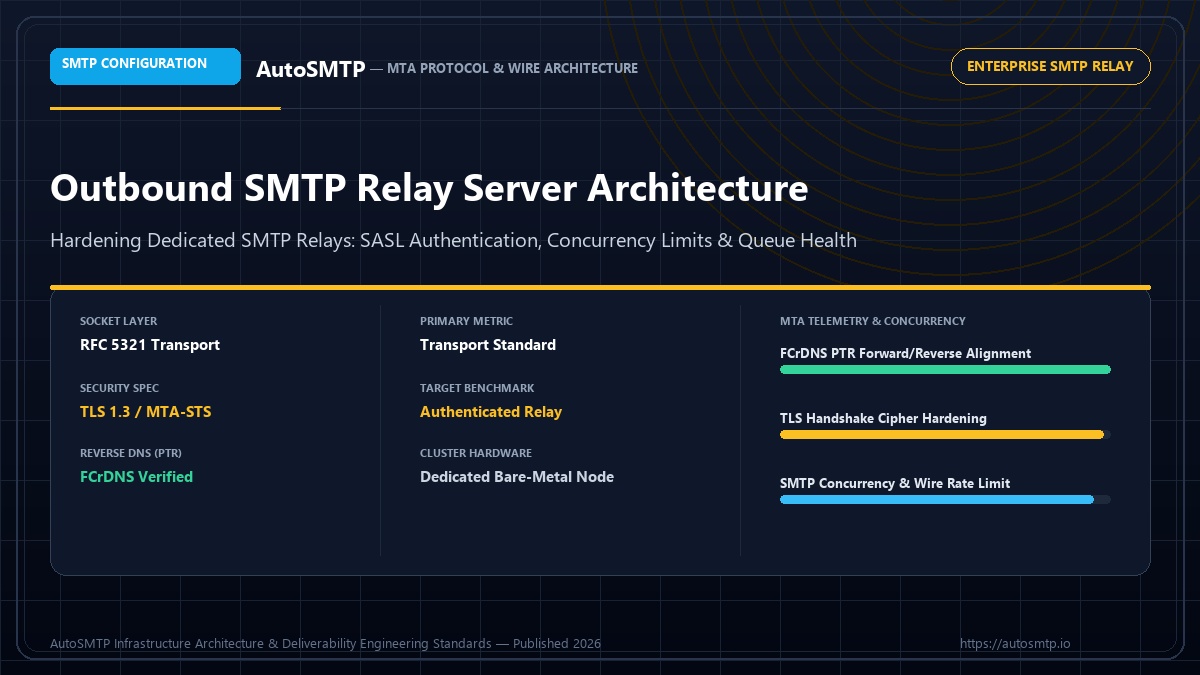
Executive Summary: Architecting an enterprise outbound SMTP relay server: SASL authentication, TLS cipher hardening, rate throttling, open relay prevention, and queue management.
An SMTP relay server sits between your applications and the internet, accepting outbound email from your infrastructure and forwarding it to receiving mail servers. This architecture is fundamental to serious email operations for several reasons: applications shouldn’t be managing direct SMTP delivery to thousands of destination domains, your application servers shouldn’t be maintaining IP reputation, and centralising email through a dedicated relay makes authentication, monitoring, and deliverability management operationally feasible.
This guide covers the two primary SMTP relay configurations — outbound relay where your server forwards to an upstream provider, and self-hosted relay where your server delivers directly — plus per-domain routing, TLS enforcement, authentication security, and the monitoring setup that keeps the relay running cleanly.
SMTP Relay Architecture: Outbound vs Self-Hosted
Outbound relay (smarthost / relayhost)
In this model, your Postfix relay server accepts email from internal applications and forwards everything to an upstream SMTP provider (SendGrid, Mailgun, AWS SES, or a managed SMTP relay service like Cloud Server for Email). Your server handles the application-facing side; the upstream provider manages reputation, ISP relationships, and final delivery.
Use this when:
- You’re managing email from many application servers (web apps, CRM systems, monitoring tools) and want centralised control without building complex reputation management
- The upstream provider is a managed SMTP relay with dedicated IPs, DKIM signing, and deliverability monitoring
- Your application servers have dynamic IPs that cannot be whitelisted for direct SMTP delivery
Self-hosted direct relay
Your relay server delivers directly to destination mail servers via MX lookup and DNS. You manage IP reputation, DKIM signing, bounce handling, and ISP relationships entirely.
Use this when:
- Sending volume justifies the operational overhead
- You need complete control over delivery behaviour (per-ISP throttling, custom bounce handling)
- Your dedicated IPs have established positive reputation with major ISPs
Outbound Relay Configuration (relayhost)
The simplest relay configuration routes all outbound mail through an upstream smarthost. This is the most common deployment for application servers and internal mail relays.
# Configure Postfix to relay through an authenticated SMTP relay
# Example: relaying through Amazon SES

# /etc/postfix/main.cf
relayhost = [email-smtp.us-east-1.amazonaws.com]:587
smtp_sasl_auth_enable = yes
smtp_sasl_password_maps = hash:/etc/postfix/sasl_passwd
smtp_sasl_security_options = noanonymous
smtp_tls_security_level = encrypt
smtp_tls_note_starttls_offer = yes
smtp_tls_CAfile = /etc/ssl/certs/ca-certificates.crt

# /etc/postfix/sasl_passwd
[email-smtp.us-east-1.amazonaws.com]:587 AKIAIOSFODNN7EXAMPLE:wJalrXUtnFEMI/K7MDENG

# After editing sasl_passwd:
# sudo postmap /etc/postfix/sasl_passwd
# sudo systemctl restart postfix# Test STARTTLS negotiation on port 587:
openssl s_client -connect email-smtp.us-east-1.amazonaws.com:587 -starttls smtp
# Expected output includes:
SSL-Session:
Protocol : TLSv1.3
Cipher : TLS_AES_256_GCM_SHA384
Session-ID: ...
Verify return code: 0 (ok)
# If you see "Verify return code: 20 (unable to get local issuer certificate)"
# you have a CA bundle issue — specify -CAfile /etc/ssl/certs/ca-certificates.crtBasic relayhost setup
# /etc/postfix/main.cf — Outbound relay (smarthost) configuration

# Server identity
myhostname = relay.yourdomain.com
mydomain = yourdomain.com
myorigin = $mydomain

# Only accept mail from localhost and trusted internal networks
inet_interfaces = all
inet_protocols = ipv4
mynetworks = 127.0.0.1/32, 10.0.0.0/8, 192.168.0.0/16

# Don't deliver locally — relay everything
mydestination =
local_transport = error:local delivery disabled

# Route all outbound mail through the upstream smarthost
# Square brackets = connect directly, do not do MX lookup
relayhost = [smtp.yourmanagedrelay.com]:587

# SASL authentication for the upstream relay
smtp_sasl_auth_enable = yes
smtp_sasl_password_maps = hash:/etc/postfix/sasl_passwd
smtp_sasl_security_options = noanonymous

# TLS — enforce encryption to upstream relay
smtp_tls_security_level = encrypt
smtp_tls_CAfile = /etc/ssl/certs/ca-certificates.crt
smtp_tls_loglevel = 1

# Security: prevent open relay
smtpd_relay_restrictions =
  permit_mynetworks,
reject# /etc/postfix/sasl_passwd — credentials for upstream relay
# Format: [hostname]:port username:password
[smtp.yourmanagedrelay.com]:587 your-api-key-or-username:your-password# Hash the password file (required by Postfix)
sudo postmap hash:/etc/postfix/sasl_passwd
# Restrict permissions — this file contains credentials
sudo chmod 600 /etc/postfix/sasl_passwd /etc/postfix/sasl_passwd.db# Reload Postfix to apply configuration
sudo postfix check # Verify config syntax first
sudo systemctl reload postfixTest the relay configuration
# Send a test message via command line
echo "Test relay message" | mail -s "Relay Test" test@yourdomain.com

# Watch the mail log for delivery
sudo tail -f /var/log/mail.log | grep -E "status=|relay="

# Expected success log entry:
# postfix/smtp[PID]: MSGID: to=<test@yourdomain.com>, relay=smtp.yourmanagedrelay.com[IP]:587,
#   delay=0.5, status=sent (250 2.0.0 OK ...)
Self-Hosted Direct Delivery Configuration
For self-hosted relays that deliver directly to destination mail servers:
# /etc/postfix/main.cf — Direct delivery configuration

myhostname = mail.yourdomain.com
mydomain = yourdomain.com
myorigin = $mydomain

# Listen on all interfaces (for accepting from multiple application servers)
inet_interfaces = all
mynetworks = 127.0.0.1/32, 10.0.0.0/8

# No smarthost — deliver directly
relayhost =

# DKIM signing via OpenDKIM milter
milter_default_action = accept
milter_protocol = 6
smtpd_milters = inet:127.0.0.1:8891
non_smtpd_milters = $smtpd_milters

# TLS for outbound connections (opportunistic)
smtp_tls_security_level = may
smtp_tls_session_cache_database = btree:${data_directory}/smtp_scache
smtp_tls_loglevel = 1

# Security: strict relay restrictions (accept only from your networks)
smtpd_recipient_restrictions =
  permit_mynetworks,
  reject_unauth_destination
Per-Domain Relay Routing
In some architectures, you want different domains to route through different upstreams — for example, your high-priority transactional email goes through a premium relay while marketing email uses a different path. Postfix transport maps handle this cleanly:
# /etc/postfix/transport
# Route specific domains to different relays
# Format: destination  transport:nexthop
yourdomain.com          local:
.yourdomain.com         local:
highpriority.com        premium_relay:
.highpriority.com       premium_relay:
* default_relay:# /etc/postfix/main.cf — activate transport maps
transport_maps = hash:/etc/postfix/transport
# Define per-relay credentials in master.cf and sasl_passwd# /etc/postfix/master.cf — define named relay transports
# Each transport can have its own relay and authentication
default_relay unix - - n - - smtp
-o relayhost=[smtp.primaryrelay.com]:587
-o smtp_sasl_auth_enable=yes
-o smtp_sasl_password_maps=hash:/etc/postfix/sasl_default
premium_relay unix - - n - - smtp
-o relayhost=[smtp.premiumrelay.com]:587
-o smtp_sasl_auth_enable=yes
-o smtp_sasl_password_maps=hash:/etc/postfix/sasl_premium# Rebuild transport map and reload
sudo postmap hash:/etc/postfix/transport
sudo systemctl reload postfixAuthentication and Security
Preventing open relay
An open relay — a server that accepts and forwards email from any source to any destination — will be blacklisted within hours. Every Postfix relay must have strict relay restrictions:
# /etc/postfix/main.cf — relay security
smtpd_recipient_restrictions =
  permit_mynetworks,           # Allow internal/trusted network clients
  permit_sasl_authenticated,   # Allow authenticated users (if using SASL auth for incoming)
  reject_unauth_destination    # Reject everything else

# Do NOT use: permit_mx_backup, permit_relay_domains
# unless you specifically need to relay for other domains
SMTP AUTH for application submission (port 587)
If applications need to submit through port 587 using username/password authentication:
# /etc/postfix/master.cf — submission port with SASL auth
submission inet n - y - - smtpd
  -o syslog_name=postfix/submission
  -o smtpd_tls_security_level=encrypt
  -o smtpd_sasl_auth_enable=yes
  -o smtpd_client_restrictions=permit_sasl_authenticated,reject
  -o smtpd_recipient_restrictions=permit_sasl_authenticated,reject
IP-based authentication (no passwords)
For internal application servers where IP whitelisting is sufficient and password management is undesirable:
# /etc/postfix/main.cf — IP-based authentication only
mynetworks = 127.0.0.1/32, 10.0.0.0/8, 192.168.1.0/24

smtpd_recipient_restrictions =
  permit_mynetworks,
  reject_unauth_destination

# No smtp_sasl_auth_enable for incoming — clients authenticate by IP only
Header Rewriting and Cleanup
Application servers often generate emails with internal hostnames in Received: headers, exposing your infrastructure to recipients. Header rewriting removes this information:
# /etc/postfix/main.cf
smtp_header_checks = regexp:/etc/postfix/smtp_header_checks# /etc/postfix/smtp_header_checks
# Remove Received headers that reveal internal hostnames
/^Received: from (internal|localhost|192.168.|10.)/ IGNORE
# Remove X-Originating-IP headers from webmail
/^X-Originating-IP:/ IGNORE
# Clean up X-Mailer headers that reveal application software versions
/^X-PHP-Originating-Script:/ IGNOREsudo postmap -r /etc/postfix/smtp_header_checks
sudo systemctl reload postfixMonitoring the SMTP Relay
Essential queue and delivery monitoring
# Real-time queue watch
watch -n 5 'mailq | tail -5'

# Messages delivered in the last hour
grep "$(date --date='1 hour ago' '+%b %e %H')" /var/log/mail.log
  | grep "status=sent" | wc -l

# Failed deliveries last hour
grep "$(date --date='1 hour ago' '+%b %e %H')" /var/log/mail.log
  | grep "status=bounced" | wc -l

# Current active processes
ps aux | grep "postfix/" | grep -v grep

# Check for delivery errors
grep "NOQUEUE" /var/log/mail.log | tail -20
Pflogsumm daily report
Pflogsumm processes Postfix mail logs into a human-readable daily delivery report:
# Install pflogsumm
sudo apt install pflogsumm  # Debian/Ubuntu
sudo dnf install postfix-perl-scripts  # RHEL/CentOS

# Generate report for yesterday's mail
pflogsumm /var/log/mail.log.1

# Or for today so far
pflogsumm /var/log/mail.log

# Output includes: total messages sent, received, bounced,
# top sender/recipient domains, error breakdown by domain
Automated alerting
Critical relay monitoring alerts:
- Queue depth exceeds 1,000 messages — indicates delivery backlog or upstream relay issues
- Postfix service not running — immediate alert, email has stopped flowing
- Authentication failure to upstream relay — credentials may have expired
- TLS handshake failures — certificate or configuration issue with upstream relay
- High bounce rate — list quality issue or upstream relay reputation problem
# Simple queue depth check for monitoring script
QUEUE_DEPTH=$(mailq | grep -c "^[A-F0-9]" 2>/dev/null || echo "0")
if [ "$QUEUE_DEPTH" -gt 1000 ]; then
  echo "ALERT: Postfix queue depth is $QUEUE_DEPTH" |
    mail -s "Relay Alert: Queue Depth" admin@yourdomain.com
fiSituation: Port 25 outbound blocked by AWS (default for all EC2 instances). Alert emails silently dropped. No error — Postfix accepted them but could not relay. Engineers discovered the issue 3 days later via user complaints.
Action taken: Requested AWS port 25 unblocking (rarely granted for new accounts). In parallel: configured Postfix to relay via SES on port 587 with STARTTLS. Set up SES sandbox exit. Added monitoring on Postfix mail queue depth.
Outcome: Alert delivery restored within 4 hours. SES relay delivers at 99.8% success rate. Port 25 request denied (common) — port 587 solution permanent and preferred. Queue monitoring catches future relay failures within 5 minutes.
▶ SMTP relay setup — verified deployment checklist
Production Deliverability & Protocol Recommendation
SMTP wire transport requires rigorous systems engineering. Overlooking basic socket fundamentals—such as Forward-Confirmed Reverse DNS (FCrDNS), appropriate submission port allocation, and automated multi-IP transport mapping—directly triggers permanent 550 policy rejections and immediate carrier throttle penalties. Scaling senders must operate dedicated bare-metal MTA nodes with granular connection concurrency and hardware socket isolation.
SMTP Hardening & Transport Roadmap
Step 1 (Socket & DNS Foundation): Configure FCrDNS PTR records matching your EHLO banner, verify port reachability (25/587), and enforce TLS 1.3 ciphers.
Step 2 (Transport & Concurrency Tuning): Set up sender-dependent transport maps, rate-limit outbound concurrent sockets per destination ISP, and deploy automated 4xx backoff.
Step 3 (Continuous Queue Telemetry): Ingest real-time Delivery Status Notifications (DSNs), monitor queue latency thresholds, and auto-suppress fatal 5xx recipient rejections.
The AutoSMTP Dedicated Outreach Fleet Advantage
AutoSMTP provisions and manages enterprise-grade PowerMTA and KumoMTA clusters on dedicated bare-metal servers. Complete domain isolation, automated gas-pedal warming, and proactive deliverability telemetry.
Turnkey Dedicated Bare-Metal Clusters
Pre-configured PowerMTA and KumoMTA installations on enterprise hardware with dedicated IPv4 subnets and predictable flat pricing.
Automated Gas-Pedal IP Warming
Dynamic ramp-up algorithms that modulate hourly dispatch volume against real-time deferrals and Google Postmaster spam ratios.
Native FBL & Socket Interceptors
Automated RFC 3464 bounce ingestion, Yahoo/Outlook CFL complaint webhooks, and instant in-band suppression sync across all fleet nodes.
Strict Cryptographic Alignment
2048-bit DKIM key rotation, strict DMARC enforcement (p=reject), FCrDNS PTR verification, and automated TLS cipher hardening.
Ready for Dedicated Sending Infrastructure?
Eliminate shared pool throttle penalties and take complete control over your mail delivery with custom-tuned MTA clusters.
Deploy Dedicated MTA Fleet →