

← SMTP Configuration Guides
EXECUTIVE ENGINEERING BRIEFING
Published: October 2026 • Author: Fred Dawson • MTA Architecture & Network Protocol Standard

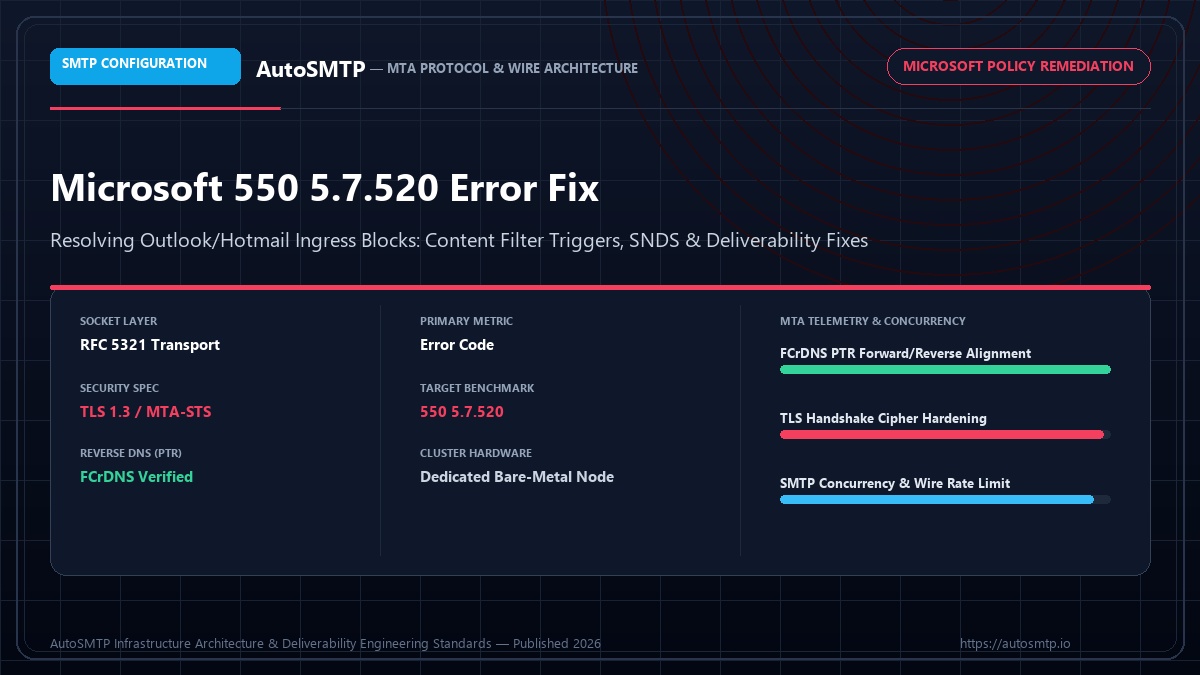
Executive Summary: Step-by-step diagnostic and fix runbook for Microsoft 550 5.7.520 blocks: understanding content filter heuristics, SNDS IP status, JMRP feedback, and Microsoft postmaster escalation.

550 5.7.520 Access Denied Error Directive Content & sender heuristic block
Green Health Status SNDS Target Microsoft IP reputation threshold
JMRP Active CFL Sync Real-time complaint loop ingestion
Exponential Backoff Throttle SLA Smart network concurrency pacing

Microsoft’s 550 5.7.520 error is a permanent rejection — Microsoft is refusing to deliver your message and will not retry. It means your sending IP has been blocked by Microsoft’s real-time reputation system, Sender Policy Framework evaluation has failed in a way that triggers policy enforcement, or your domain or IP has been added to a Microsoft-specific blocklist. Unlike Yahoo’s temporary TS codes, a 550 is a hard bounce: the message is lost, and your MTA should not retry.

Microsoft 550 Error Code Reference

Microsoft uses a structured taxonomy of enhanced status codes. Each 5.7.XXX code has a specific meaning. Treating them as equivalent and applying a single fix is the most common mistake — different codes require different remediation approaches.

CodeError textRoot causeFix approach
550 5.7.1Service unavailable; client host blockedIP on Microsoft block listSNDS registration + delist request
550 5.7.350Remote server returned message not acceptedDomain/IP not authorized to sendFix SPF record; register JMRP
550 5.7.520Access denied, banned senderIP blocked — sender policy violationSNDS delist + authentication audit
550 5.7.515Access denied, domain does not matchDMARC enforcement failure (from May 2025)Fix DKIM alignment to From: domain
550 5.7.708Service unavailable. Access denied (IP)Sending limit exceeded for IPRate reduction + reputation rebuild
421 4.7.650Connection refused — new domainNew domain, no reputation (temporary)Gradual volume increase, wait
451 4.7.650Temporary service unavailableRate limiting (not a block)Reduce rate, retry exponentially

Diagnosing a 550 5.7.520 Block

The first step is checking Microsoft SNDS (Smart Network Data Services) at sendersupport.olc.protection.outlook.com. SNDS shows the reputation status of each of your sending IPs: green (good), yellow (investigate), or red (blocked). A 550 5.7.520 almost always corresponds to a red status in SNDS. SNDS also shows trap hit data — the number of spam trap addresses your IP hit in the past 30 days — which is the primary cause of Microsoft blocks.

Raw 550 5.7.520 rejection from Microsoft (annotated)
Terminal / MTA Directive Console / Shell
Final-Recipient: rfc822; user@outlook.com
Action: failed
Status: 5.7.520
Diagnostic-Code: smtp; 550 5.7.520 Access denied, banned sender[COL0NAM10FT065.eop-nam10.prod.protection.outlook.com]

# Breakdown:
# 550 = permanent rejection (hard bounce)
# 5.7.520 = Microsoft policy block on your sending IP
# COL0NAM10FT065 = the specific Microsoft MTA that rejected you
# eop-nam10 = Exchange Online Protection datacenter (North America region)
# This is NOT a content filter — it is an IP-level block

# Check which IP was blocked:
# Look at the Received: headers above this bounce — the IP listed
# in the first Received: line is your sending IP that was blocked.

# Check SNDS immediately:
# https://sendersupport.olc.protection.outlook.com/snds/

SNDS Registration and Delist Request

SNDS is the primary tool for resolving Microsoft blocks. Registration is free at sendersupport.olc.protection.outlook.com. Once registered with your sending IPs, SNDS shows complaint rate, spam trap hit data, and current IP reputation status. The delist request portal — also at SNDS — submits a manual review request to Microsoft’s postmaster team.

▶ Microsoft 550 5.7.520 resolution workflow
1
Identify the blocked IP from bounce headers — Extract the sending IP from your MTA logs or the Received: headers in the NDR. Confirm it is the correct IP before submitting a delist request.
2
Check SNDS for trap hits and complaint data — Log into SNDS. If your IP shows red status with trap hits, the root cause is spam trap addresses in your list. Fix the list before requesting delisting.
3
Audit and clean your Microsoft recipient segments — Pull all Outlook.com, Hotmail.com, and Live.com addresses. Run through email verification. Suppress any address with no open in 90 days. Remove all hard bounces immediately.
4
Fix authentication if 5.7.515 also appears — If you are also seeing 5.7.515 (DMARC failure), fix DKIM alignment first. Submitting a delist request without fixing authentication delays resolution.
5
Submit delist request through SNDS portal — Navigate to the IP in SNDS, select “Request Delist,” and complete the form. Provide your sending IP, your postmaster contact email, and a brief description of the remediation you took.
6
Monitor SNDS daily after delist approval — Microsoft typically responds within 24–48 hours. After approval, start with a small test send (500 messages) to verify delivery before resuming full volume.

JMRP — Microsoft Feedback Loop Setup

JMRP (Junk Mail Reporting Program) is Microsoft’s complaint feedback loop — the equivalent of Yahoo’s FBL. When a recipient clicks “This is junk” in Outlook or Hotmail, JMRP sends a complaint report to your designated mailbox. Without JMRP registration, Microsoft blocks accumulate silently.

Register at sendersupport.olc.protection.outlook.com/snds/JMRP.aspx. You will need to verify ownership of your sending IP via a confirmation email to the postmaster@ address for the domain in your MAIL FROM (envelope sender). JMRP reports arrive as ARF-format emails — configure your MTA or ESP to automatically suppress the complainant’s address upon receipt.

📋 Client case — B2B software company, 240K Microsoft subscribers

Situation: 100% of sends to Outlook.com and Hotmail.com returning 550 5.7.520. SNDS showed red status with 12 spam trap hits in the previous 7 days. Sending IP not registered with SNDS or JMRP.
Actions: Registered SNDS and JMRP immediately. SNDS data revealed trap hits concentrated on 3,200 addresses imported from a trade show list 8 months prior. Suppressed the entire trade show import globally. Ran remaining Microsoft addresses through email verification — suppressed 8,400 additional invalid addresses. Submitted delist request with remediation documentation.
Outcome: Delist approved in 31 hours. Resumed with 2,000-message test. SNDS showed green within 5 days. Full Microsoft delivery restored at week 2. No re-blocking in 90-day follow-up period.

Microsoft May 2025 Enforcement — What Changed

In May 2025, Microsoft began enforcing stricter authentication requirements for consumer domains (outlook.com, hotmail.com, live.com). Senders without SPF, DKIM, and DMARC alignment began receiving 550 5.7.515 rejections in addition to any existing blocks. This is separate from the 5.7.520 IP block but often appears simultaneously if authentication was not previously configured.

The May 2025 enforcement means that even senders with clean IP reputations started receiving 550 errors if their email authentication was not aligned. The fix requires the same authentication stack as Gmail’s February 2024 requirements: SPF covering all sending IPs, DKIM signed with the From: domain (not an ESP subdomain), and DMARC published at minimum p=none with rua= reporting enabled.

Last updated: March 30, 2026

Reading SNDS Data — Green, Yellow, Red

SNDS shows three status colours for each registered IP. Each colour requires a different response and the data behind each colour tells you specifically what action to take.

SNDS statusComplaint rateTrap hitsDelivery impactAction
Green< 0.3%0Normal deliveryNo action — monitor monthly
Yellow0.3%–0.5%1–3Partial filtering beginsList audit, FBL complaint review, reduce volume 30%
Red> 0.5% or any trap hitAnyBlocking or heavy spam filteringImmediate pause, delist request, full list audit
📋 Client case — legal services firm, Outlook delivery critical for case notifications

Situation: SNDS showed Yellow on primary IP with 2 trap hits. Partner law firm emails (all at Outlook/Exchange) being routed to junk. No 550 errors — delivery technically succeeding but landing in junk.
Root cause: 1,800 addresses from a 2019 conference import that had never been cleaned. Two of those addresses were recycled spam traps now owned by Microsoft.
Actions: Removed entire 2019 conference import. Registered JMRP (not previously done). Ran remaining list through ZeroBounce. Submitted SNDS delist request. Resumed with verified list only.
Outcome: SNDS returned to Green within 10 days. Microsoft junk delivery resolved. Critical case notifications reaching inboxes reliably within 5 business days of intervention.

Preventing Future Microsoft Blocks

The pattern of Microsoft blocks is predictable and preventable. Most senders who experience a 550 5.7.520 block have three conditions in common: no SNDS registration before the block, no JMRP complaint visibility, and list segments older than 12 months without verification. Addressing all three before the next campaign prevents recurrence.

▶ Microsoft block prevention checklist
1
Register all sending IPs with SNDS and JMRP — Do this before any large send. SNDS registration is free and takes 15 minutes. Set up email alerts for status changes on your IPs.
2
Verify list segments older than 6 months before sending — Any segment not emailed in 6+ months must be re-verified before inclusion in Microsoft-targeted sends. Use ZeroBounce or NeverBounce with catch-all detection.
3
Ensure SPF, DKIM, and DMARC pass for all Microsoft sends — After May 2025 enforcement, Microsoft rejects misaligned mail with 5.7.515. Test authentication with mail-tester.com on a seed Outlook.com address before each campaign.
4
Keep daily volume to Microsoft under 50K on new or resting IPs — Volume spikes from IPs that have been inactive trigger Microsoft’s reputation system even if the list is clean. Ramp Microsoft volume gradually after any pause of more than 30 days.

Connector and Policy Rejections

Not all Microsoft 550 errors originate from reputation or blacklisting. A subset of 550 rejections from Microsoft Exchange Online are caused by connector policy rules applied by the recipient organisation — not by Microsoft’s global filtering. These errors look identical in bounce headers but require a completely different response.

Connector-based rejections typically appear as 550 5.7.1 [CustomerID] sender is listed in the organisation's block list or similar. The key differentiator: the error includes a customer-specific ID or domain-specific context rather than the generic Microsoft enforcement language. These blocks are set by the recipient’s Exchange administrator, not by Microsoft’s spam filtering. SNDS will show your IP as Green even while these rejections occur. Resolution requires contacting the recipient organisation’s IT team directly — there is no external delist process for intra-tenant policy blocks.

Microsoft Bulk Sender Requirements 2025

Microsoft’s May 2025 enforcement changes affected all senders to consumer Outlook, Hotmail, and Live domains. The specific requirements now enforced are: SPF pass for the envelope sender domain, DKIM pass with the signing domain matching the From: header domain (alignment), DMARC record present with at least p=none and rua= reporting enabled, and a valid PTR record for the sending IP. Senders missing any of these receive 550 5.7.515 for DMARC failures specifically, and 550 5.7.1 for IP reputation failures.

The critical change from pre-2025 is the DKIM alignment requirement. Previously, DKIM from an ESP’s own domain was sufficient for delivery. Post-May 2025, Microsoft requires DKIM alignment — the DKIM d= tag must match the organisational domain of the From: header. This is the same requirement Gmail has enforced since February 2024. If you are seeing a sudden increase in 550 5.7.515 rejections at Microsoft after May 2025, reconfiguring your ESP to sign DKIM with your own domain is the fix.

Preventing Microsoft 550 5.7.520 and 5.7.511 Blocks

Microsoft blocks are preventable through the same monitoring and quality practices that prevent reputation problems at other ISPs — but Microsoft has specific monitoring tools and specific metrics that make its reputation system more transparent than most. Using these tools proactively is the most effective prevention strategy.

SNDS daily monitoring: Microsoft SNDS (Smart Network Data Services) shows complaint rate and spam trap data per sending IP, updated daily. A sending IP showing Yellow status in SNDS has elevated complaint or spam trap signals that will produce 5.7.511 or 5.7.520 blocks within 1-2 weeks if not addressed. Checking SNDS daily (a 5-minute task) catches the IP reputation degradation before it becomes a block rather than after. Any IP transitioning from Green to Yellow triggers an immediate investigation: which campaigns have been delivered from that IP in the past 7 days? Which list segments were included? What was the bounce rate and complaint rate for those sends?

JMRP complaint data: Microsoft JMRP (Junk Mail Reporting Program) provides individual ARF complaint notifications for Outlook.com recipients who mark messages as spam. Unlike Gmail, which does not provide per-message complaint notifications, Microsoft does — making it possible to see exactly which messages generated complaints at Microsoft recipients. Daily FBL complaint count monitoring (not just weekly) catches Microsoft-specific complaint rate increases within 24-48 hours of a problem campaign, enabling rapid investigation before the IP reputation deteriorates to block level.

Volume management at Microsoft: Microsoft applies burst rate limiting more aggressively than Gmail — a sudden volume increase to Microsoft recipients (e.g., injecting a large campaign segment to Microsoft addresses in a single hour) triggers 421 throttle responses that can accumulate into 550 blocks if not managed. Space Microsoft-bound volume evenly across the campaign delivery window, and configure the Microsoft domain block in PowerMTA with conservative per-minute rate limits that prevent burst injection regardless of what the campaign management system injects. The domain block rate limit acts as a safety governor that prevents the infrastructure from generating volume spikes that Microsoft interprets as anomalous behaviour.

Production Deliverability & Protocol Recommendation

SMTP wire transport requires rigorous systems engineering. Overlooking basic socket fundamentals—such as Forward-Confirmed Reverse DNS (FCrDNS), appropriate submission port allocation, and automated multi-IP transport mapping—directly triggers permanent 550 policy rejections and immediate carrier throttle penalties. Scaling senders must operate dedicated bare-metal MTA nodes with granular connection concurrency and hardware socket isolation.

SMTP Hardening & Transport Roadmap

Step 1 (Socket & DNS Foundation): Configure FCrDNS PTR records matching your EHLO banner, verify port reachability (25/587), and enforce TLS 1.3 ciphers.
Step 2 (Transport & Concurrency Tuning): Set up sender-dependent transport maps, rate-limit outbound concurrent sockets per destination ISP, and deploy automated 4xx backoff.
Step 3 (Continuous Queue Telemetry): Ingest real-time Delivery Status Notifications (DSNs), monitor queue latency thresholds, and auto-suppress fatal 5xx recipient rejections.

FD
Fred Dawson

Deliverability Architect & MTA Systems Engineer at AutoSMTP. Specialises in dedicated MTA cluster design, carrier-grade IP warming protocols, and ISP reputation telemetry across high-volume sending fleets.

Enterprise Mail Infrastructure

The AutoSMTP Dedicated Outreach Fleet Advantage

AutoSMTP provisions and manages enterprise-grade PowerMTA and KumoMTA clusters on dedicated bare-metal servers. Complete domain isolation, automated gas-pedal warming, and proactive deliverability telemetry.

Turnkey Dedicated Bare-Metal Clusters

Pre-configured PowerMTA and KumoMTA installations on enterprise hardware with dedicated IPv4 subnets and predictable flat pricing.

Automated Gas-Pedal IP Warming

Dynamic ramp-up algorithms that modulate hourly dispatch volume against real-time deferrals and Google Postmaster spam ratios.

Native FBL & Socket Interceptors

Automated RFC 3464 bounce ingestion, Yahoo/Outlook CFL complaint webhooks, and instant in-band suppression sync across all fleet nodes.

Strict Cryptographic Alignment

2048-bit DKIM key rotation, strict DMARC enforcement (p=reject), FCrDNS PTR verification, and automated TLS cipher hardening.

Ready for Dedicated Sending Infrastructure?

Eliminate shared pool throttle penalties and take complete control over your mail delivery with custom-tuned MTA clusters.

Deploy Dedicated MTA Fleet →