

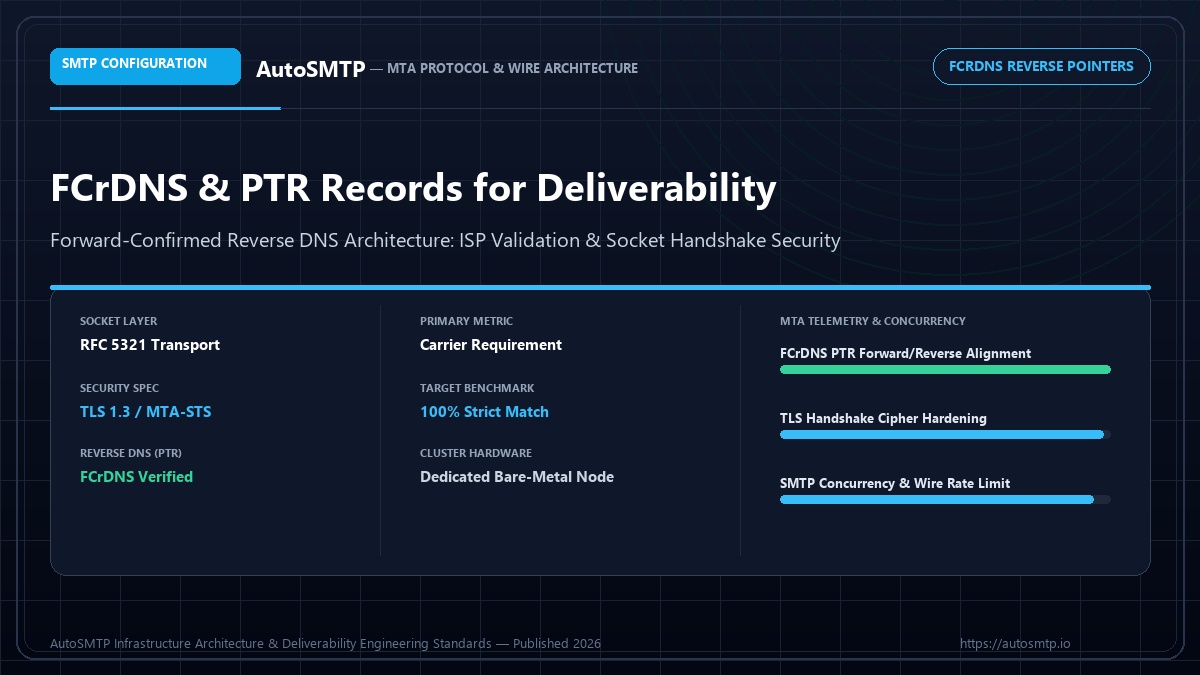
Executive Summary: The definitive engineering guide to Forward-Confirmed Reverse DNS (FCrDNS) and PTR records: DNS architecture, IP-to-hostname validation, and preventing SMTP 550 rejections.
FCrDNS (Forward-Confirmed Reverse DNS) is one of the most commonly overlooked email deliverability requirements. Every major ISP — Gmail, Microsoft, Yahoo, and hundreds of smaller providers — uses FCrDNS as a basic spam filtering signal. A mail server without a properly configured PTR record that forward-confirms back to the same IP will see elevated spam folder placement and outright rejection from ISPs that treat missing FCrDNS as a hard requirement. For Microsoft’s May 2025 bulk sender enforcement, FCrDNS became explicitly mandatory.
ISP Enforcement of PTR / FCrDNS for Inbound Email (2025)
What FCrDNS Is and Why ISPs Care
FCrDNS consists of two DNS lookups that must agree:
- Reverse DNS (PTR): Looking up the hostname associated with an IP address (e.g., 203.0.113.10 → mail.yourdomain.com)
- Forward DNS (A/AAAA): Looking up the IP address associated with that hostname (e.g., mail.yourdomain.com → 203.0.113.10)
FCrDNS passes only if both lookups agree: the IP resolves to the hostname, and the hostname resolves back to the same IP. This bidirectional verification provides meaningful identity signal — it demonstrates that whoever controls the sending IP also controls the DNS zone for the associated hostname. Spammers using compromised or rented servers often do not control DNS, making FCrDNS an effective filter.
How PTR Records Work
PTR records live in a special in-addr.arpa. DNS zone (for IPv4) or ip6.arpa. zone (for IPv6). The zone is controlled by whoever owns the IP address block — typically your data centre, cloud provider, or ISP — not by you as a customer.
# Step 1: Check PTR record for sending IP 203.0.113.42
$ dig -x 203.0.113.42 +short
mail.yourcompany.com.

# Step 2: Check A record for that hostname
$ dig A mail.yourcompany.com +short
203.0.113.42

# FCrDNS PASSES: IP resolves to hostname, hostname resolves back to same IP.

# Failing example:
$ dig -x 198.51.100.7 +short
7.100.51.198.in-addr.arpa.  ← no PTR record
# or:
ec2-198-51-100-7.compute-1.amazonaws.com.  ← generic cloud PTR
# Yahoo will reject mail from this IP.# The PTR record for 203.0.113.10 lives at:
10.113.0.203.in-addr.arpa. PTR mail.yourdomain.com.
# Check your current PTR record:
dig -x 203.0.113.10
# Returns: 10.113.0.203.in-addr.arpa. 300 IN PTR mail.yourdomain.com.
# Then verify the forward lookup:
dig A mail.yourdomain.com
# Must return: mail.yourdomain.com. 300 IN A 203.0.113.10
# Both must match for FCrDNS to passSetting Up PTR Records on Different Platforms
Dedicated server (data centre): Contact your data centre or hosting provider. Most provide a control panel where you can set the PTR (reverse DNS) for your IP. The process: log into your server management panel → find “Reverse DNS” or “PTR Record” settings → enter the hostname (mail.yourdomain.com) → save. Changes propagate within 1–24 hours.
AWS EC2: Elastic IP addresses support reverse DNS through the AWS Console. Navigate to EC2 → Elastic IPs → select your IP → Actions → Update Reverse DNS. You can only set the PTR to a hostname that forward-resolves to that IP.
Google Cloud (GCP): For static external IP addresses: VPC Network → External IP addresses → select IP → Edit → set DNS PTR record.
DigitalOcean: The PTR is set as the Droplet name. Rename your Droplet to the hostname you want (mail.yourdomain.com) and the PTR automatically updates. Alternatively, some DO regions allow setting PTR via the networking settings.
Azure: For public IP addresses: Public IP → Configuration → Reverse FQDN → enter hostname.
# After setting the PTR, verify both directions:
# 1. PTR lookup
dig -x YOUR_IP +short
# Should return: mail.yourdomain.com.

# 2. Forward lookup
dig A mail.yourdomain.com +short
# Should return: YOUR_IP

# 3. FCrDNS test (online tools)
# - mxtoolbox.com/ReverseLookup.aspx
# - Check "PTR" in MXToolbox's MX Lookup output
Testing FCrDNS Configuration
# Quick command-line test
IP="203.0.113.10"
HOSTNAME=$(dig -x $IP +short | sed 's/.$//')
FWDIP=$(dig A $HOSTNAME +short)

if [ "$IP" = "$FWDIP" ]; then
    echo "FCrDNS OK: $IP → $HOSTNAME → $FWDIP"
else
    echo "FCrDNS FAIL: $IP → $HOSTNAME → $FWDIP (mismatch)"
fi
PTR-Related SMTP Rejections and How to Diagnose Them
# Common PTR/FCrDNS rejection messages in mail logs:
"550 PermFail - Host not found or poorly configured. PTR lookup failed"
"550 Mail not accepted from IPs without a reverse DNS record"
"550 5.7.1 [x.x.x.x] Messages with no rDNS will not be accepted"
"421 Service unavailable; Client host [x.x.x.x] has no PTR record"

# The fix sequence:
# 1. Confirm PTR is missing:
dig -x YOUR_IP
# If returns NXDOMAIN (no answer) - PTR is missing

# 2. Set PTR with your provider (see section above)

# 3. After 1-4 hours, verify:
dig -x YOUR_IP  # Should return hostname
dig A HOSTNAME  # Should return your IP
Diagnosing FCrDNS Failures in Your Sending Infrastructure
When FCrDNS fails, receiving servers — particularly enterprise MTA configurations and some EU ISPs — reject or defer connections before a single message is evaluated. The failure signature in your PowerMTA accounting log: connection refused or deferred at the EHLO stage, with response text mentioning hostname verification or PTR mismatch. These deferrals are infrastructure-level failures, not reputation events, which means Postmaster Tools and SNDS will not show them — only the accounting log reveals the pattern.
The diagnostic process for suspected FCrDNS failures: (1) From the sending server, run dig -x [sending-IP] to confirm the PTR record exists and resolves to the expected hostname. (2) Run dig [hostname] to confirm the A record for that hostname resolves back to the sending IP. (3) Compare the EHLO hostname in your PowerMTA configuration against the PTR hostname — they must match exactly, including subdomain structure. (4) Check the accounting log for delivery attempts to the suspected destination ISP and look for connection-stage rejections with FCrDNS-related text.
Common misconfiguration patterns: the PTR record was set at the datacenter level to the server’s generic hostname (e.g., server123.datacenter.com) while PowerMTA’s EHLO was configured as mail1.brand.com. The PTR says one thing; the EHLO says another; FCrDNS fails. The fix requires either updating the PTR record at the IP hosting level (contact the datacenter or VPS provider) or aligning the EHLO hostname to match the existing PTR. The first approach is preferable — PTR records should reflect the programme’s own domain, not the datacenter’s generic hostname.
PTR Records and IP Warming — Sequencing Matters
One frequently overlooked requirement in IP warming protocols is that PTR records must be in place before the first message is sent from a new IP. ISPs that log FCrDNS status at first contact build that initial record into the IP’s reputation history. Starting warming on an IP without PTR records and correcting them on day 3 of warming means that the first few hundred connections from that IP have FCrDNS failures in the ISP’s history — a poor start that can slow warmup progress even after the PTR is fixed.
The correct sequence for adding a new IP to your sending pool: (1) Provision the IP at the datacenter. (2) Set the PTR record to your mail hostname (e.g., mail2.brand.com). (3) Set the A record for mail2.brand.com to the new IP. (4) Allow 24-48 hours for DNS propagation. (5) Verify FCrDNS passes from multiple DNS resolvers. (6) Add the IP to your PowerMTA configuration with correct EHLO hostname. (7) Begin warmup. This sequence ensures that the very first connection from the new IP passes FCrDNS at every destination — the right foundation for a clean warmup.
Multiple IPs, Multiple PTR Records — Operational Management
A sending pool with 8 IPs requires 8 PTR records — one per IP — each pointing to a distinct mail hostname. The hostname convention matters: use a structured format like mail1.brand.com through mail8.brand.com, and ensure each hostname has a corresponding A record resolving to the correct IP. The most common error in multi-IP deployments is copying a single EHLO hostname across all IPs in the PowerMTA configuration — which means IPs 2-8 present mail1.brand.com as their EHLO even though their PTR records point to different hostnames. Each IP needs its own EHLO configuration matching its own PTR.
In PowerMTA, per-IP EHLO configuration is set in the virtual-mta block for each IP binding. When using a VMTA pool (where multiple IPs rotate within the same VMTA), the EHLO should be templated dynamically from the bound IP’s PTR. This requires a custom EHLO macro in the PowerMTA configuration — without it, all IPs in a pool present the same EHLO regardless of which IP is bound for the session, causing FCrDNS failures for all IPs except the one whose PTR matches the static EHLO.
Maintaining correct FCrDNS across a growing IP pool is an ongoing operational practice: each time an IP is added, transferred, or decommissioned, the PTR/A record pair must be updated accordingly. Quarterly infrastructure audits should include an FCrDNS check for every IP in the sending pool — a 10-minute task that prevents the silent delivery failures that incorrect FCrDNS configuration causes without producing the visible reputation signals that would otherwise alert the programme to a problem.
FCrDNS and Enterprise Mail Filter Behaviour
While consumer ISPs (Gmail, Yahoo, Microsoft consumer) use FCrDNS as a soft signal — contributing to spam scoring rather than causing outright rejection — enterprise mail security gateways (Proofpoint, Mimecast, Barracuda, Cisco IronPort) frequently apply strict FCrDNS enforcement. An enterprise recipient whose company uses Proofpoint with FCrDNS validation enabled will see zero delivery from a sending IP that fails FCrDNS — the connection is rejected at the MTA level before any content analysis occurs. For B2B senders with significant enterprise recipient populations, FCrDNS compliance is effectively mandatory, not optional.
Enterprise FCrDNS enforcement varies by gateway product and configuration: Proofpoint Enterprise applies FCrDNS by default in its Dynamic Reputation (DRP) module; Mimecast applies FCrDNS as part of its connection-level checks; Barracuda Essentials uses FCrDNS as a contributing signal in its reputation scoring. If your accounting log shows consistent delivery failures to corporate domains (company.com addresses) but good delivery to consumer ISPs, FCrDNS failure is the most common infrastructure-level cause to investigate first.
The commercial impact of FCrDNS failures in B2B sending is asymmetric: the corporate decision-makers that B2B programmes most want to reach are the most likely to be protected by enterprise mail gateways that enforce FCrDNS. Getting FCrDNS right is the prerequisite for reliable B2B delivery, and the fix — correct PTR/A record alignment — is a one-time configuration change that provides permanent delivery improvement across the entire enterprise recipient population.
PTR records are infrastructure plumbing that most operators configure once and never revisit. Schedule a quarterly FCrDNS audit — 10 minutes, all sending IPs, confirmed pass — and this foundational deliverability requirement will never silently fail between checks. The corporate inbox access it protects is worth the quarterly 10 minutes it takes to verify it.
Situation: Yahoo rejecting 100% of messages with 421 7.0.1: [TS01]. No obvious spam signals. Authentication passing.
Action taken: Root cause: EC2 default PTR record was generic (ec2-xx-xx-xx-xx.compute-1.amazonaws.com). Yahoo requires FCrDNS. Requested AWS Elastic IP with custom reverse DNS via AWS support ticket. Set PTR to mail.startup.com. A record verified to match.
Outcome: Yahoo delivery restored within 2 hours of PTR record propagation. No further TS01 errors. Applied same fix to all 4 sending IPs. Inbox placement at Yahoo: 89%.
FCrDNS is one of several prerequisites before starting IP warming. If Yahoo is already blocking your IP, the blacklist removal guide covers the TS01 and TS02 error resolution process. PTR configuration is also covered in the broader SMTP relay setup guide.
Setting PTR Records on Cloud Providers
PTR record setup varies significantly by cloud provider. AWS, GCP, and Azure each have different processes for setting reverse DNS on public IP addresses. Getting this wrong — or skipping it — means Yahoo will reject your email with TS01 errors and some other ISPs will downgrade delivery.
# AWS EC2 / Elastic IP:
# 1. Go to EC2 Console → Network & Security → Elastic IPs
# 2. Select your Elastic IP
# 3. Actions → Update reverse DNS
# 4. Enter your hostname: mail.yourdomain.com
# Note: AWS requires the PTR hostname to resolve back to the IP via an A record first.
# Set A record first, wait for propagation, THEN set PTR.

# Google Cloud (GCP):
# gcloud compute addresses update YOUR_ADDRESS_NAME #   --region=us-central1 #   --ptr-record=mail.yourdomain.com.
# Note: the trailing dot in --ptr-record is required.

# Azure:
# Go to the Public IP Address resource in Azure Portal
# Under "Configuration" set "DNS name label"
# For custom PTR: raise a support ticket (Azure does not allow self-service PTR on most SKUs)

# Hetzner (common for EU email infrastructure):
# Go to Cloud Console → Floating IPs → Edit
# Set reverse DNS hostname directly in the UI — immediate, no support ticket needed.
# Same for server primary IPs: Server → Networking → Primary IPs → Edit
EHLO Hostname Alignment
FCrDNS requires not just PTR record consistency but also EHLO hostname alignment. When your MTA connects to a receiving server, it announces itself in the EHLO greeting. The EHLO hostname should match the PTR record of the connecting IP, which in turn should resolve back to that IP. A mismatch between the EHLO hostname and PTR hostname is a spam signal at several ISPs and can cause soft rejection even when FCrDNS technically passes.
In Postfix, set myhostname = mail.yourdomain.com in main.cf. This value is used in the EHLO greeting. Ensure it matches the PTR record you configured for your sending IP. Verify with: dig -x [your-IP] — confirm it returns your myhostname value. Then verify the A record: dig A mail.yourdomain.com — confirm it returns your sending IP. Only when both checks pass is FCrDNS fully satisfied.
Setting Up PTR Records: The Complete Process
PTR record setup requires access to the reverse DNS zone for the IP address — which is controlled by the IP address owner, not by the domain owner. For dedicated IPs purchased through a VPS or dedicated server provider, PTR record management is typically available through the provider’s control panel. For IPs leased through a co-location facility or ISP, PTR record changes require a support request to the IP administrator.
The PTR record for a sending IP at 203.0.113.45 should resolve to a hostname like mail1.brand.com. The forward DNS record for mail1.brand.com must then resolve back to 203.0.113.45 (this is the FCrDNS check). The sequence: (1) Set the PTR record for 203.0.113.45 to mail1.brand.com via the IP provider’s control panel or support ticket. (2) Create an A record for mail1.brand.com → 203.0.113.45 in your domain DNS. (3) Verify FCrDNS using MXToolbox Reverse DNS lookup — the result should show the PTR value and confirm the forward lookup matches. PTR record changes typically propagate within 24 hours; A record changes propagate within 1-4 hours depending on TTL configuration.
Common FCrDNS failures and their causes: PTR hostname does not resolve (the A record for the PTR hostname was not created); PTR hostname resolves to a different IP (the A record points to a different IP than the PTR IP — common after IP migrations where PTR records were updated but A records were not); PTR hostname is a generic provider hostname like server12345.hostigator.com (the provider sets generic PTR records by default — request a custom PTR through the control panel or support). Each failure type has a specific fix that can be implemented immediately once the cause is identified.
Production Deliverability & Protocol Recommendation
SMTP wire transport requires rigorous systems engineering. Overlooking basic socket fundamentals—such as Forward-Confirmed Reverse DNS (FCrDNS), appropriate submission port allocation, and automated multi-IP transport mapping—directly triggers permanent 550 policy rejections and immediate carrier throttle penalties. Scaling senders must operate dedicated bare-metal MTA nodes with granular connection concurrency and hardware socket isolation.
SMTP Hardening & Transport Roadmap
Step 1 (Socket & DNS Foundation): Configure FCrDNS PTR records matching your EHLO banner, verify port reachability (25/587), and enforce TLS 1.3 ciphers.
Step 2 (Transport & Concurrency Tuning): Set up sender-dependent transport maps, rate-limit outbound concurrent sockets per destination ISP, and deploy automated 4xx backoff.
Step 3 (Continuous Queue Telemetry): Ingest real-time Delivery Status Notifications (DSNs), monitor queue latency thresholds, and auto-suppress fatal 5xx recipient rejections.
The AutoSMTP Dedicated Outreach Fleet Advantage
AutoSMTP provisions and manages enterprise-grade PowerMTA and KumoMTA clusters on dedicated bare-metal servers. Complete domain isolation, automated gas-pedal warming, and proactive deliverability telemetry.
Turnkey Dedicated Bare-Metal Clusters
Pre-configured PowerMTA and KumoMTA installations on enterprise hardware with dedicated IPv4 subnets and predictable flat pricing.
Automated Gas-Pedal IP Warming
Dynamic ramp-up algorithms that modulate hourly dispatch volume against real-time deferrals and Google Postmaster spam ratios.
Native FBL & Socket Interceptors
Automated RFC 3464 bounce ingestion, Yahoo/Outlook CFL complaint webhooks, and instant in-band suppression sync across all fleet nodes.
Strict Cryptographic Alignment
2048-bit DKIM key rotation, strict DMARC enforcement (p=reject), FCrDNS PTR verification, and automated TLS cipher hardening.
Ready for Dedicated Sending Infrastructure?
Eliminate shared pool throttle penalties and take complete control over your mail delivery with custom-tuned MTA clusters.
Deploy Dedicated MTA Fleet →