

PowerMTA Command Line Management: The Ultimate pmta CLI Reference & Queue Triage Playbook
Published by Fred Dawson • Senior Deliverability Systems Architect • 19 min read
While web-based dashboards offer convenient visual summaries, enterprise mail server operations are won or lost in the Linux shell. When an emergency ISP deferral storm hits, when an unexpected marketing blast clogs high-priority transactional streams, or when recipient domain MX records fail, email systems engineers rely on PowerMTA’s command line interface (pmtcmd / pmta) to diagnose bottlenecks in microseconds. Communicating directly with the running PowerMTA daemon over administrative Unix domain sockets or secure local TCP ports, the pmta utility allows administrators to inspect in-flight queues, flush backpressured domains, reload configuration directives with zero downtime, and isolate compromised virtual MTAs. This definitive operational reference covers the essential commands, real-time triage recipes, and automated recovery workflows every PowerMTA operator must master.
- 1. Architecture of the pmta CLI & Socket Communication
- 2. The 7 Essential Inspection Commands for Health Telemetry
- 3. The Emergency Queue Triage Playbook: Fixing Stuck Emails
- 4. Runtime Traffic Controls: Pausing, Resuming & Rate Alterations
- 5. Hot Configuration Reloads & Syntax Verification
- 6. PowerMTA CLI Command Reference Matrix
- 7. Production Case Study: Resolving a 400K Yahoo Backlog
- 8. The AutoSMTP Automated Fleet Telemetry Advantage
1. Architecture of the pmta CLI & Socket Communication
Unlike basic Linux utilities that parse flat log files, the pmta CLI operates as a high-speed inter-process communication client. When you issue a command like pmta show status, the binary queries the running PowerMTA master process:
Administrative Socket Architecture
Local Unix Domain Socket: By default, pmtcmd communicates over a local Unix domain socket (typically located at /var/spool/pmta/pmtcmd.socket or configured in /etc/pmta/config via http-mgmt-port). This bypasses the TCP stack completely, providing instant response times even when the host operating system is experiencing severe network load.
Host Authentication & Permissions: CLI execution requires administrative privileges (root or member of the pmta operational group). Commands can also be executed remotely over TLS-secured administrative HTTP ports by specifying host credentials: pmta --host=10.0.0.5 --port=8080 -u admin -p secret show topqueues.
2. The 7 Essential Inspection Commands for Health Telemetry
The following core commands provide comprehensive visibility into mail flows, memory buffers, and delivery performance:
# 1. Global Server Health & Socket Status
# Displays total delivered, queued, bounced, recipient counts, and license expiration
pmta show status

# 2. Identify Traffic Bottlenecks (Top Queues)
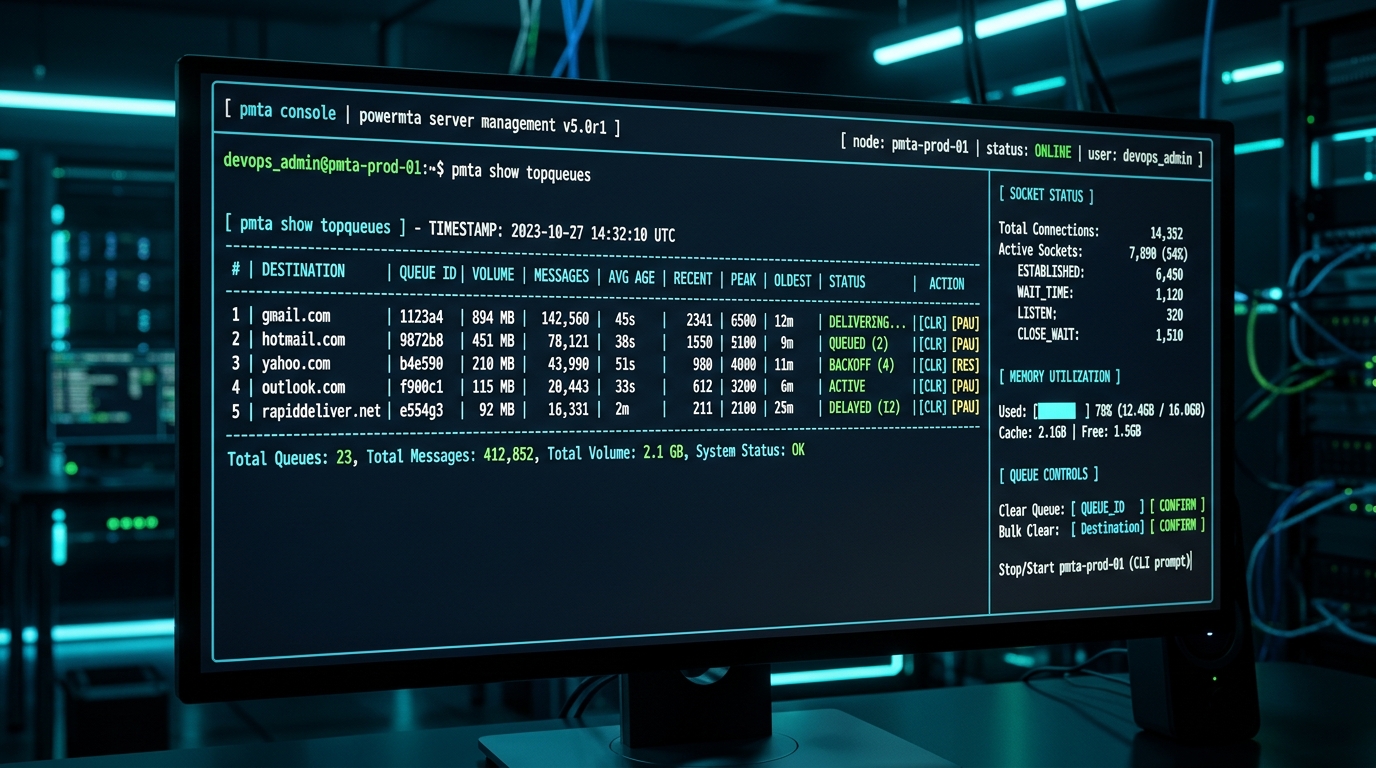
# Ranks destination domains by message volume, memory footprint, and age of oldest message
pmta show topqueues

# 3. Inspect Specific Destination Domain Queue
# Shows active connections, transient deferrals, and next scheduled retry interval
pmta show queue gmail.com

# 4. Audit Virtual MTA Performance
# Validates delivery rates and socket concurrency per source IP address
pmta show vmtas

# 5. Inbound Submission Source Telemetry
# Identifies which client application servers are actively feeding messages into the daemon
pmta show sources

# 6. Destination Domain Throttle Rules
# Confirms which rate-limits and domain-macros are actively being enforced
pmta show domain yahoo.com

# 7. Real-Time Delivery Log Streaming
# View last 50 transactions without tailing raw accounting files
pmta show log --limit=50
3. The Emergency Queue Triage Playbook: Fixing Stuck Emails
When destination mailboxes trigger 421 Service Unavailable deferrals or when bad recipient lists create massive queue backpressure, execute these triage recipes:
Scenario A: Immediate Delivery Retry
If an ISP was temporarily offline and has resumed accepting connections, force PowerMTA to bypass its scheduled retry backoff timers immediately:
pmta schedule --queue=outlook.com now
Scenario B: Deleting Poison-Pill Messages
If a malfunctioning client script generated 50,000 invalid test emails choking the outbound spool, permanently purge the domain queue:
pmta delete --queue=invalid-test-domain.com
4. Runtime Traffic Controls: Pausing, Resuming & Rate Alterations
During deliverability incidents (such as an IP receiving a temporary reputation block on Spamhaus or an ISP deferral storm), you must halt traffic to the affected destination or from the tainted IP without restarting the entire server:
# 1. Pause Outbound Sending to a Specific Domain
# Accepts incoming submissions into the spool, but suspends socket delivery
pmta pause queue hotmail.com

# 2. Resume Delivery Once Rate-Limits or IP Reputation Recovers
pmta resume queue hotmail.com

# 3. Isolate an Individual Virtual MTA (Tainted IP Address)
# Halts all outbound transmissions originating from vmta-bulk-04
pmta pause vmta vmta-bulk-04

# 4. Gracefully Bounce All Queued Messages with Custom SMTP DSN
# Evicts queued mail back to sender with a verified 550 Diagnostic Code
pmta bounce --queue=compromised-client.com "5.7.1 Suppressed by Administrator"
5. Hot Configuration Reloads & Syntax Verification
One of PowerMTA’s greatest operational superpowers is its ability to reload updated configuration files on a live production node with zero dropped connections and zero lost messages. However, executing a reload on a corrupt configuration file will halt your mail pipeline.
The Safe 2-Step Configuration Deployment Protocol
Step 1: Pre-Flight Syntax Check
Always run the configuration validator before modifying live runtime state:
pmta check config
If syntax errors, malformed domain macros, or invalid file paths are detected, PowerMTA reports the exact line number without touching the active process.
Step 2: Atomic Runtime Reload
Once validation passes with zero errors, instruct the master daemon to re-read the configuration file:
pmta reload
PowerMTA dynamically adjusts connection pools, virtual MTA weights, and throttle directives in RAM instantaneously.
6. PowerMTA CLI Command Reference Matrix
| Command Syntax | Administrative Scope | Impact on Live Sockets | Primary Use Case |
|---|---|---|---|
pmta show topqueues |
Read-Only Telemetry | Zero (Non-blocking) | Identify queues consuming the most RAM and disk spool |
pmta schedule [queue] now |
Queue State Modification | Immediate TCP connection attempt | Force retry after resolving ISP rate-limits |
pmta pause queue [domain] |
Runtime Delivery Throttling | Closes active sockets; holds mail in spool | Mitigate sudden 421 backoff storms on Yahoo/Gmail |
pmta resume queue [domain] |
Runtime Delivery Throttling | Re-enables socket negotiation | Restore traffic after deferral window expires |
pmta delete --queue=[domain] |
Destructive Spool Eviction | Deletes messages from spool without sending | Purge unauthenticated spam or dead test runs |
pmta check config |
Pre-Flight Validation | Zero (Inspects disk config only) | Verify syntax before live deployment |
pmta reload |
Runtime Daemon Update | Atomic hot update; zero socket drop | Apply updated IP pools and throttle macros |
7. Production Case Study: Resolving a 400K Yahoo Backlog
Clearing a 400,000 Message Yahoo Queue Deferral in Under 8 Minutes
During a nationwide Black Friday promotional blast, an ESP’s automated delivery engine generated thousands of concurrent connections to Yahoo MX endpoints, violating Yahoo’s strict concurrency caps and triggering cascading 421 4.7.0 [TS01] Messages temporarily deferred errors. Over 400,000 messages backed up into PowerMTA’s spool, delaying transactional order confirmations.
The CLI Triage Sequence:
pmta pause queue yahoo.com: Immediately halted outbound TCP connection hammering, allowing Yahoo’s rate-limiter penalty timer to cool down.- Updated
/etc/pmta/config: Reducedmax-smtp-outfrom 250 to 60 for Yahoo, and cappedmax-msg-per-connectionto 25. pmta check config && pmta reload: Applied the revised rate limits instantaneously without dropping any active order confirmation connections.pmta resume queue yahoo.com: Restored delivery under strictly throttled parameters.
The Outcome: Yahoo response codes immediately cleared from 421 deferrals to 250 OK. The entire 400,000 message backlog was drained smoothly within 22 minutes with zero lost emails and zero manual server reboots.
The AutoSMTP Deliverability Defense Advantage
Inbound and outbound filtering pipelines require robust underlying transport hardware. AutoSMTP provisions sovereign, dedicated bare-metal MTA infrastructure engineered for high-throughput filtering, synchronous 550 bounce suppression, and permanent reputation control.
Provisions fully licensed PowerMTA and KumoMTA clusters on enterprise bare-metal with dedicated IPv4 subnets and predictable flat pricing.
Monitors Google Postmaster spam ratios (<0.1%) and real-time ISP deferrals with algorithmic volume scaling across your entire IP pool.
RFC 5321 in-band 550 bounce suppression, automated Yahoo/Outlook Complaint Feedback Loops (CFL), and instant bad-IP eviction.
Pre-configured forward and reverse DNS (PTR) per IP, SPF CIDR alignment, 2048-bit DKIM rotation, and strict DMARC enforcement.
Upgrade Your Email Infrastructure with Dedicated Bare Metal
Eliminate filter lag, queue serialization bottlenecks, and noisy neighbor contamination. Deploy a turnkey AutoSMTP cluster today.
Deploy Turnkey MTA Cluster →