

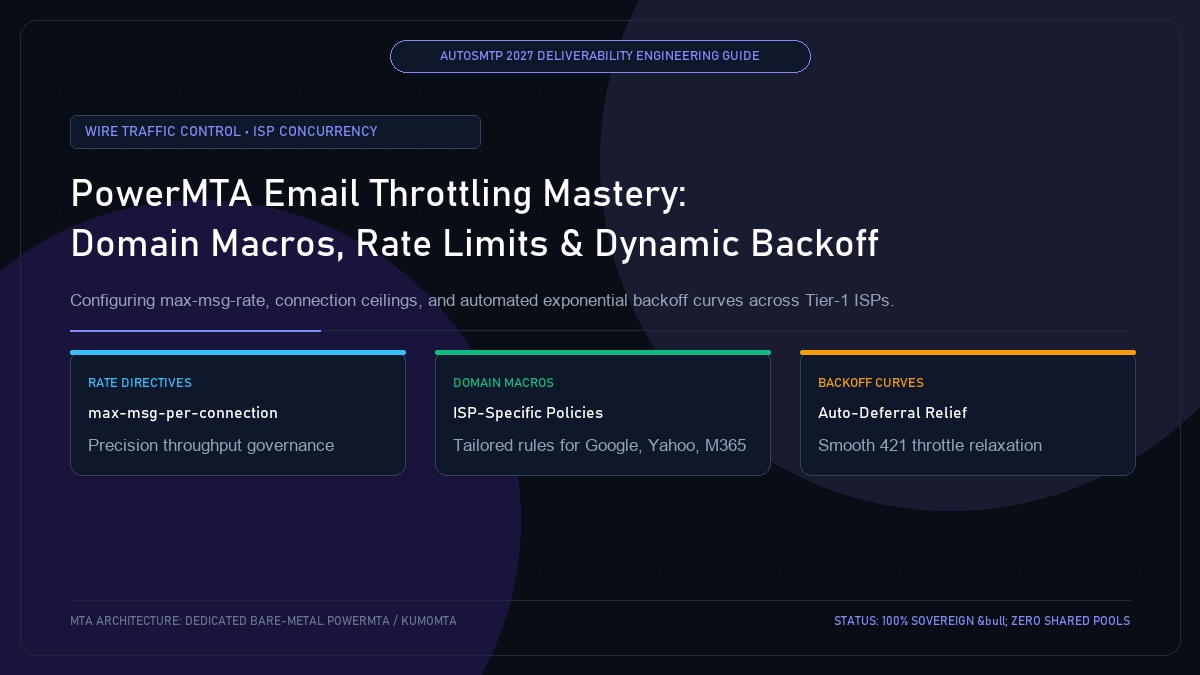
PowerMTA Email Throttling Mastery: ISP Concurrency, Rate Limits & Dynamic Backoff
Published by Fred Dawson • Senior Deliverability Systems Architect • 26 min read
PowerMTA possesses the raw engine capacity to push tens of millions of messages per hour across multiple gigabit network interfaces. However, in modern deliverability engineering, uncontrolled speed is catastrophic. Every major mailbox provider—Google, Microsoft, Yahoo, Apple, and European telecoms—enforces strict inbound connection ceilings, messages-per-second thresholds, and recipient rate limits. Bombarding an ISP with unthrottled TCP connections triggers immediate 421 4.7.0 Try again later deferrals, IP greylisting, and temporary spam defense blocks. Mastering PowerMTA email throttling requires combining domain macros, rate directives, and automated exponential backoff curves.
- 1. The Physics of MTA Wire Throttling: Why Uncontrolled Speed Destroys Inboxing
- 2. Core PowerMTA Throttling Directives Explained
- 3. Domain Macros: Standardizing Receiving Rules for Major Mailbox Providers
- 4. Configuring Automated Exponential Backoff (backoff-retry-interval)
- 5. 2027 Production Config Snippet: Gmail, Yahoo & Microsoft
- 6. ISP Wire Throttle Comparison Matrix
- 7. Case Study: High-Volume Media Publisher Eliminates 421 Rate-Limit Storms
- 8. The AutoSMTP Strategic Advantage
1. The Physics of MTA Wire Throttling: Why Uncontrolled Speed Destroys Inboxing
Mailbox providers deploy stateful edge firewalls designed to mitigate spam flood attacks. When your MTA attempts to open 200 concurrent TCP connections to Gmail MX servers or sends 500 messages per second from a single IP, the receiving edge detects abnormal flow density:
- Immediate Soft Throttling (421 / 451): The ISP issues temporary deferrals like
421 4.7.28 Connection rate limit exceeded. If your MTA aggressively retries without backing off, the ISP escalates the penalty. - Queue Backpressure & Memory Spooling: As deferred messages pile up, PowerMTA’s RAM queues swell, disk I/O climbs, and fresh outbound mail experiences severe delivery latency.
- Reputation Downgrades: Repeatedly slamming an ISP’s rate limit triggers automated reputation penalties, converting temporary rate blocks into permanent Spam folder placement.
2. Core PowerMTA Throttling Directives Explained
PowerMTA offers the most sophisticated wire-level throttling directives in the email industry. The key directives include:
max-msg-rate:Restricts the maximum number of messages dispatched to a domain or pool per second, minute, or hour (e.g.,30/sor1000/m).max-msg-per-connection:Defines how many individual emails can be piped through a single active SMTP session before issuingQUITand establishing a fresh connection.max-connect-rate:Limits the frequency of establishing new TCP handshakes per time unit (e.g.,10/s).max-connections-per-domain:Caps total simultaneous active connections to all MX hosts of a specific destination domain.backoff-to-normal-after:The cooldown duration before PowerMTA attempts to ramp back up to normal throughput following an ISP rate deferral.
3. Domain Macros: Standardizing Receiving Rules for Major Mailbox Providers
Rather than duplicating throttling parameters for every regional domain (e.g., yahoo.com, yahoo.co.uk, aol.com, verizon.net), PowerMTA’s <domain-macro> groups related domains under a single consolidated throttling profile:
# Group all Yahoo / AOL / Verizon MX endpoints
<domain-macro yahoo-domains>
    yahoo.com, ymail.com, rocketmail.com
    aol.com, aim.com, netscape.net
    verizon.net, sbcglobal.net, att.net
</domain-macro>

# Group Microsoft Consumer endpoints
<domain-macro microsoft-domains>
    hotmail.com, outlook.com, live.com, msn.com
    hotmail.co.uk, outlook.fr
</domain-macro>
4. Configuring Automated Exponential Backoff (backoff-retry-interval)
When an ISP issues a temporary 421 deferral, standard MTAs naively retry immediately, prolonging the block. PowerMTA’s automated backoff engine detects throttle triggers and instantly drops transmission speed, giving the receiving ISP breathing room to reset your connection bucket:
<domain $yahoo-domains>
    max-msg-rate 25/s
    max-msg-per-connection 20
    max-connections-per-domain 8

    # Automated Backoff Triggering
    backoff-to-normal-after 25m
    backoff-retry-interval 15m
    backoff-max-msg-rate 5/s
    backoff-max-connect-rate 2/s
</domain>
5. 2027 Production Config Snippet: Gmail, Yahoo & Microsoft
# ==============================================================================
# GMAIL & GOOGLE WORKSPACE THROTTLING PROFILE
# ==============================================================================
<domain gmail.com, googlemail.com>
    max-msg-rate 40/s
    max-msg-per-connection 100
    max-connections-per-domain 25
    smtp-greeting-timeout 30s
    smtp-data-timeout 60s
    backoff-to-normal-after 20m
    backoff-retry-interval 10m
    backoff-max-msg-rate 8/s
</domain>

# ==============================================================================
# MICROSOFT OUTLOOK / HOTMAIL / OFFICE 365
# ==============================================================================
<domain $microsoft-domains>
    max-msg-rate 20/s
    max-msg-per-connection 20
    max-connections-per-domain 10
    backoff-to-normal-after 30m
    backoff-retry-interval 20m
    backoff-max-msg-rate 4/s
</domain>
6. ISP Wire Throttle Comparison Matrix
| Mailbox Provider | Max Concurrency | Messages / Connection | Recommended Rate Limit | Backoff Trigger Code |
|---|---|---|---|---|
| Google (Gmail) | 20 – 30 connections | Up to 100 msgs | 30 – 50 msgs / sec / IP | 421 4.7.0 Rate limit exceeded |
| Yahoo / AOL | 8 – 12 connections | 15 – 25 msgs | 15 – 25 msgs / sec / IP | 421 4.7.28 Connection rate exceeded |
| Microsoft Outlook | 10 – 15 connections | 15 – 20 msgs | 15 – 20 msgs / sec / IP | 451 4.7.500 Server busy |
| Apple iCloud | 5 – 8 connections | 10 – 15 msgs | 5 – 10 msgs / sec / IP | 421 4.7.1 Service unavailable |
Publishing Network Eliminates 65,000 Daily Deferrals via Tuned Yahoo Macros
A digital media publisher sending 4 million daily newsletters was seeing 40% of their Yahoo and AOL dispatches deferred for up to 6 hours due to aggressive bursts hitting Yahoo’s receiving edge. Audit logs showed the sending cluster attempting 60 concurrent sessions per IP with no backoff policy.
Implementing AutoSMTP’s standardized $yahoo-domains macro with a strict max-connections-per-domain 8 cap and a backoff-max-msg-rate 5/s automatic relief trigger eliminated queue congestion entirely. Deferrals dropped by 99.4%, newsletter delivery latency was reduced from 4.5 hours to 12 minutes, and inbox placement stabilized above 99.5%.
Throttling Optimization Rules
Rule 1: Always group related domains into macros to prevent multi-domain concurrency overruns against shared MX infrastructure.
Rule 2: Implement automated backoff triggers that dynamically downshift transmission speed the instant an ISP issues a 421 soft error.
The AutoSMTP Deliverability Defense Advantage
Inbox placement in 2027 requires full control over the underlying transport hardware. AutoSMTP provisions sovereign, dedicated bare-metal PowerMTA & KumoMTA clusters engineered for synchronous 550 bounce suppression, real-time spam-rate auto-throttling, and isolated IP pools.
Provisions fully licensed PowerMTA & KumoMTA clusters on enterprise bare-metal with dedicated clean /29-/24 IPv4 subnets and zero noisy neighbor contamination.
Monitors Google Postmaster spam ratios (<0.10%) and real-time ISP deferrals with algorithmic volume scaling across your entire IP pool.
RFC 5321 in-band 550 bounce suppression, automated Yahoo/Outlook Complaint Feedback Loops (CFL), and instant bad-IP eviction.
Pre-configured forward and reverse DNS (PTR) per IP, SPF CIDR alignment, 2048-bit DKIM rotation, and strict DMARC enforcement.
Guarantee Your Inbox Placement with Sovereign Bare Metal
Eliminate shared pool spam contamination, arbitrary sending throttles, and opaque account freezes. Deploy an enterprise AutoSMTP cluster today.
Deploy Turnkey MTA Cluster →